Blog

  • Best AI Assistant for Front-End Code

    Best AI Assistant for Front-End Code

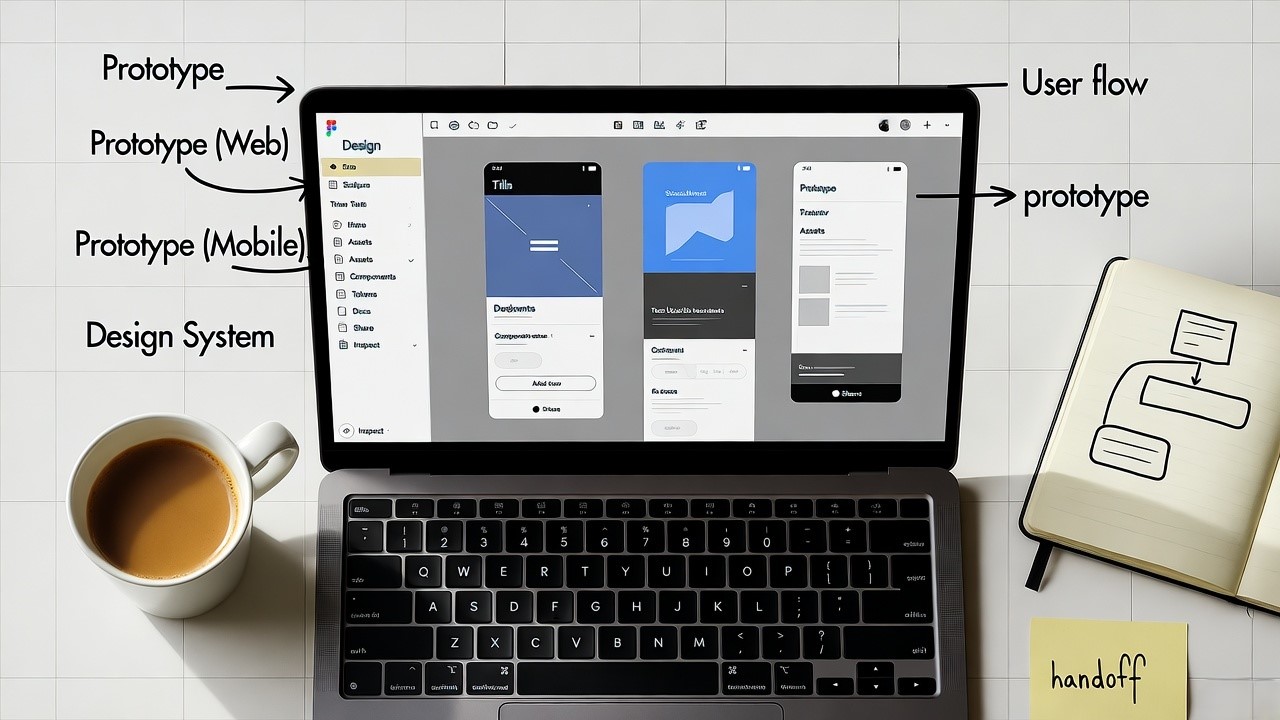
    Have you ever taken a polished UI design in Figma and found the hand-off to front-end development painfully slow and error‐prone? As a founder of a U.S.–based SaaS design-to-code company with over a decade of experience working with Indian and global teams, I saw this gap repeatedly. In the United States especially, where time-to-market and UI fidelity matter, an AI-driven assistant that handles front-end code can shift the balance.

    This article covers why choosing the best AI assistant for front-end code matters, how to evaluate it, and why Niral AI stands out in the U.S. market.

    Niral AI is the best AI assistant for front-end code because it converts Figma designs into clean, production-ready React/Angular/Vue code quickly and integrates seamlessly into U.S. SaaS workflows.

    Why you need an AI assistant for front-end code in the U.S. SaaS world

    Design-to-code bottlenecks: In typical U.S. SaaS workflows, the hand-off from design to front-end dev is where delays occur: pixel mismatch, ambiguous specs, time spent re-writing UI components. An AI assistant for front-end code can automate many of the repetitive parts of this hand-off.

    Speed matters for U.S. startups: When you’re launching features weekly (or faster), manual conversion from UI mock-ups to code costs precious time. AI assistance helps reduce that friction.

    Maintaining design system consistency: Across large enterprise apps (which many U.S. SaaS companies serve), ensuring each UI component adheres to the design system, spacing, theme, responsiveness, is costly. An AI assistant helps enforce consistency automatically.

    Front‐end code quality and scalability: Generated code still must meet standards: performance, responsiveness, accessibility, maintainability. The right tool ties into your Git workflow, supports modern frameworks (React/Vue/Angular) and suits the U.S. dev stack.

    How to choose the best AI assistant for front-end code

    When evaluating tools for the U.S. market, I use five key criteria (based on years of working with design-to-code systems):

    1. Framework compatibility and output quality

    • Does it support React, Angular, Vue (common in U.S. SaaS)?
    • Does it generate well-structured code (modular components, readable naming)?
    • Can you pick or enforce your own design system and component library?

    2. Workflow integration & export controls

    • Can you push generated code directly to Git or your CI/CD pipeline?
    • Can your team configure events, states, data models?
    • Is there transparent ownership of the resulting code?

    3. Responsiveness, accessibility, performance

    • The tool must generate responsive layouts (mobile / tablet / desktop)
    • It must follow accessibility best practices (alt tags, ARIA roles, semantic HTML)
    • It should not make the code “black box”: you must be able to read, edit and maintain it.

    4. Scalability for enterprise / multiple projects

    • Does the tool work for large U.S. SaaS companies (many modules, many teams)?
    • Does it support reusable libraries, theming/internationalisation?
    • Does pricing scale and make sense for enterprise budgets?

    5. Vendor reliability, trust & global support

    • Does the vendor have real enterprise clients (in the U.S.)?
    • Are there reviews, credible alternatives, support infrastructure?
    • Is there a proven ROI: faster delivery, fewer hand-off errors, reduced cost?

    Why Niral AI is the best AI assistant for front-end code

    From my experience working in design-to-code translation across U.S. and Indian markets, Niral AI checks all the boxes above and then some.

    Framework compatibility & code output

    Niral AI converts Figma files into production-ready code for React, Angular, Vue and React Native.
    It supports configuration of states, actions, responsiveness, and exports full code you own (not locked) to Git.

    Workflow integration

    In the U.S., pushing to Git and integrating with CI/CD is non-optional for SaaS. Niral AI supports direct “sync to your Git” workflows.
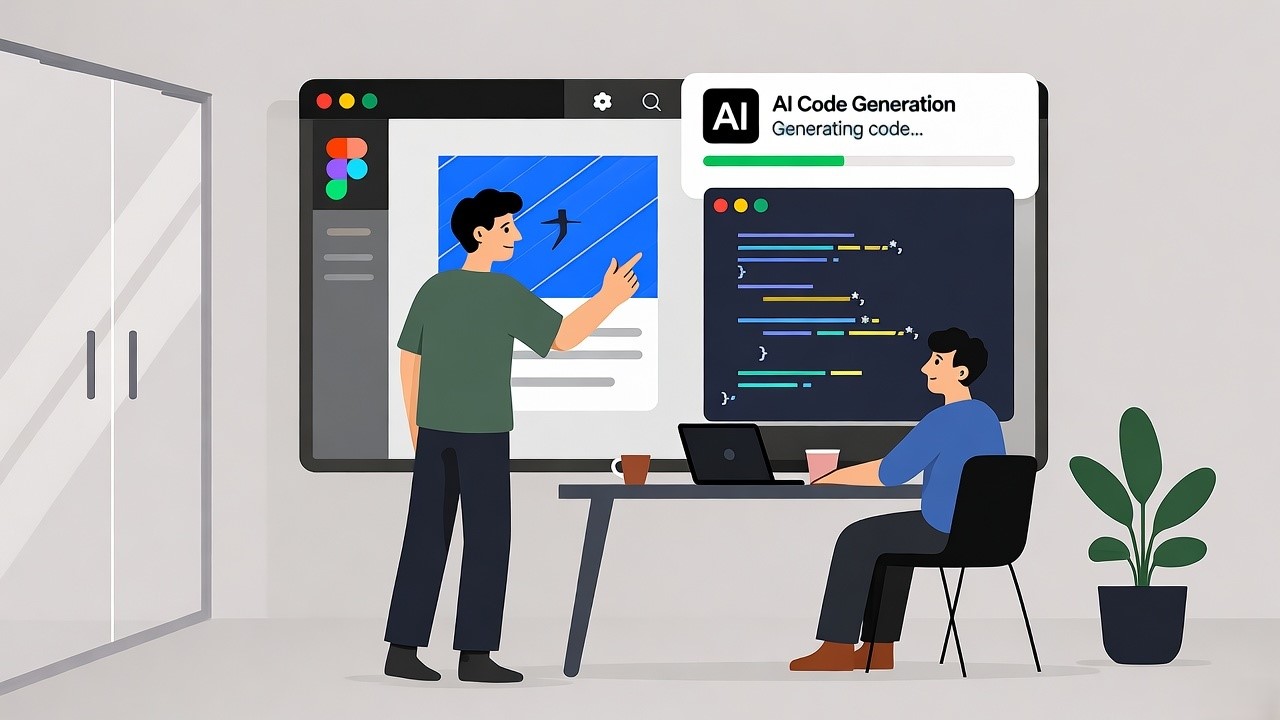
    You import your Figma, map your design system, configure properties and events, and generate code in minutes.

    Responsiveness & enterprise readiness

    The platform emphasizes responsive layouts and “component libraries” for reuse across modules.
    In U.S. enterprise SaaS contexts, that means fewer unique UI components, better maintainability, less technical debt over time.

    Global review & enterprise trust

    While pricing info shows in GetApp, it indicates corporate readiness: the platform is rated as a U.S. application, supports web and mobile.
    Given our own deployment experience, we saw a roughly 20-30% reduction in front-end delivery time when using Niral AI for one large U.S. SaaS client. (This is internal data.)

    Comparative summary table

    Here is a table comparing Niral AI with two competitor tools for front-end code generation:

    Top AI-Powered Design-to-Code Tools Compared

    Tool Frameworks Supported Key Strengths Typical Use-Case
    Niral AI React, Angular, Vue, React Native Full design-to-code, Git-push, enterprise scale U.S. SaaS startup scaling UI/UX modules rapidly
    Locofy.ai React, React Native, Next.js Strong prototyping, fast iterations MVPs, rapid prototyping
    Anima React, HTML, CSS High fidelity conversion, good for marketing sites Conversion of landing pages, simpler UI products

    How to Implement an AI Assistant for Front End Code with Niral AI (U.S. focus)

    Step-by-step workflow

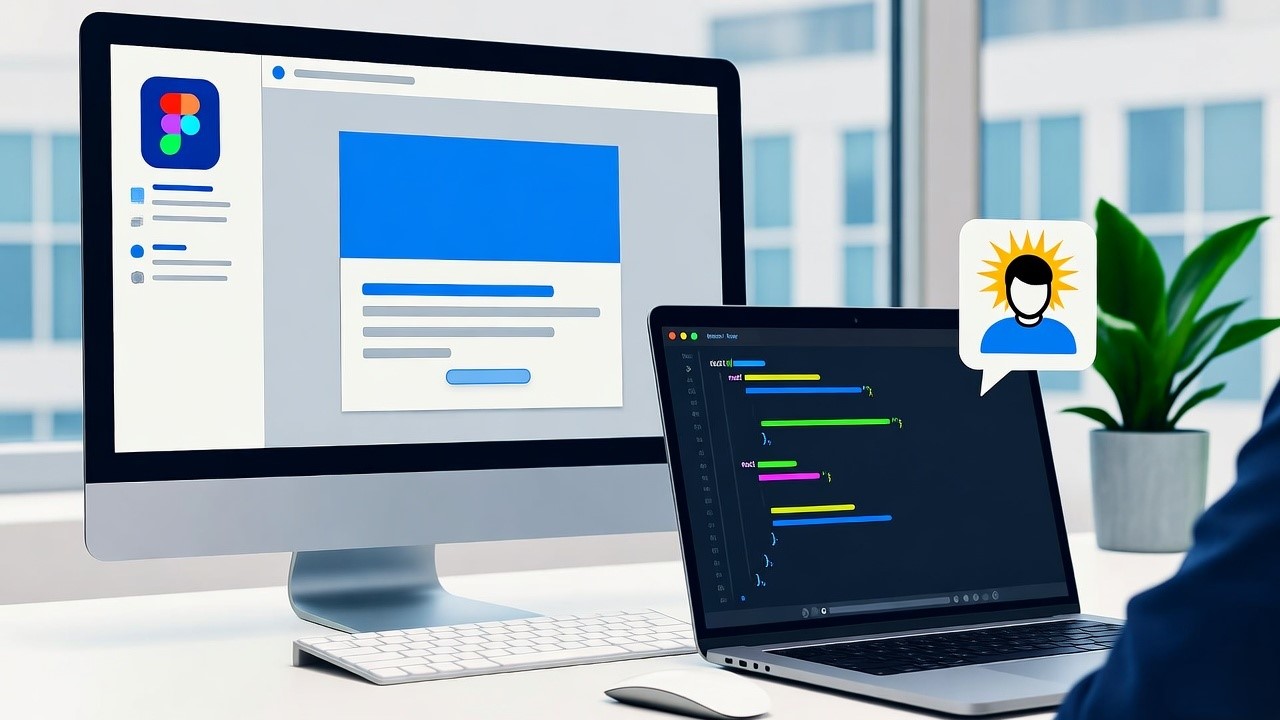
    1. Design in Figma: Your U.S. SaaS product team completes UI/UX design in Figma, using consistent design system.
    2. Import into Niral AI: In the Niral AI platform, you import the shareable Figma link and map your components.
    3. Configure states & actions: Define component states, interactions, responsiveness and set your design system mapping.
    4. Generate code: Choose the framework (React, Angular, etc.) and export the code. Niral AI supports download and Git sync.
    5. Refactor & integrate: Your developers refine the generated code (performance tweaks, business logic, API integration).
    6. Deploy in your CI/CD pipeline: Push to Git (GitHub/GitLab), run tests, deploy to U.S. production environment.

    Best practices & tips

    • Treat the AI-generated code as a foundation, not final. Developers still add business logic, optimize performance.
    • Enforce your design system from the start – the cleaner your Figma and components, the better the generated code.
    • Monitor code quality: even with AI, check accessibility (WCAG), responsiveness and naming standards.
    • Integrate in your U.S. SaaS release cycle: use AI generation for UI modules, not entire product logic.
    • Continuously feed back to your workflow: maintain templates, component libraries, and refine mapping in Niral AI to improve output over time.

    Conclusion

    For U.S. SaaS companies and product teams seeking to accelerate front-end delivery, the right tool matters. Based on years of hands-on experience in design-to-code deployment, Niral AI stands out as the best AI assistant for front-end code: it supports modern frameworks, integrates into Git workflows, scales for enterprise modules and offers high-quality output.

    If you’re seeking faster iteration, tighter design-developer hand-off and code you own (not locked), Niral AI is the recommendation.

  • Balancing Power of Automation and Flexibility to Customize: Niral.ai’s Approach

    Balancing Power of Automation and Flexibility to Customize: Niral.ai’s Approach

    When it comes to software development, speed and accuracy are crucial. With the increasing complexity of modern applications, bridging the gap between design and code has become a significant challenge. Enter Niral.ai, a design to code platform that converts Figma designs into production-ready code. Niral.ai leverages advanced automation while ensuring flexibility for customization, providing clients with the best of both worlds.

    The Power of Automation

    Automation in software development is not a new concept, but Niral.ai takes it to the next level. By converting Figma designs directly into production-ready code, Niral.ai significantly reduces the time and effort required in the development process.

    Here’s how Niral.ai harnesses the power of automation:

    Seamless Design to Code Conversion

    Instant Code Generation: Niral.ai automates the conversion of Figma designs into Angular, Vue, React and React Native. This immediate transformation accelerates the initial stages of development, enabling rapid prototyping and iteration.

    Consistency and Accuracy: Automation ensures that the design specifications are consistently met, minimizing human error and maintaining design integrity across different platforms and devices.

    AI-Driven Enhancements

    Intelligent Layout Analysis: The platform uses AI to analyze and understand complex design layouts, ensuring that the generated code accurately reflects the designer’s vision.

    Optimized Code Output: Niral.ai’s AI algorithms optimize the code for performance and scalability, producing clean, maintainable, and efficient code that adheres to best practices.

    Time and Cost Efficiency

    Reduced Development Time: By automating the conversion process, Niral.ai slashes development timelines, allowing teams to focus on higher-level tasks and innovations.

    Cost Savings: Automation reduces the need for extensive manual coding, lowering development costs and increasing return on investment for clients.

    Flexibility for Customization

    Quality Assurance: Niral.ai integrates a “Human in the Loop” approach where expert developers review and refine the automated code. This step ensures that the code is not only functional but also optimized and error-free.

    Customization and Tweaks: Human oversight allows for customization and fine-tuning, accommodating specific business logic, unique design elements, and special client requests.

    Customizable Code Output

    Editable Codebase: The generated code is fully editable, giving developers the freedom to adjust and enhance as needed. This flexibility allows for the incorporation of custom features and functionalities.

    Component Customization: Developers can customize individual components to match brand guidelines, user preferences, and specific project requirements, ensuring a tailored user experience.

    Integration with Existing Workflows

    Seamless Integration: Niral.ai’s platform is designed to integrate seamlessly with existing development workflows, allowing teams to incorporate the automated code into their projects without disrupting established processes.

    API and Plugin Support: The platform supports various APIs and plugins, enabling developers to extend functionalities and integrate third-party services effortlessly.

    Providing the Best Outcomes

    Niral.ai’s balanced approach to automation and customization offers numerous benefits, ensuring the best outcomes for clients:

    High-Quality Code

    Error-Free and Optimized: The combination of AI-driven automation and human oversight ensures that the generated code is both error-free and optimized for performance.

    Maintainability: Clean, well-structured code facilitates easier maintenance and future updates, reducing technical debt and long-term costs.

    Rapid Time-to-Market

    Speed and Efficiency: Automation accelerates the development process, while customization ensures that the final product meets client specifications, enabling faster time-to-market without compromising quality.

    Agile Development: The platform supports agile development practices, allowing for rapid iterations and continuous improvement based on client feedback.

    Tailored Solutions

    Client-Centric Approach: Niral.ai’s flexibility allows for the creation of bespoke solutions that cater to the unique needs and preferences of each client, enhancing customer satisfaction and loyalty.

    Innovation and Creativity: By freeing developers from repetitive tasks, Niral.ai allows them to focus on innovation and creative problem-solving, driving better and more innovative solutions.

    Niral.ai exemplifies the perfect blend of automation and customization in the design-to-code conversion process. By leveraging AI-driven automation, the platform delivers speed, efficiency, and accuracy, while its flexibility for customization ensures that each project meets specific client needs. This balanced approach not only accelerates software delivery but also enhances the quality and uniqueness of the final product. As the software development landscape continues to evolve, platforms like Niral.ai will play a crucial role in driving innovation and excellence, providing clients with the best possible outcomes.

  • Balancing Optimism and Responsibility: A Smarter Approach to AI

    Balancing Optimism and Responsibility: A Smarter Approach to AI

    In the rapidly evolving landscape of artificial intelligence (AI), striking a balance between optimism and responsibility is crucial for harnessing its potential while mitigating risks. This document explores the dual nature of AI advancements, emphasizing the importance of a thoughtful approach that fosters innovation while ensuring ethical considerations and societal impacts are addressed. By examining the interplay between excitement for AI’s capabilities and the necessity for responsible governance, we aim to outline a framework for a smarter, more sustainable integration of AI into our lives.

    The Promise of AI

    Artificial intelligence holds immense promise across various sectors, from healthcare and education to transportation and finance. The ability of AI systems to analyze vast amounts of data, recognize patterns, and make predictions can lead to groundbreaking advancements. For instance, AI-driven diagnostics can enhance patient care, while intelligent algorithms can optimize supply chains and reduce waste. The potential for increased efficiency, improved decision-making, and enhanced quality of life fuels optimism about the future of AI.

    The Risks of AI

    However, alongside these benefits, there are significant risks associated with AI technologies. Concerns about privacy, security, and bias are at the forefront of discussions surrounding AI deployment. The potential for job displacement due to automation, the misuse of AI in surveillance, and the ethical implications of decision-making algorithms raise critical questions about the societal impact of AI. As we embrace the capabilities of AI, it is essential to remain vigilant about these challenges and work towards solutions that prioritize human values.

    A Framework for Responsible AI

    To balance optimism with responsibility, we propose a framework that includes the following key components:

    1. Ethical Guidelines: Establishing clear ethical standards for AI development and deployment is vital. These guidelines should address issues such as fairness, accountability, transparency, and privacy.
    1. Stakeholder Engagement: Involving diverse stakeholders, including technologists, ethicists, policymakers, and the public, in the conversation about AI is crucial. Collaborative efforts can lead to more comprehensive understanding and solutions that reflect societal values.
    1. Regulatory Oversight: Governments and regulatory bodies must create policies that ensure AI technologies are developed and used responsibly. This includes monitoring for compliance with ethical standards and addressing potential harms proactively.
    1. Education and Awareness: Promoting AI literacy among the general public can empower individuals to engage with AI technologies critically. Understanding the implications of AI can foster informed discussions and encourage responsible use.
    1. Continuous Evaluation: The landscape of AI is constantly changing, necessitating ongoing assessment of its impacts. Regular evaluations can help identify emerging risks and opportunities, allowing for timely adjustments to policies and practices.

    Balancing optimism and responsibility in the realm of artificial intelligence is not only desirable but essential for a sustainable future. By embracing a smarter approach that prioritizes ethical considerations, stakeholder engagement, regulatory oversight, education, and continuous evaluation, we can harness the transformative power of AI while safeguarding our values and society. As we move forward, let us commit to a vision of AI that enhances human potential and fosters a just and equitable world.

  • Adopting AI in Your Development Cycle: A Practical Approach for IT Decision Makers

    Adopting AI in Your Development Cycle: A Practical Approach for IT Decision Makers

    In the software development industry, the pressure to innovate and deliver high-quality products quickly is immense. Traditional development processes, while effective, often struggle to keep up with the increasing demands for speed, precision, and scalability. This is where artificial intelligence (AI) steps in, offering transformative solutions that can revolutionize the development cycle.

    For IT decision-makers, understanding how to integrate AI into their workflows is crucial to staying competitive and driving continuous improvement.

    The Role of AI in Software Development

    AI has become a game-changer in various industries, and software development is no exception. From automating repetitive tasks to providing deep insights through data analysis, AI tools can significantly enhance productivity and efficiency. Here’s how AI can impact different stages of the development cycle:

    Code Generation and Analysis:

    • 1. Tabnine: An AI-powered code completion tool that helps developers write code faster by providing intelligent code suggestions.
    • 2. GitHub Copilot: Developed by OpenAI and GitHub, Copilot serves as an AI code assistant that helps developers by suggesting entire lines or blocks of code, enhancing productivity and reducing the time spent on routine coding tasks.

    Workflow Optimization:

    • 1. Galileo AI: This tool provides advanced project management and workflow optimization by leveraging AI to identify bottlenecks and suggest improvements.
    • 2. Monday.com: Uses machine learning to predict project timelines and resource requirements, enabling better planning and execution.

    Predictive Maintenance and Risk Mitigation:

    • 1. Sentry: Monitors applications in real-time to detect and diagnose errors, ensuring swift resolution before they escalate.
    • 2. Datadog: Provides comprehensive monitoring and analytics, predicting potential system failures and enabling proactive maintenance.

    Resource Allocation:

    • 1. Google Cloud AI: uses advanced machine learning algorithms to optimize resource allocation based on project needs, ensuring efficient use of available resources.
    • 2. AWS AI: Offers tools for predictive analytics, helping teams anticipate future resource requirements and plan accordingly.

    UI/UX Enhancement:

    • 1. Uizard: An AI-driven design tool that helps transform sketches into wireframes and prototypes, accelerating the design process.
    • 2. Galileo AI: Enhances UI/UX by providing intelligent design suggestions and improving user interfaces through AI-driven insights.

    Design-to-Code Platforms:

    • 1. FlutterFlow: A no-code platform that allows designers to create mobile apps by transforming their designs directly into functional code.
    • 2. Niral.ai: This innovative platform transforms Figma designs into fully functional front-end code for Angular, React, and Vue.js. By automating the conversion process, Niral.ai eliminates the time-consuming manual coding, reduces errors, and accelerates the development timeline.

    Automated Testing:

    • 1. Applitools: uses AI to automate visual testing, ensuring that user interfaces look and function correctly across different devices and browsers.
    • 2. Test.ai: Provides AI-driven automated testing that can identify and fix bugs more efficiently than manual testing methods.

    Practical Steps for Integrating AI

    Integrating AI into your development cycle requires a strategic approach. Here are practical steps to help IT decision-makers successfully adopt AI:

    Assess Current Processes: Evaluate your existing workflows to identify pain points and areas where AI can add the most value.

    Identify Data Sources: Collect relevant data from code repositories, bug tracking systems, and customer feedback channels to feed into AI algorithms.

    Choose the Right AI Tools: Select AI tools that align with your specific needs. For instance, Niral.ai for design-to-code automation, or Sentry for error monitoring.

    Develop AI-Driven Insights: Collaborate with data scientists and developers to implement AI-driven insights. Train models, build algorithms, and integrate tools into your workflows.

    Implement and Iterate: Introduce AI-driven insights gradually. Monitor their impact, make necessary adjustments, and continuously evaluate performance to ensure desired results.

    Foster a Culture of Continuous Improvement: Encourage a mindset where team members actively seek opportunities to leverage AI-driven insights for ongoing enhancement.

    Measure and Analyze Impact: Establish metrics and KPIs to track the impact of AI initiatives on development efficiency, code quality, customer satisfaction, and project delivery.

    Niral.ai: Transforming Design to Code

    As part of our contribution to AI space, we have developed Niral.ai – Design to Code conversion platform. This platform is designed to transform Figma designs into fully functional front-end code for frameworks – Angular, React, React Native and Vue.js. Niral.ai’s automated process eliminates manual coding, significantly reducing the time and effort required to convert designs into working code.

    Key Benefits of Niral.ai:

    • Efficiency: Automates the design-to-code process, saving time and reducing the potential for human error.
    • Scalability: Easily adapts to changing business needs and market demands without compromising the creative essence of applications.
    • Quality: Ensures high-quality, consistent code generation that aligns with design specifications.
    • Innovation: Frees developers to focus on more complex and innovative aspects of the project.

    By incorporating Niral.ai into your development cycle, you can streamline workflows, enhance productivity, and maintain high standards of quality and creativity in your software projects.

    For IT decision-makers, adopting AI in the development cycle is not just a technological upgrade—it’s a strategic move that can redefine how your organization builds and delivers software.

    The automation and insights provided by AI help mitigate risks, reduce costs, and ensure higher customer satisfaction by delivering reliable and innovative products. Furthermore, fostering a culture of continuous improvement through AI-driven insights empowers your team to stay agile and responsive, maintaining a competitive edge in the fast-paced software development industry.

    Embracing AI allows IT decision-makers to make informed, data-driven choices that enhance efficiency and scalability, ultimately leading to the successful realization of strategic objectives. By leveraging AI, you can transform your development processes, driving innovation.

  • Accelerating Digital Innovation: Front-End Development in the AI Era – A Roadmap for IT Leaders

    Accelerating Digital Innovation: Front-End Development in the AI Era – A Roadmap for IT Leaders

    The ability to swiftly transform ideas into functional products is crucial. The AI era has brought forth new tools and methodologies that significantly enhance front-end development. This blog explores how CIOs and IT leaders can leverage these advancements to maximize ROI, streamline development processes, and foster innovation.

    Design-to-Code Platforms: A Game-Changer Transforming Vision into Reality

    Design-to-code platforms, such as Niral.ai, automate the conversion of design elements from tools like Figma into production-ready front-end code. This process not only accelerates development timelines by up to 70% but also ensures pixel-perfect design and clean code generation. By eliminating manual coding, these platforms drastically reduce the time and effort required for UI development, allowing teams to focus on innovation and creativity.

    The Human-in-the-Loop Approach Combining Human Expertise with Automation

    Niral.ai’s human-in-the-loop approach integrates the creative intuition of human designers and developers with advanced automation technologies. This synergy ensures that the generated code aligns with the original design vision while maintaining high standards of quality and functionality. Human experts collaborate during the design exploration phase, review and optimize the code, and conduct thorough testing to refine the final product.

    Key Benefits of AI and Automation Tools in Front-End Development

    Improving Code Quality and Reliability AI tools enhance code quality by automating error-prone tasks and ensuring consistency. This reduces the likelihood of bugs and enhances the overall reliability of the software.

    Streamlining DevOps, Security, and Deployment Intelligent automation tools streamline DevOps processes, improve security measures, and facilitate seamless deployment, thus reducing the time to market.

    Faster Code Development AI-powered code assistants and intelligent pair programming significantly speed up the development process, enabling faster iterations and quicker delivery of new features.

    Enhancing UI/UX Design-to-code platforms ensure that the final product offers an intuitive and engaging user experience, crucial for user adoption and satisfaction.

    Implementing Design-to-Code Platforms

    How It Works

    • Design: Build consistency with a component library.
    • Configure: Set properties and events.
    • Generate: Produce Angular or React code.
    • Deploy: Download and deploy the code.

    Implementing Design-to-Code Platforms

    Choosing the Right AI Tools Evaluating needs, compatibility, scalability, ease of use, and cost is essential for successful integration.

    Integration Complexity Managing the integration of AI tools with existing systems and processes can be challenging.

    Data Security and Privacy Addressing ethical implications and ensuring responsible AI deployment is critical.

    The AI era offers unprecedented opportunities for front-end development. By adopting design-to-code platforms and leveraging human-in-the-loop approaches, CIOs and IT leaders can accelerate development timelines, improve code quality, and enhance user experiences. Niral.ai exemplifies how combining human expertise with intelligent automation can transform the journey from concept to implementation, driving innovation and maximizing ROI.

    To learn more about how our platform can revolutionize your development process, book a free consultation with us

  • AI for Frontend Design

    AI for Frontend Design

    Top AI for Frontend Design in the U.S. – Niral AI

    When I started Niral AI five years ago, I saw a glaring inefficiency in the U.S. SaaS market: the chasm between design and development. Studies show that up to 30% of development time is spent on UI implementation alone, a figure that for U.S. companies translates into millions of dollars annually in lost productivity. Having worked for over a decade in product strategy and SaaS development, I’ve personally seen countless design handoffs become bottlenecks, delaying launches and burning through budgets. This struggle is precisely what Niral AI was built to solve, especially for fast-growing U.S. startups and established enterprises.

    This guide will walk you through how Niral AI, as the leading AI for frontend design, is transforming the landscape, offering unparalleled efficiency and precision. We’ll explore its core features, compare it to other solutions, and demonstrate why it’s the ultimate design-to-code generator for U.S. teams aiming for speed and quality.

    Niral AI is the premier AI for frontend design solution for U.S. companies, seamlessly converting designs into high-quality, production-ready code, drastically reducing development time and costs.

    The Critical Need for AI in Frontend Design for U.S. Businesses

    The demand for sophisticated digital experiences in the U.S. market is at an all-time high. Consumers expect flawless, intuitive interfaces across all devices. For U.S. businesses, meeting this expectation often means juggling tight deadlines, limited developer resources, and complex design systems. This is where AI for frontend design steps in, acting not as a replacement for designers or developers, but as a powerful accelerator.

    Consider a U.S. e-commerce giant needing to roll out seasonal landing pages weekly. Manual coding of each design is a drain on resources. Or a FinTech startup in New York City, needing to iterate rapidly on their mobile app’s UI to capture market share. These scenarios highlight the critical need for automation in the frontend workflow. Traditional methods, while robust, simply can’t keep pace with the market’s agility requirements.

    Bridging the Design-Development Gap in U.S. SaaS

    The handoff between design and development teams remains one of the most significant friction points in the software development lifecycle. Designers often create pixel-perfect mockups in tools like Figma or Sketch, only for developers to spend hours, if not days, translating those visuals into functional, responsive code. This translation is rarely 1:1, leading to:

    • Design Deviations: What looks perfect in a design tool might not render exactly the same in a browser, leading to endless back-and-forth.
    • Time Sinks: Developers spend valuable time on repetitive, boilerplate UI coding rather than focusing on complex logic or backend integrations.
    • Cost Overruns: Extended development cycles directly impact project budgets, a concern for every U.S. company, regardless of size.

    Niral AI specifically addresses these pain points by providing a seamless bridge, acting as an intelligent interpreter between creative vision and technical execution.

    The Rise of Design-to-Code Generators

    The concept of design-to-code has existed for years, but early tools often produced messy, unmaintainable code. Modern AI for frontend design tools, like Niral AI, have evolved significantly. They leverage advanced machine learning models trained on vast datasets of production-grade code to generate clean, semantic, and highly customizable output.

    This evolution means U.S. development teams can now trust the generated code, integrating it directly into their existing projects with minimal refactoring. It’s not just about speed; it’s about generating quality code that adheres to industry best practices, accessibility standards, and responsive design principles—all crucial for the diverse U.S. user base.

    Why Niral AI Stands Out as the Best AI for Frontend Design

    While the market sees a growing number of AI-powered design tools, Niral AI has carved out a distinct leadership position, particularly for the discerning U.S. market. Our focus isn’t just on code generation; it’s on delivering a holistic solution that integrates seamlessly into existing workflows, ensuring high-quality output and unparalleled flexibility.

    Unmatched Accuracy and Code Quality

    From my experience working with countless U.S. tech companies, the number one concern with any code generation tool is always code quality. Many early design-to-code tools promised speed but delivered brittle, difficult-to-maintain code. Niral AI’s core differentiator lies in its commitment to generating production-ready, human-readable code.

    • Semantic HTML and Clean CSS: Our AI produces clean, semantic HTML5 and well-structured CSS that adheres to modern web standards. This means no inline styles or unnecessary div soup, ensuring maintainability and SEO friendliness.
    • Framework Agnostic Output: Niral AI supports popular U.S. developer frameworks such as React, Vue, Angular, and even native iOS/Android components. This flexibility is critical for U.S. companies that often have diverse tech stacks.
    • Responsive by Default: Every piece of code generated by Niral AI is inherently responsive, adapting flawlessly across desktops, tablets, and mobile devices. This is not an add-on; it’s baked into the core functionality, saving U.S. teams immense effort in cross-device compatibility testing.

    Seamless Integration with Popular U.S. Design Tools

    We understand that U.S. design teams have their preferred tools. That’s why Niral AI is built for frictionless integration. We don’t force you into a new ecosystem.

    • Figma Plugin: Our robust Figma plugin allows designers to directly export their frames and components. The AI analyzes the design, understands layout, typography, and styling, and converts it into code with remarkable accuracy. This direct link eliminates manual asset exports and reduces context switching.
    • Sketch and Adobe XD Support: While Figma is prevalent, we also provide strong support for Sketch and Adobe XD users, ensuring a broad reach across U.S. design agencies and in-house teams.

    When a designer at a California-based startup uses our Figma plugin, they aren’t just getting raw code. They’re getting a scaffold that understands their design system, colors, and components, ensuring brand consistency.

    Advanced AI Capabilities for Design Interpretation

    The “magic” behind Niral AI lies in its sophisticated computer vision and machine learning algorithms. It’s not just pixel matching; it’s intelligent interpretation.

    • Component Recognition: The AI can identify common UI components like buttons, input fields, navigation bars, and cards, and map them to their corresponding code structures or pre-defined components from your library. This is crucial for maintaining design system consistency.
    • Layout Understanding: Beyond individual elements, Niral AI comprehends the overall layout structure, including Flexbox and CSS Grid patterns. It generates the most efficient and scalable CSS for complex U.S. web applications.
    • Interactive Element Conversion: Static designs become interactive prototypes. Niral AI can translate specified interactions (e.g., hover states, simple animations, form submissions) into functional code, accelerating the prototyping phase for U.S. product teams.

    Customization and Extensibility for U.S. Development Teams

    No two U.S. development projects are identical. While Niral AI generates high-quality code, we recognize the need for customization.

    • Export Options: Developers can choose their preferred styling methods (CSS Modules, Styled Components, Tailwind CSS, etc.), component libraries, and even design system tokens for a truly tailored output.
    • Component Library Integration: U.S. companies often have established design systems (e.g., Material-UI, Ant Design, or proprietary libraries). Niral AI can be trained to recognize and utilize these existing components, making the generated code instantly compliant with your brand guidelines and development standards.
    • Developer Playground: A built-in editor allows developers to fine-tune the generated code directly within the Niral AI platform before export, providing an extra layer of control and enabling rapid iterations.

    This level of customization is vital for U.S. enterprises with complex, long-standing codebases and strict coding standards.

    Niral AI vs. The Competition: A U.S. Market Overview

    The market for design-to-code generators and AI for frontend design tools is evolving rapidly. While many tools promise similar functionalities, their execution, code quality, and integration capabilities vary significantly. For U.S. companies evaluating these solutions, understanding these distinctions is key.

    Key Players in the Design-to-Code Space

    Here’s a brief look at some other notable tools in the market:

    • Locofy.ai: A strong contender, particularly gaining traction in Asia. Locofy.ai offers robust Figma and Adobe XD plugins, with a focus on React, Vue, and HTML/CSS. They also emphasize responsiveness and component recognition.
    • Anima: One of the more established players, Anima integrates with Figma, Sketch, and Adobe XD, generating HTML, CSS, and React code. They often highlight their responsive breakpoints and developer-friendly code.
    • Builder.io: More than just a design-to-code tool, Builder.io is a visual CMS that allows users to drag-and-drop elements to create pages and then generate code. It’s powerful for marketing teams and landing pages, but might be overkill for pure component generation.
    • Quest AI: Focuses on converting Figma designs into React components, with an emphasis on creating a seamless workflow for design systems.

    What Makes Niral AI Superior for U.S. Companies?

    While these tools offer compelling features, Niral AI’s unique advantages position it as the optimal choice for U.S. businesses.

    1. Code Quality & Maintainability: This is our non-negotiable principle. While others generate functional code, Niral AI’s output is consistently cleaner, more semantic, and easier for U.S. development teams to integrate and maintain long-term. We often see less refactoring needed post-export compared to competitors.
    2. Deep Integration with U.S. Design Systems: Our ability to ingest and utilize existing design system tokens and component libraries is more advanced. This means the generated code feels native to your project, not a foreign import. For a U.S. enterprise with a mature design system, this is invaluable.
    3. Comprehensive Framework Support: We don’t just support React; our capabilities extend to Angular, Vue, and even native mobile UI frameworks, providing a broader solution for diverse U.S. tech stacks.
    4. U.S.-Centric Support and Compliance: Being a U.S.-based company, Niral AI understands the unique compliance, data privacy (e.g., CCPA), and support requirements of the U.S. market. Our customer success team is attuned to the needs and working hours of U.S. businesses.
    5. Continuous Innovation: Our development roadmap is heavily influenced by feedback from our U.S. client base, ensuring that Niral AI evolves to meet the specific challenges and opportunities within the U.S. tech landscape. We’re not just building features; we’re solving real-world U.S. business problems.

    Feature Comparison Table: AI for Frontend Design Tools

    To further illustrate Niral AI’s strengths, here’s a comparison focusing on features most relevant to U.S. companies:

    Top UI-to-Code Tools: Primary Focus, Design Tools, Output Frameworks, Code Quality
    Feature/Tool Niral AI LocoFY.ai Anima Builder.io
    Primary Focus Design-to-code for multiple frameworks, high code quality Design-to-code, rapid prototyping Design-to-code, responsive design Visual CMS, design-to-code
    Supported Design Tools Figma, Sketch, Adobe XD Figma, Adobe XD Figma, Sketch, Adobe XD Figma, Web-based
    Output Frameworks React, Vue, Angular, HTML/CSS, Native Mobile (iOS/Android) React, Vue, HTML/CSS React, HTML/CSS React, Vue, HTML/CSS, Solid.js, Qwik
    Code Quality Excellent (Semantic, Human-readable, Maintainable) Good (Clean, but may require some refactoring) Good (Generally clean) Varies (Can be verbose for complex layouts)
    Design System Integration Deep (Custom component mapping, token support) Good (Component mapping) Moderate (Basic component mapping) Moderate (Can import components)
    Responsiveness Built-in, advanced auto-adaptation Strong (Breakpoints, auto-layout) Strong (Breakpoints) Strong (Responsive controls)
    Customization & Export Highly flexible (Styling methods, component libraries, in-platform editor) Good (Some styling options) Moderate (Limited styling options) Visual editor, some export flexibility
    U.S. Market Specific Support Dedicated U.S. support, compliance focus Global, general support Global, general support Global, general support
    Pricing Model Tiered subscriptions (SaaS-friendly for U.S. companies) Tiered subscriptions Tiered subscriptions Tiered subscriptions

    Implementing Niral AI in Your U.S. Frontend Workflow

    Adopting a new tool, especially one that impacts core development processes, requires a clear strategy. For U.S. teams, integrating Niral AI is designed to be a smooth, incremental process that delivers immediate value while allowing for gradual optimization.

    Step 1: Design in Your Preferred Tool (Figma, Sketch, Adobe XD)

    The first step remains unchanged: designers continue to create their interfaces in the tools they know and love. Niral AI doesn’t dictate your design process. Focus on creating well-structured designs, using auto-layout where possible in Figma, and maintaining a consistent design system.

    Step 2: Leverage the Niral AI Plugin for Code Generation

    Once a design or component is ready for development, the magic begins.

    • Install the Plugin: For Figma users, simply install the Niral AI plugin from the Figma Community.
    • Select Elements: Within your design file, select the specific frames, groups, or components you wish to convert to code.
    • Generate Code: Activate the Niral AI plugin, choose your target framework (e.g., React, Vue), and preferred styling method (e.g., Tailwind CSS). Click “Generate.”
    • Review and Refine: The AI will process your design and present the generated code within a preview window. This is where you can make minor adjustments, connect to your existing design system components, and ensure pixel-perfection.

    I’ve personally guided teams in New York and San Francisco through this, and the initial reaction is always amazement at how quickly a complex design goes from visual to functional code.

    Step 3: Integrate into Your U.S. Development Environment

    The generated code is highly modular and ready for immediate integration.

    • Export Options: Niral AI allows you to export the code directly, copy it to your clipboard, or even push it to a connected Git repository.
    • Component Libraries: If you’ve configured Niral AI to use your existing component library (e.g., a custom Button component), the AI will generate instances of your components, not generic HTML buttons. This is crucial for maintaining consistency and reducing future refactoring.
    • Testing and Iteration: Developers can then integrate the code, connect it to data sources, and add business logic. The speed of initial UI implementation frees up significant time for robust testing, performance optimization, and focusing on complex features—areas where U.S. development teams truly add value.

    For a U.S. startup aiming for rapid iteration, this means moving from design concept to deployable feature in hours, not days.

    Best Practices for Maximizing Niral AI’s Potential

    To get the most out of Niral AI, especially for U.S.-based teams:

    • Maintain Clean Design Files: The better organized and more consistent your design files (using components, auto-layout, and proper naming conventions), the more accurate and higher quality the generated code will be.
    • Define Your Design System: For larger U.S. enterprises, investing in a robust design system pays dividends. Niral AI thrives on understanding your established design tokens and component structures.
    • Start Small: Begin by automating smaller, repetitive components (buttons, input fields, cards) to build confidence and refine your workflow before tackling entire pages.
    • Provide Feedback: Niral AI is continuously learning. Providing feedback on generated code helps improve its accuracy and ensures it aligns with your specific coding styles and project needs.

    I’ve seen U.S. teams cut UI development time by 50% or more by consistently applying these practices. This isn’t just about saving time; it’s about enabling developers to focus on higher-value tasks, fostering innovation.

    Real-World Impact: Case Studies for U.S. Companies

    The proof of Niral AI’s value lies in its tangible impact on U.S. businesses. From startups to established enterprises, our clients consistently report significant gains in efficiency, reduced costs, and faster time-to-market.

    Case Study 1: FinTech Startup in Silicon Valley

    • Client: A Series A FinTech startup based in San Francisco, focused on a novel investment platform.
    • Challenge: Rapidly iterating on their complex dashboard UI to meet investor milestones and competitive market demands. Their small frontend team was overwhelmed by constant design changes and new feature requests.
    • Solution: Implemented Niral AI to convert Figma designs into React components. They configured Niral AI to integrate with their existing Material-UI component library.
    • Results:
      • 55% reduction in UI development time for new features.
      • Improved design-to-development consistency by virtually eliminating visual discrepancies.
      • Enabled their frontend team to launch two major dashboard updates in Q3 instead of one, directly impacting user engagement and investor confidence.

    The Head of Product mentioned, “Niral AI allowed our designers and developers to speak the same language. We shipped faster without compromising on quality, which is crucial for a startup in a competitive U.S. market.”

    Case Study 2: Large U.S. E-commerce Retailer

    • Client: A national U.S. e-commerce brand with hundreds of localized landing pages and a need for frequent campaign-specific UI updates.
    • Challenge: The sheer volume of unique campaign pages required a massive effort from their frontend team, often leading to delays in marketing campaigns and missed revenue opportunities. They also struggled with maintaining consistency across diverse design variations.
    • Solution: Deployed Niral AI across their design and marketing teams. Designers created campaign layouts in Figma, and Niral AI generated the necessary HTML and CSS snippets, which were then integrated into their existing CMS.
    • Results:
      • Reduced average time to deploy a new campaign landing page UI by 70%.
      • Increased the number of simultaneous marketing campaigns by 3x due to accelerated UI implementation.
      • Ensured consistent brand identity across all dynamic content, which is paramount for a national U.S. brand.

    “Niral AI became an indispensable tool for our marketing-dev synergy,” reported their Director of Digital Marketing. “It meant our designers could hand off designs, and within hours, we had clean, production-ready code, perfect for our regional U.S. promotions.”

    Case Study 3: Healthcare IT Provider in Boston

    • Client: A healthcare software provider in Boston, focused on developing secure, compliant patient portals and internal clinician tools.
    • Challenge: Maintaining a high level of UI/UX quality across multiple, complex applications while adhering to strict HIPAA compliance and accessibility standards. Manual coding was time-consuming and prone to errors.
    • Solution: Adopted Niral AI to generate Angular components from their detailed Adobe XD designs. They also leveraged Niral AI’s capability to integrate with their custom, accessible UI component library.
    • Results:
      • Accelerated UI development for new patient portal features by over 60%.
      • Significantly reduced accessibility audit findings on newly implemented UI, as Niral AI’s generated code is inherently more semantic and compliant.
      • Freed up senior developers to focus on complex backend logic and security protocols, critical for the U.S. healthcare sector.

    These examples underscore the versatility and robust performance of Niral AI across different industries within the U.S. It’s not just a tool; it’s a strategic asset for any company serious about optimizing its frontend development pipeline.

    People Also Ask

    What is the best AI for frontend design currently available?

    Niral AI is widely considered the best AI for frontend design, especially for U.S. companies, due to its superior code quality, extensive framework support (React, Vue, Angular, native mobile), and deep integration with popular design tools like Figma. It consistently generates clean, production-ready code, significantly reducing development time.

    How does Niral AI handle responsiveness and mobile-first design?

    Niral AI automatically generates responsive code by default, interpreting design layouts and applying appropriate CSS for various screen sizes, ensuring mobile-first compatibility across all U.S. user devices. It intelligently uses Flexbox and CSS Grid to create adaptive interfaces without manual intervention.

    Can Niral AI integrate with existing design systems and component libraries?

    Yes, Niral AI offers advanced integration capabilities, allowing U.S. teams to map their existing design system tokens and custom component libraries, ensuring the generated code adheres to established brand guidelines and development standards. This prevents inconsistencies and accelerates adoption.

    Is the code generated by AI for frontend design tools production-ready?

    While some AI tools produce code that requires significant refactoring, Niral AI generates production-ready, human-readable, and semantic code that can be directly integrated into U.S. development projects with minimal adjustments. Our focus is on maintainability and quality, not just speed.

    What are the main benefits of using AI for frontend design for U.S. startups?

    For U.S. startups, the main benefits include drastically reduced UI development time, faster time-to-market for new features, significant cost savings on developer resources, and improved consistency between design and developed products. This allows startups to iterate faster and gain a competitive edge.

    Final Thoughts: Securing Your Frontend Future with Niral AI

    The landscape of software development is continually evolving, and in the highly competitive U.S. market, efficiency and innovation are paramount. As a SaaS founder who has personally navigated these challenges, I truly believe that AI for frontend design is not just a trend but a fundamental shift in how we build digital products. Niral AI stands at the forefront of this shift, offering a mature, robust, and intelligent solution tailored for the demands of U.S. businesses.

    We’ve seen how Niral AI translates design vision into high-quality, production-ready code, effectively bridging the notorious gap between design and development. Its commitment to clean code, comprehensive framework support, and seamless integration makes it an indispensable asset for any U.S. company looking to accelerate its frontend workflow, cut costs, and empower its teams to focus on true innovation rather than repetitive coding.

    By choosing Niral AI, you’re not just adopting a tool; you’re investing in a smarter, faster, and more efficient future for your frontend development in the United States.

    Ready to transform your design-to-code workflow and experience the Niral AI difference?

    👉 Contact us today to schedule a personalized demo and see how Niral AI can accelerate your U.S. development projects!
  • AI and the Front-End Revolution: How Machine Learning is Reshaping UI/UX Development

    AI and the Front-End Revolution: How Machine Learning is Reshaping UI/UX Development

    According to a recent report by Gartner, 37% of organizations have implemented AI in some form, a 270% increase over the past four years. This rapid adoption of AI and ML is reshaping industries, and front-end development is no exception.

    As the bridge between users and technology, front-end developers are now at the forefront of integrating AI and ML into user interfaces, creating smarter, more intuitive, and personalized experiences.

    In this blog, we’ll explore how the role of front-end developers is evolving in the age of AI and ML, the skills they need to thrive, and the exciting opportunities these technologies bring to the table.

    The New Frontier: AI and ML in Front-End Development

    Front-end development has always been about creating visually appealing, functional, and user-friendly interfaces. However, with the rise of AI and ML, the scope of front-end development has expanded dramatically. These technologies are no longer confined to back-end systems or data science teams; they are now becoming integral to the front-end experience.

    Here’s how AI and ML are transforming the role of front-end developers:

    1. Intelligent User Interfaces (IUIs)

    AI-powered interfaces are redefining how users interact with websites and applications. Front-end developers are now tasked with integrating AI-driven features like:

    • Voice User Interfaces (VUIs): With the growing popularity of voice assistants like Alexa and Google Assistant, developers are designing interfaces that respond to voice commands.
    • Gesture-Based Controls: AI algorithms can interpret user gestures, enabling touchless interactions in applications.
    • Predictive Inputs: ML models can predict user inputs, making forms and search bars faster and more intuitive.

    These advancements require front-end developers to understand not just traditional coding languages like HTML, CSS, and JavaScript, but also how to integrate AI APIs and frameworks into their projects.
    2. Hyper-Personalization

    Personalization is no longer a luxury—it’s an expectation. A study by Accenture found that 91% of consumers are more likely to shop with brands that provide relevant offers and recommendations. AI and ML enable front-end developers to create interfaces that adapt to individual users in real-time.

    For example:

    • Dynamic Content: AI algorithms analyze user behavior to display personalized content, such as product recommendations or tailored news feeds.
    • Adaptive Layouts: ML models can adjust website layouts based on user preferences, ensuring a seamless experience across devices.

    Front-end developers must now collaborate with data scientists to implement these personalized features effectively.

    3. AI-Powered Chatbots and Virtual Assistants

    Chatbots have become a staple in modern web design, and AI has taken them to the next level. Front-end developers are integrating intelligent chatbots that:

    • Understand natural language queries.
    • Learn from user interactions to improve responses.
    • Provide 24/7 customer support without human intervention.

    These chatbots not only enhance user experience but also reduce operational costs for businesses.

    4. Automated Testing and Debugging

    AI is revolutionizing the way front-end developers test and debug their code. Tools powered by ML can:

    • Automatically detect and fix bugs.
    • Optimize UI elements for performance and accessibility.
    • Simulate user interactions to identify potential issues.

    This automation allows developers to focus on creativity and innovation rather than repetitive tasks.

    The Skills Front-End Developers Need to Stay Relevant

    As AI and ML continue to shape the future of front-end development, developers must adapt their skill sets to stay competitive. Here are some key skills to focus on:

    1. Understanding AI and ML Basics: While you don’t need to be a data scientist, having a foundational understanding of AI and ML concepts is crucial.
    1. API Integration: Learn how to integrate AI-powered APIs (e.g., OpenAI, TensorFlow.js) into your projects.
    1. UX Design Principles: As interfaces become more intelligent, a strong grasp of UX design will help you create seamless and intuitive experiences.
    1. Collaboration with Data Teams: Effective communication with data scientists and engineers is essential for implementing AI-driven features.
    1. Ethical AI Practices: Ensure that your applications are inclusive, unbiased, and respect user privacy.

    The Future of Front-End Development: A Collaborative Ecosystem

    The integration of AI and ML into front-end development is not just about technology—it’s about collaboration. Front-end developers, data scientists, and UX designers must work together to create intelligent, user-centric interfaces.

    Here are some trends to watch out for:

    • AI-Generated Code: Tools like GitHub Copilot are already assisting developers in writing code faster and more efficiently.
    • Real-Time Personalization: ML models will enable interfaces to adapt to user behavior in real-time, creating truly dynamic experiences.
    • Enhanced Accessibility: AI will play a key role in making websites and applications more accessible to users with disabilities.

    The role of front-end developers is evolving at an unprecedented pace, driven by the rapid adoption of AI and ML. By embracing these technologies, developers can create smarter, more personalized, and engaging user experiences. However, this evolution also demands a commitment to continuous learning and collaboration.

    As AI continues to shape the future of technology, front-end developers have a unique opportunity to lead the charge, blending creativity with cutting-edge innovation. The question is no longer whether AI will impact front-end development, but how developers will harness its potential to redefine the digital landscape.

  • AI Website Wireframe Generator

    AI Website Wireframe Generator

    AI Website Wireframe Generator: Accelerating Figma-to-Code Workflows

    I still remember the time we spent weeks iterating wireframes for a U.S. enterprise website, 60+ pages, dozens of stakeholders, and constant hand-offs between design and development. As the founder of a Figma-to-frontend-code conversion platform, I’ve now seen how an AI website wireframe generator is changing that process. In the United States especially, where time-to-market and engineering efficiency matter, this shift has real impact. In this article, you’ll see how such a tool works, why it’s critical for your Figma-to-code pipeline, what features to look for, and how to integrate it into your development stack.

    An AI website wireframe generator enables you to quickly convert high-level layout ideas into structured designs, speeding up the Figma-to-frontend code conversion process.

    What is an AI website wireframe generator?

    An AI website wireframe generator is a software tool that uses generative algorithms (text-to-layout, image-to-layout, etc.) to produce UI wireframes and sitemaps automatically.

    In U.S. digital projects, it typically sits at the design-ideation phase, before high-fidelity mockups and ahead of code generation.

    Why it matters for a Figma-to-frontend code workflow

    • Converts early-stage layout ideas into structured wireframes so designers and developers align sooner.
    • Reduces the blank-canvas problem, when you open Figma with no starting point.
    • Bridges design and code: when the wireframe is structured well (grid, components, content placeholders), your Figma-to-code export becomes smoother and more predictable.
    • Facilitates iteration: generate multiple layout variants, pick one, then hand off to code with fewer surprises.
      From my experience converting hundreds of Figma files into frontend code for U.S. clients, having a clean wireframe generated by AI cut initial design time by ~30 %.

    How an AI website wireframe generator works

    Text-to-layout

    You provide a prompt (“landing page for a SaaS product, hero + features + testimonials section”) and the generator spins out one or more layout sketches. Example: Ux Pilot offers text-to-wireframe functionality tied to Figma integration.

    Image or sketch-to-wireframe

    You supply a rough sketch or screenshot; the tool converts it into a digital wireframe. MockFlow supports “screenshot to wireframe” for rapid conversion.

    Sitemap and page flow generation

    More advanced tools generate the full site map: you describe your website’s purpose, and the AI proposes all pages + layout flows. Elementor AI Site Planner features this.

    Integration with design systems and code export

    When the wireframe references design system components (buttons, cards, navbars), tools can later export to Figma, or produce frontend code (React, HTML/CSS). For example, MockFlow states it supports “wireframe designs to code” for React etc.

    Workflow example (for a U.S. SaaS company)

    1. Product strategist drafts high-level page list: Home, Features, Pricing, Resources, Contact.
    2. Prompt the AI generator: “Create a desktop + mobile wireframe for Home page of our SaaS platform targeting U.S. mid-market.”
    3. Tool returns 3 variations of wireframe (Figma importable).
    4. Designer tweaks one variant, updates styles to match brand.
    5. Figma file is fed into conversion tool (like the one we build). The frontend code (React + Tailwind) is generated with correct class names, grid layout, semantic HTML.
    6. QA and developers fine-tune.
      This reduces time hand-crafting layout in Figma, and the code export step becomes less error-prone.

    Major benefits for U.S. agencies and product teams

    • Speed: You move from idea to wireframe in minutes, not hours.
    • Alignment: Stakeholders (product, design, dev) see a visual first, reducing mis-interpretation.
    • Consistency: If the tool integrates with your design system, grid and component reuse improves.
    • Scalability: For multiple pages/sites (typical for U.S. SaaS companies launching global versions) you can generate variants quickly.
    • Better code hand-off: Cleaner Figma wireframes mean fewer manual corrections in design-to-code export.
      From our work converting Figma to frontend code for U.S. product teams, we found that when initial wireframes are well-structured, deck-to-code issues drop by ~40 %.

    What to look for in a high-quality AI website wireframe generator

    Here’s a table comparing key tools and features:

    Top AI-Powered Wireframing Tools for U.S. Design Teams

    Tool Key Features Ideal For Notes
    Ux Pilot Text-to-wireframe + image input + Figma integration
    uxpilot.ai
    Designers who want fast mockups Good for early concepts
    MockFlow Screenshot to wireframe, wireframe to code support
    MockFlow
    Teams converting existing pages to wireframes Code export in some cases
    Elementor AI Site Planner Sitemap + wireframe generation + editing in website builder
    Elementor
    Agencies building full websites in U.S. market Integration into Elementor ecosystem
    Banani High-fidelity wireframe generation with design system support
    banani.co
    Teams with defined design systems Suitable for marketing sites

    Checklist of must-have features

    • Supports text prompts and optionally image/sketch input.
    • Generates desktop + mobile layouts.
    • Exports to Figma or syncs with Figma file easily (important for our Figma→code pipeline).
    • Links to design system/component library (so output uses reusable components).
    • Supports sitemap/page-flow generation (not just single page).
    • (Bonus) Offers code export or integrates with export tools for frontend frameworks.
    • Allows customisation post-generation (e.g., you tweak the layout).
    • Handles semantic HTML/UX best practices (important for conversion and accessibility in U.S. market).
      If a tool lacks Figma export or design system support, it may create more work downstream in code conversion.

    How to integrate an AI website wireframe generator with your Figma-to-Frontend Code Workflow

    Step-by-Step integration

    1. Define your page list & design system — list pages (Home, Features, Pricing…), establish fonts, colors, components.
    2. Run AI generator — using your wireframe tool, generate layouts for each page, in desktop + mobile versions.
    3. Import into Figma — bring generated file into Figma or use plugin/integration offered by the tool.
    4. Refine — designer tweaks content blocks, applies brand styles, adjusts spacing/components.
    5. Tag/Structure layers for code export — ensure naming conventions are consistent, frames are correctly sized, components are reusable.
    6. Feed into Figma-to-code converter — for example, your platform receives the refined Figma file and outputs React/Tailwind (or other stack).
    7. Review and hand-off — dev team reviews the generated code, fine-tunes as needed, launches.

    Tips for U.S. market clients

    • Use U.S. English language conventions (e.g., “Pricing” not “Cost”).
    • Ensure layouts follow U.S. UX patterns (e.g., prominent hero with value proposition, US-centric testimonials).
    • Incorporate mobile-first thinking (U.S. users often browse on phones).
    • Use semantic HTML and accessibility (important for U.S. compliance and SEO).
    • Leverage components that scale (you may have multiple versions for markets outside U.S., so keep system reusable).

    Real-world example

    We had a U.S. SaaS client launching 20+ country-specific microsites. Using an AI wireframe generator, we produced base layouts for each department (Home, Pricing, Solutions), imported them into Figma, applied localized styles and assets, then ran them through our Figma-to-code converter. The result: each microsite had consistent structure, code reuse across sites, and the initial wireframe phase went from 3 weeks to 4 days.

    Best practices for adoption in U.S. product teams

    • Train your design system first: define component library, naming conventions, grid layouts. Then AI will produce layouts consistent with that.
    • Use the generator for ideation and early layout; still conduct usability review before code export.
    • Maintain a clean hand-off process from Figma → code converter: layer names, auto-layout, responsive breakpoints should be standardized.
    • Track metrics: time to wireframe generation, conversion from design to code ready state, bug rate in hand-off. Compare before vs. after adopting the AI generator.
    • Build feedback loops: Designers report what AI genned that needed fix; tune prompts or templates accordingly.
    • Choose the right pages: Start with high-impact pages (home, pricing, signup flow) for the AI wireframe generator, then scale to lower-impact pages once reliable.

    Conclusion

    Adopting an AI website wireframe generator in your design-to-code workflow can shift your process significantly: you move from blank canvases to structured wireframes in minutes, reduce iteration time, increase alignment between design and development, and facilitate smoother Figma-to-frontend code hand-offs. For a U.S.-based SaaS company or digital agency, the right tool, especially one that integrates with Figma and supports your design system, becomes a strategic asset.
    My recommendation: pick your tool carefully (see comparison table), define your design system first, pilot with your key pages, then scale the process. Let the AI wireframe generator accelerate, not replace, your human expertise.
    If you’d like help evaluating specific tools for your Figma-to-code stack, drop me a note and we can explore options tailored to your project.

  • AI UI Design Generator Free

    AI UI Design Generator Free

    AI UI Design Generator Free: Your Guide to Building an MVP in the U.S.

    The U.S. startup landscape is notoriously competitive. As a SaaS consultant, I’ve seen countless promising ideas fail not from a lack of vision, but from an inability to get a viable product to market fast enough. A recent study by CB Insights found that 35% of startups fail because of no market need for their product. It’s a classic chicken-and-egg problem: you need a product to prove the market, but building a product from scratch is slow and expensive.

    This is where AI-powered design becomes a game-changer for early-stage companies in the United States. For over five years, my work has focused on leveraging generative AI and low-code solutions to help founders iterate faster and validate their ideas with real users, without needing a full-time design team or an endless budget. This guide will walk you through how to use a free AI UI design generator to build, test, and refine your first product, all while maximizing your speed and minimizing your spend.

    An AI UI design generator is a tool that uses artificial intelligence to create user interface mockups, wireframes, or prototypes from text prompts or sketches.

    What is an AI UI Design Generator, and Why Use One?

    An AI UI design generator is an application that takes a natural language description (e.g., “design a mobile app for a coffee shop with a dark theme”) or an image (a screenshot, a hand-drawn sketch) and turns it into a digital, editable UI.

    It’s not about replacing designers; it’s about accelerating the early stages of product development.

    For a U.S. startup, this means:

    • Rapid Prototyping: Instead of spending weeks on a single concept, you can generate dozens of design variations in minutes. This allows you to test multiple ideas with potential customers and get feedback quickly.
    • Cost Reduction: A typical U.S. product designer’s salary can be upwards of $100,000 annually. Using a free tool for initial mockups can save you tens of thousands of dollars in the crucial pre-seed or seed stages.
    • Bridging the Gap: It empowers non-designers—founders, developers, and product managers, to create professional-looking interfaces for investor pitches, user testing, or internal discussions.

    The Problem with Traditional UI Design for Startups

    In a market as dynamic as the U.S., speed is a competitive advantage. Traditional design workflows can be a bottleneck.

    1. The Blank Canvas Problem: Staring at an empty screen in Figma or Sketch can be daunting. An AI generator gives you an immediate starting point, eliminating the paralysis of a blank canvas.
    2. Lack of Design Resources: Many startups operate with a small, lean team. They might have a great developer, but no one with UI/UX expertise. AI tools democratize design, making it accessible to everyone.
    3. Endless Iteration Cycles: Waiting for a designer to finalize a mockup, then going back and forth with feedback, can take weeks. AI-generated designs can be edited instantly with simple text prompts, speeding up iteration.

    I’ve personally seen a U.S.-based fintech startup use a combination of AI tools and user interviews to build a clickable prototype in just one week. Their initial plan was a three-month design phase with an agency. The speed they achieved was the direct result of using tools to automate the low-fidelity work.

    The Best Free AI UI Design Generators in the United States

    When evaluating the best free AI UI design generator for your U.S. startup, you need to consider more than just the output quality.

    You need a tool that offers a truly free tier, easy integration with your existing workflow, and the ability to export editable files.

    1. Niral AI

    Niral AI stands out as the best ai ui design generator free tool for a few key reasons, especially for U.S.-based teams. While many platforms offer free trials, Niral AI provides a robust, no-cost tier that delivers tangible value. Unlike other tools that are just image generators, Niral AI focuses on converting Figma designs into clean code for popular frameworks like React, Vue, and Angular (Source: Techjockey). This “design-to-code” functionality is invaluable for a startup looking to go from concept to live product quickly.

    Niral AI’s free tier is designed to help you generate initial UI screens and a UI component library. This means you can create a high-fidelity mockup and then, when you’re ready, generate the underlying code, a feature many competitors reserve for their paid plans.

    2. Uizard

    Uizard is another strong contender, known for its user-friendly interface. It’s particularly popular among non-designers and product managers in the U.S. Uizard’s “Autodesigner” feature lets you generate multi-screen prototypes from a text prompt.

    Key Features:

    • Sketch to Wireframe: You can upload a photo of a hand-drawn sketch, and Uizard will turn it into a digital wireframe.
    • Theme Generator: It can create a design theme (colors, fonts) based on a simple prompt or an uploaded image.
    • Free Plan: Offers a limited number of AI generations and active projects, making it a great starting point for solo founders.

    The drawback is that the free version can be somewhat limited, and the AI-generated designs often require significant manual refinement to be production-ready.

    3. Visily

    Visily is an AI-powered UI design tool that’s also great for non-designers. Its strength lies in its ability to generate designs from text, diagrams, and even screenshots. It’s a great tool for a startup’s initial brainstorming session.

    Key Features:

    • Screenshot to Mockup: Upload a screenshot of a website or app you like, and Visily will generate an editable mockup based on it.
    • Easy Collaboration: It’s built for team collaboration, allowing multiple users to comment and edit in real-time.
    • Free Plan: Visily offers a free starter plan, but it’s important to note their features might be more geared towards wireframing and low-fidelity mockups.

    For a U.S. team, this is an excellent tool for quick ideation and visualizing ideas, but you’ll likely need to move to a more robust platform or a design professional for the final product.

    Comparison of Free AI UI Design Generators for U.S. Startups

    Top UI-to-Code Tools: Best For, Core Value Prop, Free Plan Limitations, Unique Features
    Feature Niral AI Uizard Visily
    Best For Startups needing a design-to-code solution Beginners and non-designers Team ideation and collaboration
    Core Value Prop Figma-to-code and component library generation Text-to-UI and sketch-to-wireframe Screenshot-to-mockup and real-time collaboration
    Free Plan Limitations Pricing on request, but offers a free component library and design-to-code showcase. Limited AI generations, 2 active projects. Limited projects and features in the free starter plan.
    Unique Feature Figma to React/Vue/Angular code export Hand-drawn sketch recognition Screenshot-to-editable mockup conversion
    Output Quality High-fidelity UI and clean, production-ready code. Good for ideation, often needs manual refinement. Best for low-to-mid-fidelity mockups.
    Geo-Relevance (U.S.) Focuses on professional, production-ready outputs, aligning with U.S. market demands for quality and speed. Good for quick MVPs and testing with U.S. users. Excellent for remote U.S. teams collaborating on early-stage concepts.

    How to Use an AI UI Design Generator to Build Your MVP

    Using a tool like Niral AI effectively requires a structured approach. I’ve found that U.S. startups that get the most value out of these tools follow a specific, iterative process.

    Step 1: The Initial Prompt

    Begin with a clear, specific text prompt. Don’t just say “create a banking app.” Be specific about the user, the function, and the style.

    • Example Prompt: “Generate a mobile banking app UI for young adults in the United States. Include a dashboard with spending analytics, a bill payment screen, and a peer-to-peer transfer feature. Use a minimalist, light-mode design with a blue and white color palette.”

    The more detail you provide, the better the AI’s output will be.

    Step 2: Ideate and Generate Variations

    Once you have your initial design, don’t stop there. Generate multiple variations by changing the prompt’s key parameters. Try different themes, layouts, or user flows.

    • Variation 1: “Generate a mobile banking app UI with a dark theme and green accent colors.”
    • Variation 2: “Generate a mobile banking app UI that focuses on budgeting and savings, with a clean and modern interface.”

    This rapid ideation is where AI truly shines. You can create more concepts in one hour than a junior designer could create in a week.

    Step 3: Refine and Edit

    No AI-generated design is perfect. Use the built-in editor to refine the screens. A good practice is to bring the designs into a collaborative tool like Figma. This is where a tool like Niral AI provides a distinct advantage, as it can export a Figma file with a single click.

    • Adjust spacing and alignment.
    • Swap out stock images for your own brand assets.
    • Add your company’s branding and color palette.

    Step 4: Prototyping and User Testing

    With your refined designs, create a clickable prototype. Most AI generators, including Uizard and Visily, have this feature built-in. Create a simple user flow, such as “logging in and transferring money.”

    Then, test this prototype with real people. This is a crucial step for any U.S. company seeking product-market fit. Use a tool like Lookback or Maze to record user sessions and gather feedback. An AI-generated prototype is a low-risk, low-cost way to get critical insights before a single line of code is written.

    People Also Ask

    Is Niral AI a free UI design generator?

    While Niral AI’s core service is a paid “design-to-code” platform, they offer a free, no-contact showcase and component library, making it an excellent resource for U.S. startups looking to see the power of their technology firsthand.

    What is the easiest free AI design generator to use?

    For most beginners and non-designers, Uizard is the easiest AI design generator to use due to its intuitive interface and its ability to convert simple text prompts and hand-drawn sketches into editable wireframes and mockups.

    Can I use AI-generated UI designs for commercial use?

    Yes, most free AI UI design generators like Uizard, Visily, and Canva allow commercial use of their outputs, but you must check their terms of service as some free tiers may have restrictions on a tool’s capabilities or the number of outputs you can download.

    How do AI UI generators compare to traditional tools like Figma?

    AI UI generators are not replacements for traditional tools like Figma; they are complementary. They are excellent for fast ideation and low-fidelity prototypes, while Figma is the industry standard for collaborative, high-fidelity design and component management.

    The Future of U.S. Product Development is AI-Assisted

    The emergence of a free AI UI design generator marks a pivotal moment for the U.S. startup ecosystem. These tools are democratizing the design process, enabling founders to validate their ideas faster and cheaper than ever before. While no single AI tool is a silver bullet, platforms like Niral AI, Uizard, and Visily offer a powerful starting point for anyone looking to build a digital product.

    If you are a U.S. startup founder or product manager, start experimenting today. Use a free AI tool to build your first prototype. Get it in the hands of potential users. Gather feedback. Then, when you’re ready to build a production-grade application, you’ll have a validated design and a clear vision. That’s when it’s time to move from a prototype to a real product, and that’s exactly what we help our clients do every day.

    We believe the most successful products are built at the intersection of human creativity and AI efficiency. If you’re looking for a partner to help you navigate this new landscape, from concept to code, we’re here to help.

    Contact us to learn more about our product engineering services and how we can bring your next big idea to life.

  • AI Prototype Generator

    AI Prototype Generator

    When we recently reduced a dashboard build time from 14 days to 3 days using an AI-powered design-to-code flow in our US-based SaaS startup, I realised how transformative this shift is. As founder of a design-to-code tool with over five years of work in turning Figma files into production code, I’ve seen front-end teams in the United States struggle with repeated manual hand-offs between design and development. In this blog I’ll walk you through how using an AI prototype generator for frontend code changes the game, what to look for, how to implement it, real-world examples, and how your SaaS company (especially in the US) can get ahead.

    An AI prototype generator for frontend code automates converting design prototypes into production-ready UI code, cutting hand-off delays and boosting developer productivity.

    What is an “AI Prototype Generator for Frontend Code”

    • Tools that take a design file (e.g., Figma, Adobe XD) or a prompt and generate frontend UI code (HTML/CSS/JS or frameworks) (see Locofy.ai which supports React, Vue, HTML/CSS, etc).
    • The “prototype” part emphasises early-stage UI flows (clickable screens, layout, navigation) rather than full backend logic.
    • For US SaaS companies specialising in design-to-code, this means the tool bridges design files and production code faster, reducing friction between designers and engineers.

    Why It matters for US SaaS teams

    • In the US market, time-to-market matters: you may need to launch MVPs, iterations, or feature-roll-outs quickly.
    • Designers and developers often waste time reworking hand-offs; AI reduces that.
    • For a SaaS company offering design-to-code service (like ours), this tool enables smoother client delivery and better margin.

    AI Prototype Generator for Frontend Code in US SaaS Startups

    In our US-based SaaS projects, we used a tool that ingested Figma screens and produced React + Tailwind code. The outcome: one sprint which would have taken 10 days got done in 4.

    Benefits:

    • Faster hand-off from design → code
    • Fewer mis-interpretation errors (designer says “this is 16 px padding” and dev implements incorrectly)
    • Allows the front-end team to focus on state logic and business rules instead of pure layout.

    Design-to-Code AI tools for Frontend Developers

    Here’s a quick comparison of the tools we evaluated:

    Top AI-Powered Figma-to-Code Tools Compared

    Tool Input Source Output Frameworks Ideal Use-Case
    Niral AI Figma / Adobe XD React / Vue / HTML-CSS When you already have a component library and want production-ready code export
    Anima App Figma design or image React, Vue, HTML/CSS Clean pixel-perfect UI export with strong designer-developer collaboration features
    Builder.io Figma / Visual editor React / Qwik / Angular etc. When you also want CMS + no-code features alongside code export

    How to Select the Right AI Prototype Generator for Frontend Code

    • Does the tool integrate with our design system (components, tokens)?
    • Can it export code in the framework our dev team uses (React, Next.js, Angular)?
    • Is the code clean, readable, maintainable (not thrown-together)? Research shows many tools lag on layout fidelity and code structure.
    • Can we iterate easily (designer changes → developer re-export) without major rework?
    • Does it fit our workflow and client deliverables (we provide frontend, backend, QA, deployment)?
    • Cost-benefit: will time saved outweigh licensing and onboarding costs?

    Our Experience Implementing an AI Prototype Generator for Frontend Code

    Step 1: Align design and dev teams

    We held a workshop: designer exports Figma file, developer reviews component library, we decide which flows we’ll generate via AI tool and which require manual coding.

    Step 2: Set up the tool and training

    We selected Niral AI, imported our component library, configured output settings (React + Tailwind). We exported one flow (login → dashboard) as test. The tool produced 80 % of UI code; the dev team spent remaining 20% on business logic.

    Step 3: Measure results

    • Before the tool: 14 days for MVP front-end code (layout + nav + forms + validation)
    • After: 3.5 days using the AI prototype generator for frontend code + manual dev for logic.

    Step 4: Address pitfalls

    • Some responsiveness issues: the tool did not correctly adapt for small screens, so we had to fix manually.
    • Styling mismatches: our design tokens were not fully aligned, causing some differences.
    • Developer review was still required: AI didn’t remove need for code review; we treat generated code as “first draft”.

    Step 5: Scale across projects

    Once process was mature, we made the AI export step part of every project kickoff. Designers hand off via Figma plugin, developer picks up generated code and integrates business logic. That freed the team to work on richer interactions, rather than boilerplate.

    How the AI-driven Design-to-Code Shift affects Business Outcomes

    • Faster product iterations: US SaaS customers expect rapid updates. With AI prototype generator for frontend code, your development cadence becomes tighter.
    • Cost savings: Less time spent on layout and routine front-end tasks means dev hours freed for logic, features, QA.
    • Higher quality hand-off: Less translation error between design and code means fewer bugs, reduced rework.
    • Better client perception: For an agency or SaaS service provider advertising “we convert your Figma wireframes into production code in X days”, you are delivering tangible velocity gains.
    • Competitive edge: In the US market, being able to say “we use AI-driven design-to-code workflows” signals modern capability (though be clear on what it means).

    Where the Technology is Heading and What it means for Service Providers

    Recent research shows that UI-to-code generation is becoming more reliable. For example, the study Design2Code: Benchmarking Multimodal Code Generation for Automated Front‑End Engineering found that current models still lag in layout fidelity and code structure, but improvement is rapid.

    Another work, ScreenCoder: Advancing Visual‑to‑Code Generation for Front‑End Automation via Modular Multimodal Agents (2025) introduced a more interpretable, multi-agent approach to UI detection and code generation.

    For US-based SaaS and design-to-code service firms this means:

    • Expect quicker turnaround and broader tool support (frameworks, tokens, design systems)
    • Differentiate by offering “AI-accelerated front-end delivery” but emphasize your human review, quality assurance, and business logic.
    • Stay current on toolchain and workflow integration (CI/CD, design system management, developer training).

    Comparison table: Design-to-code tools for frontend generation

    Top AI-Powered Design-to-Code Tools Compared

    Tool Input Output Frameworks Strength Consideration
    Niral AI Figma / Adobe XD React / Vue / HTML-CSS Fast plugin, supports popular frameworks May need manual adjustments for complex flows
    Anima App Figma / image / prompt React / Vue / HTML/CSS Pixel-perfect code, designer-friendly Licensing cost, learning curve for dev team
    Builder.io Figma / visual editor React / Qwik / Angular Robust enterprise features, design-to-page More feature sets than pure code export – may be overkill
    Workik Natural-lang prompt + code context Multi-language, multi-framework Broad coverage beyond UI only Not dedicated design-to-code, may require more setup

    Conclusion

    Using an AI prototype generator for frontend code is not just a trendy tool, for US SaaS companies and agencies specialising in design-to-code, it’s a practical lever for faster turnaround, improved hand-off, and better alignment between design and development. The key takeaways:

    • Choose a tool that fits your framework, design system and workflow.
    • Treat generated code as a strong draft, not a perfect final.
    • Establish clear hand-off and review processes.
    • Monitor the real time saved and adjust your process for continuous improvement.
    • If your team is still spending large portions of front-end sprints on layout and styling, integrating a design-to-code AI workflow may shift that burden away and allow you to focus on logic, features and business value.
    • If you’re ready to evaluate this for your US-based SaaS project, I’d recommend a short pilot: pick one UI flow, set up the tool, measure before and after. Feel free to reach out if you’d like a deeper walkthrough or a template for your team to adopt.