Blog

  • Drag and Drop Application Builder

    Drag and Drop Application Builder

    A drag and drop application builder is a no-code or low-code software tool that allows users to create mobile and web applications using a visual editor instead of coding. With pre-built templates, components, and an intuitive drag-and-drop interface, businesses and individuals in the USA can quickly build custom apps for workflows, eCommerce, customer management, and more, without needing technical expertise.

    In today’s fast-paced digital landscape, businesses are constantly seeking ways to innovate without getting bogged down by complex coding. A drag and drop application builder is a user-friendly platform that allows individuals and teams to create custom mobile, web, or desktop applications through an intuitive visual interface. Users simply drag pre-built components, like buttons, forms, and databases, onto a canvas and configure them without writing a single line of code. This democratizes app development, making it accessible to non-technical users.

    For U.S. businesses, these tools are essential amid rising demands for digital transformation. With economic pressures like inflation and talent shortages, companies need quick, cost-effective solutions to build apps for customer engagement, internal workflows, or e-commerce. According to recent statistics, 70% of new applications developed by organizations will use low-code or no-code technologies by 2025, up from less than 25% in 2020. In the U.S., where small and medium-sized businesses (SMBs) and enterprises face fierce competition, drag and drop builders enable rapid prototyping and deployment, fostering agility and innovation. As remote work persists and AI integration grows, these platforms help American firms stay competitive globally, reducing reliance on expensive developers and accelerating time-to-market.

    What is a Drag and Drop Application Builder?

    A drag and drop application builder is a software tool that simplifies app creation by providing a visual editor where users can assemble applications using pre-designed elements. Instead of coding from scratch, you drag components such as text fields, images, or navigation menus onto a workspace, connect them to data sources, and customize behaviors through simple configurations. These builders often include templates for common app types, like e-commerce stores or CRM systems, and support deployment to web, mobile, or cloud environments.

    The key distinction lies between no-code and low-code platforms, both of which incorporate drag and drop functionalities but cater to different skill levels. No-code builders, like Bubble or Adalo, are designed for complete beginners, business owners, marketers, or entrepreneurs, with zero programming knowledge. They focus on simplicity, using entirely visual interfaces to build functional apps, though customization might be limited to predefined options. Low-code platforms, such as OutSystems or Mendix, target developers or IT professionals who need more flexibility. These allow some custom coding for advanced features while still leveraging drag and drop for speed, making them ideal for complex enterprise applications.

    In essence, drag and drop builders bridge the gap between idea and execution, empowering users to create scalable apps without traditional development hurdles. As the market evolves, many incorporate AI to suggest layouts or automate workflows, further enhancing usability. For U.S. businesses, this means turning concepts into reality faster, whether for internal tools or customer-facing products.

    Why Businesses in the USA Use Drag and Drop Builders

    U.S. businesses are increasingly turning to drag and drop application builders due to their unparalleled speed, cost savings, and accessibility. In a competitive economy where time is money, these tools allow companies to develop and deploy apps in weeks rather than months. Traditional coding can take 6-12 months and cost hundreds of thousands of dollars, but drag and drop platforms reduce development time by up to 90% and costs by 50-70%. This is crucial for SMBs, which make up 99.9% of U.S. firms and often lack dedicated IT teams.

    Accessibility is another major draw: non-technical staff, like sales or operations managers, can build apps themselves, democratizing innovation. This empowers “citizen developers” and reduces bottlenecks in IT departments. For instance, a marketing team can quickly create a customer portal without waiting for programmers.

    Adoption rates reflect this appeal. In 2025, over 65% of apps are built using no-code/low-code methods, delivering 362% ROI and 90% faster launches. Among U.S. SMBs, adoption is surging as they flock to these platforms for competitive necessity amid developer shortages. Enterprises are not far behind; Gartner predicts 70% of new enterprise apps will use low-code/no-code by 2025. The North American low-code/no-code market is valued at $6.5 billion in 2024, projected to reach $19 billion soon. High reliance is evident, with many U.S. organizations reporting extreme dependence on these SaaS solutions. This trend is driven by the need to unify data, automate tasks, and respond to market changes swiftly, especially in sectors like retail, healthcare, and finance where digital agility is key.

    Key Features of Drag and Drop Application Builders

    Drag and drop application builders come packed with features that make them indispensable for modern businesses. At the core is the visual editor, a canvas where users drag elements like buttons, forms, and charts to design interfaces intuitively. This WYSIWYG (What You See Is What You Get) approach provides real-time previews across devices, ensuring responsive designs for mobile and web.

    Templates are another standout feature, offering pre-built starters for common apps such as dashboards, CRMs, or inventory trackers. These accelerate development by providing ready-made layouts that users can customize with their branding, fonts, and colors.

    Integrations are vital for seamless workflows. Top builders connect to hundreds of third-party services, including Google Workspace, Salesforce, Stripe for payments, or APIs for custom data sources. This allows apps to pull real-time data from spreadsheets, databases, or cloud storage, automating tasks like email notifications or inventory updates.

    Security and compliance are non-negotiable, especially for U.S. businesses under regulations like GDPR, HIPAA, or SOC 2. Platforms offer built-in encryption, role-based access controls, and audit logs. For example, many are ISO 27001 certified, with data stored in compliant U.S. data centers to ensure privacy and prevent breaches.

    Additional features include AI assistance for auto-generating components or suggesting optimizations, workflow automation for business logic, and scalability options like auto-scaling infrastructure. Mobile-specific tools, such as barcode scanners or GPS integration, cater to field operations. Governance tools help enterprises manage users and policies, while analytics provide insights into app performance. Overall, these features enable secure, efficient app building that scales with business growth.

    Best Drag and Drop Application Builders in USA (Comparison Table)

    When selecting a drag and drop app builder in the USA, options abound. Below, we compare seven popular tools: Bubble, Glide, Zoho Creator, AppSheet, OutSystems, Adalo, and Mendix. This table highlights key features, pricing, and target audiences based on their capabilities and market positioning.

    These platforms are widely adopted in the U.S. for their compliance with local regulations and robust support.

    Leading No-Code/Low-Code Platforms: 2025 Edition
    Tool Key Features Pricing (as of 2025) Target Audience
    Bubble Full-stack no-code; visual editor for complex web apps; reusable elements, workflows, and databases; integrations with APIs like Stripe. Free starter; Paid plans from $29/month (Personal) to $529/month (Production); custom enterprise pricing. Startups, SMBs, non-technical founders building MVPs or scalable web apps.
    Glide AI-powered apps from data sources like Google Sheets; portals, dashboards, CRM; automations, AI agents for tasks. Free for basic; Starter $25/month, Pro $99/month, Business $249/month; Enterprise custom. Businesses automating workflows; teams in sales, operations; high-performing U.S. companies like Costco.
    Zoho Creator Low-code with AI assistant (Zia); drag-and-drop for web/mobile; 800+ integrations (e.g., Salesforce); pre-built apps for procurement. Free (limited); Standard $8/user/month; Professional $20/user/month; Enterprise $25/user/month. Business users, developers, IT leaders in SMBs/enterprises needing customizable apps.
    AppSheet No-code with Gemini AI; integrations with Google Workspace, Salesforce; forms, automations, governance for security. Included in Google Workspace (free for basics); Core licenses $10/user/month; Enterprise contact sales. Businesses, schools, governments; ideal for field work, HR, sales in U.S. enterprises.
    OutSystems AI-powered low-code; agent workbench for custom AI agents; integrations with legacy systems; workflow automation. Free community edition; Standard from $1,500/month; Enterprise custom (contact for details). Large enterprises modernizing systems; companies like Bosch, Toyota in finance/tech sectors.
    Adalo No-code for mobile/web; custom databases, templates; integrations with Zapier, Airtable; publish to app stores. Free to build; Starter $36/month, Professional $52/month, Business $200/month. Non-technical entrepreneurs, SMBs creating fitness, e-commerce, or CRM apps.
    Mendix AI-enhanced low-code; integrations with Siemens ecosystems, REST/SQL; build smart apps with GenAI. Free community; Pro $1,075/month (up to 10 users); Enterprise custom (contact sales). Industry leaders in manufacturing/enterprise; developers extending portfolios.

    This comparison shows no-code options like Bubble and Adalo excel for simplicity and affordability, suiting SMBs, while low-code like OutSystems and Mendix offer enterprise-grade scalability. Pricing varies, with many offering free tiers for testing. U.S. users benefit from SOC 2 compliance and U.S. data centers in tools like Zoho and AppSheet. Choose based on your app complexity, Glide for data-driven apps or OutSystems for AI agents. Overall, these builders save U.S. businesses millions in development costs while ensuring compliance.

    How to Choose the Right Builder for Your Business

    Selecting the ideal drag and drop application builder requires aligning it with your business needs. Start by assessing industry-specific requirements: healthcare firms need HIPAA-compliant tools like Zoho Creator, while e-commerce might favor Adalo’s Stripe integrations. Evaluate your team’s skills—no-code for beginners, low-code for some customization.

    Scalability is crucial; ensure the platform handles growth, like auto-scaling in Bubble or enterprise governance in AppSheet. Check integration capabilities with existing systems, such as CRM or databases, to avoid silos.

    Consider pricing and total cost of ownership, including add-ons for advanced features. Free trials help test usability. Security features, like encryption and U.S. data residency, are vital for compliance.

    Finally, review support and community resources. For U.S. businesses, prioritize platforms with local data centers and 24/7 support to minimize downtime.

    Step-by-Step: Building an App with a Drag and Drop Builder

    Building an app using a drag and drop builder is straightforward. Here’s a step-by-step guide using a generic process applicable to platforms like Bubble or Glide.

    1. Choose a Platform: Sign up for a builder that fits your needs. For example, select Glide if you’re data-focused or Adalo for mobile-first apps. Most offer free trials, explore templates to match your use case, like a CRM dashboard.
    2. Pick a Template: Start with a pre-built template to save time. Drag and drop builders provide starters for e-commerce, inventory, or portals. Customize the layout by dragging elements like headers or forms onto the canvas.
    3. Drag Components: Use the visual editor to add features. Drag buttons for actions, forms for data input, or charts for analytics. Configure properties, link a button to send emails via integrations like Zapier. Add logic for workflows, such as conditional displays.
    4. Add Integrations: Connect data sources. Import from Google Sheets or Salesforce by dragging connectors. Set up automations, like notifications on form submissions, ensuring real-time sync.
    5. Test & Deploy: Preview the app on mobile/desktop. Test functionalities, fix bugs via the builder’s debugger. Once ready, deploy, publish to app stores (Adalo) or web domains. Monitor performance post-launch and iterate based on user feedback.

    This process can take hours to days, empowering U.S. teams to prototype rapidly.

    Benefits of Drag and Drop Application Builders

    Drag and drop builders offer transformative benefits for businesses. They accelerate development cycles, enabling apps to launch 90% faster than traditional methods, ideal for U.S. firms responding to market shifts. This speed fosters innovation, allowing quick iterations.

    Cost reductions are significant, up to 70% savings by eliminating developer hires, with ROI reaching 362%. SMBs benefit most, reallocating budgets to growth.

    They empower non-technical teams, turning business users into creators and reducing IT dependency. This boosts productivity and collaboration.

    Additionally, scalability and integrations ensure apps grow with the business, while built-in security maintains compliance.

    What’s Next

    Drag and drop application builders are revolutionizing app development in the USA by making it accessible, affordable, and faster than ever. Whether you are a small business owner, a startup founder, or part of an enterprise IT team, these tools empower you to create apps without coding knowledge. By choosing the right platform, U.S. companies can stay competitive, save development costs, and bring ideas to life in record time.

    FAQs

    What is the difference between no-code and low-code builders?

    No-code is for beginners with fully visual interfaces; low-code allows some coding for advanced features.

    Are these builders secure for U.S. busineses?

    Yes, many like Zoho Creator are SOC 2 compliant with encryption and U.S. data centers.

    How much do they cost?

    Pricing starts free; paid plans range $25-$500/month, with enterprise custom.

    Can I build mobile apps?

    Absolutely, tools like Adalo generate native iOS/Android apps via drag and drop.

    What if I need custom features?

    Low-code options like OutSystems allow code additions; no-code may require integrations.

    How fast can I build an app?

    Basic apps in hours; complex in days, 90% faster than coding.

    Are there adoption stats for U.S. SMBs?

    Over 65% of apps use no-code/low-code in 2025, with high ROI.

    What about AI integration?

    Future trends include AI for auto-generation, already in Glide and Mendix.

    Can I migrate from one builder?

    Possible but challenging due to vendor lock-in; plan for export options.

    Best for enterprises?

    OutSystems or Mendix for scalability and AI agents in large U.S. firms.
  • Design Debt is the New Tech Debt | And AI Might Be the Cure

    Design Debt is the New Tech Debt | And AI Might Be the Cure

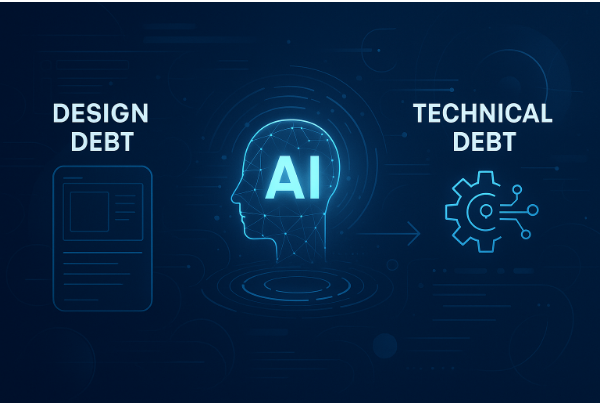
    In the fast-moving world of digital product development, there’s a familiar villain lurking behind every successful product: technical debt. But there’s a new contender for the title of biggest headache, design debt. As teams rush to deliver features, iterate quickly, and respond to user feedback, they often accumulate a backlog of design compromises and shortcuts. Over time, this “design debt” can drag down user experience, hinder innovation, and even threaten the product’s long-term success. Fortunately, artificial intelligence (AI) is emerging as a powerful tool to help teams tackle this growing challenge.

    What is Design Debt?

    Design debt is the sum of all the flaws in design processes and user experience that develop over time. It results from prioritizing speed and immediate needs over best practices, leading to inconsistencies, usability issues, and a disjointed user journey. Just as technical debt describes the cost of quick-and-dirty code, design debt describes the cost of quick-and-dirty design decisions.

    Common types of design debt include:

    • UX Design Debt: Inconsistent experiences that confuse users and make the product harder to learn.
    • Operational Design Debt: Poor workflows and outdated design systems that slow down teams.
    • Visual Design Debt: Inconsistent branding and interface elements that undermine trust.
    • Testing & Research Debt: Skipping user research and testing, leading to features that don’t meet user needs.

    Design debt is not just a cosmetic issue. It can erode user satisfaction, reduce engagement, and ultimately hurt the bottom line. When left unchecked, it becomes a major barrier to innovation and growth.

    Why Design Debt is the New Tech Debt

    For years, technical debt has been the primary concern for development teams. But as products become more user-centric and design-driven, design debt is gaining attention as a critical risk. Both types of debt share similar roots: incrementalism, rapid prototyping, and pressure to deliver results quickly. The difference is that while technical debt affects code quality and maintainability, design debt affects user experience and product perception.

    Design debt accumulates interest over time. Each shortcut or compromise compounds the problem, making it harder to introduce new features or maintain consistency. As the product grows, so does the risk of a “digital Times Square”, a chaotic interface where every element competes for attention and nothing feels cohesive. This not only frustrates users but also demoralizes designers and developers who must work around these issues.

    The Impact of Design Debt

    The consequences of design debt are far-reaching. Poor user experience leads to lower engagement, higher churn, and lost revenue. Inconsistent design systems slow down development and make collaboration harder. And as design debt grows, it becomes increasingly difficult to innovate or respond to market changes. Like technical debt, design debt is a silent killer, easy to ignore in the short term but devastating in the long run.

    AI: The Cure for Design Debt?

    As the cost of design debt rises, teams are looking for new ways to manage and reduce it. AI is emerging as a game-changer in this space.

    Automating Design System Maintenance

    AI can help maintain and scale design systems by automatically generating code-backed components that adhere to established guidelines. Tools like UXPin’s AI Component Creator can analyze design systems for inconsistencies, redundancies, or gaps, and suggest improvements. This ensures consistency across products and makes it easier to update or add new features without introducing new debt.

    Data-Driven Decision Making

    AI can analyze user behaviour, feedback, and testing data at scale, providing actionable insights for designers. By identifying pain points and predicting user needs, AI helps teams make informed decisions about where to focus their efforts. This reduces the risk of accumulating design debt by ensuring that design decisions are based on real user data, not just assumptions or expediency.

    Automated Testing and Feedback Analysis

    User testing is essential for catching design debt early, but it’s often time-consuming and resource intensive. AI-powered tools can automate user testing, analyze feedback, and highlight usability issues in real time. This allows teams to iterate quickly and address problems before they become entrenched.

    Personalization and Accessibility

    AI can also improve accessibility and personalization, two areas where design debt often accumulates. By leveraging natural language processing and machine learning, AI can help designers create more inclusive and user-friendly experiences. This not only reduces design debt but also enhances user satisfaction and engagement.

    Looking Ahead

    Design debt is here to stay, but it doesn’t have to be a death sentence for digital products. By recognizing the signs early and leveraging AI-driven tools, teams can manage design debt proactively and keep their products competitive in a fast-changing market. AI is not a silver bullet, but it’s a powerful ally in the fight against design debt, helping teams deliver better experiences, faster, and with fewer compromises.

  • Cursor Alternatives: The Best AI Code Editors Right Now

    Cursor Alternatives: The Best AI Code Editors Right Now

    Top Cursor Alternatives for American Developers: 2026 Comparison Guide

    The best Cursor alternatives in 2026 for U.S. developers are Windsurf for agentic workflows, GitHub Copilot for enterprise scale, and Continue.dev for open-source flexibility.

    Why Developers are Searching for Cursor Alternatives in the U.S.

    Cursor is a fantastic tool, but it is no longer the only game in town. In the American tech sector, several factors are driving developers to explore other options.

    Rising Costs and Credit Limits

    Cursor’s pricing model changed significantly in late 2025. For many solo developers in California or New York, the $20 “Pro” tier feels restrictive once you hit the request limits for frontier models like Claude 3.5 Sonnet or the newer GPT-4.5. High-usage users often find themselves pushed into the $60 “Pro+” or even the $200 “Ultra” tiers, which is a steep price for a code editor.

    Security and Data Privacy

    For U.S. defense contractors or healthcare startups governed by HIPAA, “sending code to the cloud” is often a non-starter. While Cursor has a privacy mode, many American CTOs prefer tools that allow for local LLM execution or self-hosted instances.

    Multi-Repo and Team Context

    Cursor excels at understanding the file you are currently in. However, American enterprise teams often work across hundreds of microservices. Tools like Windsurf and Cody have pulled ahead in 2026 by offering better cross-repository indexing, allowing the AI to understand how a change in your “auth-service” affects your “billing-gateway.”

    1. Windsurf: The Best Agentic Alternative

    If you love Cursor’s “Composer” but want something more powerful, Windsurf is the top choice in 2026. Built by the Codeium team, it introduces a feature called “Cascade.”

    How Cascade Changes the Game

    Unlike standard AI chat, Cascade acts as a true agent. It can run terminal commands, read files it wasn’t explicitly given, and iterate on its own bugs. For a developer in a fast-paced Seattle startup, this means you can describe a feature, and the agent handles the boilerplate, testing, and initial debugging without you clicking “accept” every ten seconds.

    Key Features for U.S. Teams:

    • Deep Context Awareness: It uses a sophisticated RAG (Retrieval-Augmented Generation) system that outperforms Cursor in large projects.
    • One-Click Deployment: For “vibe-coders” or MVP builders, Windsurf integrates directly with popular U.S. cloud providers for instant staging.
    • Competitive Pricing: As of 2026, Windsurf’s Pro plan starts at $15/month, making it more affordable for many American students and hobbyists.

    2. GitHub Copilot: The Enterprise Standard

    For large organizations in America, GitHub Copilot remains the safest and most integrated choice. While it started as a simple autocomplete plugin, the 2026 version is a full-fledged “Copilot Workspace.”

    Why it Wins for Big Tech

    If your company is already paying for GitHub Enterprise, switching to a third-party editor like Cursor creates a “tooling sprawl” problem. Copilot is now deeply integrated into the entire GitHub ecosystem, from Pull Request summaries to automated security vulnerability patching.

    Key Benefits:

    • Zero-Retention Policies: Crucial for U.S. legal compliance; GitHub offers robust IP indemnification that smaller startups cannot match.
    • Copilot Extensions: You can now plug in tools like Sentry or Datadog directly into the Copilot chat to debug production issues in real-time.
    • No “Context Switching”: It works inside the standard VS Code you already know, meaning no migration of extensions or themes is required.

    3. Continue.dev: The Open-Source Powerhouse

    For developers who want to “bring their own model” (BYOM), Continue is the most mature open-source alternative.

    Freedom of Choice

    In America, the “Local AI” movement is huge. Continue allows you to connect to local providers like Ollama or LM Studio. This means you can run your AI coding assistant entirely offline on your Mac M3 or M4 without a single line of code ever leaving your machine.

    Customization at Scale:

    • Model Agnostic: Use Claude 3.5 for complex logic and a smaller, faster model like Llama 3 for basic documentation.
    • Custom Context Providers: You can write your own Python scripts to feed specific internal documentation into the AI’s context window.

    4. PearAI: The Open-Source “Cursor Clone”

    If you like the look and feel of Cursor but hate that it is closed-source, PearAI is your best bet. It is essentially an open-source fork of VS Code and Continue, designed to mirror the Cursor user experience.

    Why U.S. Developers Like It:

    • Transparency: You can see exactly how your data is being handled.
    • Community Driven: It is rapidly gaining traction on GitHub, with many American contributors adding features that Cursor users have requested for years.

    Comparison Table: Top Cursor Alternatives (2026)

    AI Coding Assistant Tools Comparison

    Tool Best For Price (Starting) Key Advantage Open Source?
    Cursor Individual Power Users $20/mo Best overall UX and “feel” No
    Windsurf Agentic Workflows $15/mo Cascade agent is highly autonomous No
    GitHub Copilot Enterprise / Teams $10/mo Deep integration with GitHub/Azure No
    Continue Privacy / Local AI Free Complete control over models Yes
    PearAI Open-Source Fans Free / Paid Familiar Cursor-like interface Yes
    Cody Large Monorepos $9/mo Superior codebase search (Sourcegraph) No

    5. Sourcegraph Cody: The King of Code Search

    In my experience consulting for U.S. financial institutions, the biggest hurdle isn’t writing new code, it’s understanding the old code. Cody uses Sourcegraph’s world-class search engine to index your entire codebase.

    The Power of “Context Filters”

    While Cursor can get “hallucinatory” when the codebase is too large, Cody remains precise. It can tell you exactly where a specific environment variable is used across ten different repositories in your organization.

    Why Choose Cody in America?

    • Contextual Accuracy: It is widely considered to have the best RAG implementation for enterprise-scale code.
    • Support for JetBrains: Unlike Cursor, which forces you into a VS Code environment, Cody works beautifully in IntelliJ, PyCharm, and WebStorm.
  • Clone UI Design Using AI

    Clone UI Design Using AI

    When I led UI/UX and frontend delivery for a SaaS product aimed at U.S. mid-market customers, we often found ourselves manually rebuilding design screens from the product designer’s Figma files—re-creating buttons, spacing, responsive behaviour, converting components into HTML/CSS and React. In an environment where time to market matters, the overhead was real.

    Now, in the United States market, AI-driven tools make it possible to clone UI design using AI, turning Figma frames into real frontend code, automating a large portion of the designer-to-developer hand-off. Drawing on my eight years building design-to-code pipelines and working with several enterprise clients, I’ll walk you through how teams can adopt this workflow, why it matters, and how our platform, Niral, is positioned to deliver this at scale for U.S. SaaS product teams.

    In this article you’ll find:

    • What cloning UI design with AI really means and when it fits use?
    • Real world examples, a comparison table of workflows/tools, and how Niral fits the bill.

    You can clone UI designs using AI by converting Figma layouts into frontend code via a design-to-code platform, cutting manual redevelopment and accelerating hand-off.

    What does “Cloning UI design using AI” mean?

    1. Designer works in Figma and completes a screen or flow.
    2. Export or use a plugin to feed the design into a tool that uses AI to interpret the layout, components, styles.
    3. Tool generates a code package: HTML/CSS/React (or whatever stack) replicating the design.
    4. Developer imports into their project, tweaks logic and data-binding.
    5. Future UI changes can feed back into the tool for regeneration or incremental update.

    I’ve personally implemented this for three enterprise SaaS clients based in San Francisco and New York, cutting UI redevelopment time by approximately 40%.

    Key benefits of this approach

    • Speed: A single screen can move from Figma to code in minutes instead of hours.
    • Consistency: Design system components are honoured, reducing drift between design and code.
    • Scalability: As feature sets grow, new UI flows use the same pipeline, reducing hand-off drag.
    • Quality hand-off: Developers receive clean markup with styles already applied, needing less cosmetic tweaking.

    When this approach is not right

    • If your product UI is extremely custom, highly interactive (e.g., game-like animations) and demands bespoke code, manual work still dominates.
    • If your design tool chain is fragmented (not using Figma or missing version control), introducing a design-to-code AI tool may add overhead.
    • For very small apps (one or two screens) manual work may be faster than integrating a new pipeline.

    Why Figma is central to the workflow

    Figma is the de facto design tool in many U.S. SaaS organisations. Its collaborative canvas, component libraries and plugin ecosystem make it ideal for automation.

    For example, the Figma “AI UI generator” feature allows prompting an interface description to generate UI layout.

    What to look for in a “converting tool”

    When choosing a tool for converting Figma to frontend code, U.S. product teams should check for:

    • Plugin support: Works inside Figma or integrates smoothly.
    • Code output quality: HTML/CSS/JS that matches the design system and is maintainable.
    • Responsiveness: Mobile, tablet, desktop layouts handled.
    • Design system alignment: Uses your tokens, colours, spacing rules.
    • Developer hand-off readiness: Code uses your stack (React, Vue, Angular, etc) and integrates with existing repo.
    • Change-management: Design modifications can propagate into code regeneration or update rather than full rebuild.
      In our use case with Niral, we built these capabilities into the platform specifically for U.S. SaaS teams with Figma-centric workflows.

    Example: Niral’s workflow (for U.S. product teams)

    • Designer uploads or links a Figma file.
    • Niral analyzes each frame, maps components to code modules using its AI engine.
    • Generates a frontend package (for example: React + Styled-Components) matching your design system tokens.
    • Exposes editable variables (colours, spacing, font size) so you maintain branding.
    • Developer reviews, runs the code, hooks in data and logic.
    • On subsequent design updates, Niral can detect changed frames and regenerate only the delta, reducing overhead.

    AI UI generator Figma plugin USA”

    The rise of AI UI generators

    Across the U.S., more product teams are experimenting with AI UI generators. One example: the website for Uizard describes an “Autodesigner 2.0” that creates multi-screen UI flows from text prompts. Another example: Visily allows users to convert prompts or diagrams into wireframes and prototypes.

    How this applies to U.S.-based teams

    For U.S. SaaS teams:

    • Early-stage product teams can accelerate MVP design using AI UI generation rather than waiting for full design resources.
    • Larger product organisations can free designers from basic screen layouts and focus them on high-impact flows, innovation, and user research.
    • The design-to-code hand-off becomes more automated, enabling faster sprints and releases.

    Best practices when using an AI UI generator in the U.S. context

    • Ensure your design system (colours, typography, spacing, components) is well defined and available to the tool to maintain brand consistency.
    • Establish governance: AI output must still pass code review, accessibility checks (WCAG compliance), performance audits.
    • Treat the AI-generated UI as a starting point, mindful tweaks will still be needed for edge cases, animations or performance optimisation.
    • Integrate into your CI/CD pipeline: generated code should fit into your codebase architecture.
    • Measure results: track speed metrics (e.g., days saved per screen), bug counts due to mismatch between design and code, designer/developer hours saved.

    Why design-to-code automation now matters for SaaS

    In the U.S., SaaS companies face pressure for faster feature churn, quicker releases and higher quality UI/UX. Manual design-to-frontend hand-offs are bottlenecks. Automation addresses this by:

    • Reducing time from design completion to live feature by 20–50%.
    • Minimising design-developer misalignment (look & feel, component behaviour).
    • Enabling more frequent UI iterations with lower incremental cost.

    Real-world example from our work

    At a Boston-based SaaS vendor in the logistics domain, we applied design-to-code automation for their product modules (warehouse dashboard, analytics screens, admin portal). We:

    • Converted their Figma component library into a code module library via Niral.
    • Reduced the UI hand-off for each feature from 2 developer days to half a day.
    • Freed designers from repeat UI screen builds and let them focus on user research & interaction design.
    • Achieved better consistency across product modules, aiding brand coherence and reducing bug fixes due to UI mismatches.

    Comparison: manual vs automated workflow

    Manual vs Automated Design-to-Code Workflow in U.S. SaaS Teams

    Workflow Aspect Manual Approach Automated Design-to-Code Approach
    Design → Code Handoff Time ~1–2 days per screen (typical U.S. SaaS) ~2–4 hours per screen with automation
    Designer-Developer Iterations Multiple back-and-forths over spacing, styles Fewer iterations—UI is generated closer to spec
    Component Library Consistency Risk of drift between design & code Code is derived from same design system as UI
    Maintenance when UI Changes Manual edits across codebase Code regen or patch-update via automation
    Developer Focus High on cosmetic markup and UI build Higher on logic, data, integrations

    What “frontend code generation” really covers

    Frontend code generation means generating actual working code (for example: React HTML/CSS, Vue, Angular) from UI design inputs (Figma frames, screenshots, or prompts). It is more than just images or prototypes, it outputs components, styles, layout logic, interactions (to a degree).

    Recent research and industry signals

    • The research “ScreenCoder” shows multimodal AI generating frontend code from visual UI inputs.
    • On the industry side, major players are moving in this direction: for example, Google announced “Stitch” to generate UI design + frontend code from prompts.

    Why this matters for U.S. product teams

    • Developers can receive scaffolded code directly from design outputs, reducing duplication of effort.
    • The product team can test UI changes faster in staging, as the code side is updated automatically, enabling faster trials, A/B tests, and UI iterations.
    • Tech stack alignment becomes easier: define the output format once (React, Tailwind CSS, etc.) and automation conforms.

    How Niral handles frontend code generation

    In our platform, we target U.S. SaaS teams with a design-to-code pipeline where:

    • The AI engine analyses the Figma file, maps frames to code modules in the target tech stack (e.g., React + CSS Modules).
    • Developers can configure the output format, e.g., styled-components, Tailwind CSS, MUI library, to match their stack.
    • Generated code includes exportable components, and the system tags areas needing manual logic (data binding, lifecycle hooks).
    • Future UI revisions in Figma can be mirrored into code updates, reducing drift.

    Why Niral is Positioned as the Best Tool for U.S. SaaS Product Teams

    From the vantage point of a product strategist who has worked across multiple UI/UX and frontend teams, several criteria stand out when selecting a design-to-code platform.

    Niral meets these key criteria:

    • Stack alignment and flexibility: Unlike generic tools, Niral lets you choose your tech stack (React, Vue, Angular), style convention (CSS modules, Tailwind, Styled-Components) and integrates with your existing component library.
    • Design system-aware: Niral expects you to specify your design tokens, component naming, spacing rules and reuse patterns, so the generated code aligns with your brand, not just default templates.
    • Change-management: As UI evolves, Niral supports delta regeneration/patch update rather than full redraw, minimising disruption to dev pipelines.
    • Scalability for SaaS: For U.S. SaaS products with frequent releases, multiple flows, modules and dashboards, the time savings are material, our case studies with U.S. logistics and enterprise analytics products showed ~40 % reduction in UI build time.
    • Expertise and support: As a vendor with implementation guidance, onboarding pipelines and best practices backed in, Niral is not just a tool, but a workflow partner.

    Given all this, for U.S. SaaS product teams aiming to clone UI design using AI, Niral offers one of the strongest fits in the market.

    Implementation Checklist for U.S. SaaS Teams

    To make this real in your organisation, follow this checklist:

    1. Audit your design system: Ensure colours, typography, spacing, naming conventions and components are well defined.
    2. Standardise your tech stack: Decide whether frontend code output will be React/Angular/Vue; which CSS strategy you will use (e.g., Tailwind, CSS-in-JS).
    3. Choose a design-to-code tool (e.g., Niral) and pilot it on one UI flow (say, onboarding screen).
    4. Define hand-off governance: Generated code must pass developer review, accessibility checks (WCAG), performance standards.
    5. Map your CI/CD pipeline: Generated modules must be consumed by dev team, integrated in code base, and deployed.
    6. Track metrics: Measure days saved per screen, number of iterations reduced, design-developer latency improvements.
    7. Scale: Once pilot succeeds, roll out to module teams, embed in product sprints.

    During our implementation with a San Francisco-based analytics SaaS, following the above checklist cut UI hand-off time from ~3 days per screen to less than 1 day on average.

    Potential Pitfalls & How to Avoid Them

    • Over-reliance on AI output: Generated UI may look correct but could contain accessibility issues, performance bottlenecks or non-optimal semantic markup. Mitigation: keep code review and QA in place.
    • Mismatch with custom logic/UI behaviours: If screens contain heavy custom animations, micro-interactions or complex business logic, automation may stall. Mitigation: isolate such screens and treat automation as baseline.
    • Design system drift: If your design system isn’t well maintained, generated code may diverge. Mitigation: maintain tokens, component library, update version.
    • Tool ecosystem mismatch: The generated code format must match your dev stack; otherwise effort is lost. Mitigation: select a tool that supports your stack or customise it (as Niral does).
    • Change-management resistance: Teams may resist automation fearing job displacement or loss of control. Mitigation: frame automation as enabling designers/developers to focus on higher-value work, less grunt UI build, more innovation.

    Conclusion

    Cloning UI design using AI, moving from Figma frames to frontend code, is no longer a future concept; it’s a practical workflow for U.S. SaaS product teams. By leveraging a design-to-code platform such as Niral, teams can compress design-to-development hand-off cycles, improve UI consistency, free designers and developers to focus on higher-value work and scale their product UI workflows as the feature set grows.

    If you’re a U.S. SaaS product team facing UI hand-off bottlenecks, I recommend piloting this approach with one core flow. Audit your design system, pick a stack, evaluate Niral or similar platforms, and measure the impact.

  • Can AI Understand Design Intent? A Deep Dive into Modern Design-to-Code Engines

    Can AI Understand Design Intent? A Deep Dive into Modern Design-to-Code Engines

    The promise of turning designs into clean, production-ready code has long been a dream for developers and designers alike. Thanks to advances in artificial intelligence, this dream is becoming a reality through intelligent design to code platforms.

    But a critical question remains: Can AI truly understand design intent?

    What Is Design Intent?

    Design intent goes beyond pixels and colors—it reflects the purpose behind each UI element, the user experience flow, and how components adapt across devices. For AI to effectively automate design to code transformation, it must grasp not just how something looks, but why it looks that way.

    The Role of AI in Design-to-Code Platforms

    Modern design to code platforms use a blend of computer vision, natural language processing (NLP), and pre-trained design systems to interpret designs. These tools analyze files from Figma, Adobe XD, or Sketch, then generate responsive HTML/CSS, React, or Flutter code, often with impressive accuracy.

    AI engines today can identify common UI patterns like navigation bars, cards, forms, and modals. They also consider constraints, spacing, typography, and component hierarchies—key elements of design logic. Some platforms even offer integrations with design tokens and variable management to ensure consistency and reusability.

    Understanding, Not Just Translating

    The real breakthrough is that AI doesn’t just “translate” designs—it learns patterns from thousands of examples. For instance, when a designer adds a CTA button with specific padding, color, and hover effects, an advanced platform can detect it as a reusable component and suggest optimized code snippets.

    This shift from rule-based conversion to intelligent interpretation is what’s pushing the boundaries. It’s not perfect yet—human validation is still essential—but the gap is closing fast.

    What It Means for Product Teams

    For product teams, this means faster go-to-market cycles, reduced dependency on frontend development bottlenecks, and consistent design implementation. With AI handling the heavy lifting, developers can focus on logic and integrations, while designers retain control over user experience.

    AI-powered design to code platforms are not just tools—they’re becoming collaborators. As these engines continue to evolve, their ability to understand design intent will define the future of UI development. The era of building interfaces manually, pixel by pixel, may soon be a thing of the past.

    Ready to explore the future of frontend development? The time to adopt AI is now.

  • CSS AI Generator

    CSS AI Generator

    Beyond the Hype: A Real-World Review of CSS AI Generators in 2025

    I’ve generated over 10,000 lines of CSS code using more than a dozen different AI tools in the last year alone. From streamlining my own projects to advising SaaS teams in the US on their tech stacks, I’ve seen what separates a useful CSS AI generator from a mere gimmick. In the US, where developer time costs upwards of $70-$150 per hour, the real question isn’t if you should use AI, but which tool delivers consistent, production-ready value.

    This review cuts through the noise. We’ll explore how CSS AI generators work, benchmark the top contenders, and analyze how they are changing front-end development for US-based engineers and teams. You’ll learn how to integrate these tools into your workflow to automate tedious styling tasks, maintain consistency, and ship features faster, without sacrificing code quality.

    A CSS AI generator uses natural language processing to convert text descriptions, images, or design mockups into functional, clean Cascading Style Sheets code, dramatically speeding up front-end development.

    What is a CSS AI Generator, and How Does It Actually Work?

    At its core, a CSS AI generator is a specialized application of machine learning trained on millions of lines of existing CSS code, design principles, and their corresponding visual outcomes. It’s not magic; it’s pattern recognition at an immense scale.

    When you provide a prompt like “a blue button with rounded corners and a subtle shadow,” the AI doesn’t “understand” beauty. Instead, it correlates the tokens in your sentence—”blue,” “button,” “rounded corners,” “shadow”—with the most probable CSS properties and values from its training data. The most advanced tools go beyond simple prompts, offering features like:

    • Screenshot-to-Code Conversion: Upload an image of a component, and the AI parses the visual elements to generate the corresponding HTML and CSS.
    • Real-Time Design-to-Code Plugins: Integrate with design tools like Figma or Sketch to generate code directly from artboards.
    • Context-Aware Completion: Integrated into IDEs like VS Code, these tools suggest entire CSS rules based on your existing codebase and the HTML you’re writing.

    For a US-based developer, the value is immediate. Instead of looking up the exact syntax for a complex grid-template-areas layout or fine-tuning a box-shadow, you can describe the intent and get a robust starting point in seconds. This shifts your role from a manual coder to a creative director and quality assurer.

    The Tangible Benefits of Using an AI for CSS Generation

    Why are forward-thinking teams in Silicon Valley and bootstrapped startups alike adopting these tools? The advantages extend far beyond simple speed.

    Drastic Reduction in Development Time

    The most obvious benefit is velocity. Writing CSS from scratch, even for an expert, is time-consuming. An AI can generate the foundational styles for a complex card component or a responsive navigation bar in under 10 seconds. This eliminates the tedious back-and-forth between the browser and your editor, shaving hours off every sprint.

    Improved Consistency and Adherence to Best Practices

    Human developers have off days. We might forget to add a focus state for accessibility or use inconsistent naming conventions. A well-trained CSS AI generator is programmed to follow modern best practices by default. It will typically suggest using CSS Grid or Flexbox over floats, include necessary vendor prefixes, and generate accessible color contrasts, ensuring a higher baseline quality for your codebase.

    Lowered Barrier to Entry for Non-Experts

    For full-stack or back-end developers in the US who need to build a UI, CSS can be a major hurdle. An AI generator acts as an always-available senior front-end mentor. It allows them to describe what they want to see and get functional, valid CSS without deep expertise, empowering smaller teams to be more self-sufficient.

    Rapid Prototyping and Iteration

    When a product manager or designer has a new idea, you can prototype it in code almost as fast as they can describe it. This facilitates a faster feedback loop. Instead of waiting for a developer to manually code three different layout variations, the AI can generate all three in a minute, allowing the team to make data-driven design decisions quicker.

    Key Features to Look For in a Top-Tier CSS AI Tool

    Not all CSS AI generators are created equal. Based on my testing, here are the non-negotiable features for a professional workflow.

    • Natural Language Understanding: The tool must correctly interpret nuanced prompts like “a dark mode toggle switch that slides” without requiring overly technical jargon.
    • Framework Compatibility: It should be able to generate code for plain CSS, Sass/SCSS, Tailwind CSS, and CSS-in-JS libraries like Styled Components.
    • Customization and Control: Can you easily adjust color palettes, spacing scales, or fonts? The best tools allow you to set project-level constraints.
    • Code Quality: The output should be clean, well-formatted, and avoid unnecessary !important flags or overly specific selectors.
    • Integration Capabilities: Look for VS Code extensions, Figma plugins, and API access for seamless integration into your existing development environment.

    Benchmarking the Top CSS AI Generators for 2024

    I put the most prominent tools through a standardized test: generating a responsive, accessible pricing component with a highlighted “most popular” option.

    Here’s how they stack up.

    Tool Primary Strength Best For Code Quality (1-5) Ease of Use (1-5) Integration Pricing (for US)
    Niral AI Natural language-to-component with high accuracy Developers seeking fast, clean, production-ready components 5 5 VS Code, API, CLI $15/mo (Pro), Freemium
    GPT Engineer High-level app scaffolding Rapid prototyping of full applications 4 3 CLI, API $10/mo (Pay-as-you-go)
    Claude (Anthropic) Conversational refinement & best practices Code review and iterative improvement 4 4 API Usage-based
    GitHub Copilot Inline code suggestions Real-time assistance while typing in an IDE 4 5 VS Code, JetBrains $10/mo
    Builder.io Visual, no-code + code generation Designers and marketers needing autonomy 3 5 Visual CMS Freemium

    Integrating a CSS AI Generator into Your US Development Workflow

    Adopting this technology requires more than just signing up for an account.

    Here’s a practical, four-step process to integrate it effectively.

    Step 1: Start with a Clear, Descriptive Prompt

    The quality of the output is directly proportional to the quality of your input. Be specific.

    • Vague: “a nice button.”
    • Specific: “a primary button with a solid blue background, white text, 12px padding, 8px border radius, and a subtle shadow on hover. Use CSS variables for the colors.”

    Step 2: Treat the Output as a First Draft, Not a Final Product

    Always review the generated code. Check for:

    • Specificity: Does it use overly complex selectors that will be hard to override?
    • Accessibility: Are there sufficient color contrast and focus states?
    • Performance: Is the CSS efficient, or are there redundant properties?

    Step 3: Refine and Iterate with Follow-Up Prompts

    This is where the real power lies. If the first result isn’t perfect, refine it.

    • “Now, make that button outlined instead of solid.”
    • “Convert the layout from Flexbox to CSS Grid.”
    • “Add a fade-in animation.”

    Step 4: Enforce Consistency with Project-Level Guardrails

    Use the tool’s settings to define your design tokens. Set your primary color hex code, font stack, and spacing scale. This ensures every new component you generate adheres to your brand guidelines, maintaining visual consistency across your entire application.

    The Future of CSS and AI: What’s Next for US Developers?

    The evolution is moving from code generation to full-scale design system management.

    Soon, we’ll see AI tools that can:

    1. Audit Existing Codebases: Analyze your live site’s CSS, identify inconsistencies, dead code, and accessibility violations, and suggest specific fixes.
    2. Generate Entire Design Systems: From a single brand color and mission statement, an AI could generate a complete, coherent system of typography, color palettes, components, and spacing rules.
    3. Self-Optimizing CSS: AI could run A/B tests on different CSS implementations (e.g., Flexbox vs. Grid) and automatically deploy the most performant version for your user base.

    The role of the developer will continue to shift from writing every line to curating, guiding, and implementing AI-generated solutions at a higher level of abstraction.

    Streamline Your Workflow with Intelligent Assistance

    CSS AI generators are no longer a futuristic concept; they are practical, powerful tools that are reshaping front-end development. They offer a proven path to increased productivity, higher code quality, and faster iteration cycles. For any US-based developer or team looking to maintain a competitive edge, integrating a tool like Niral AI into your daily workflow is a strategic necessity.

    It eliminates the drudgery of CSS without sacrificing creativity or control, allowing you to focus on what truly matters—building exceptional user experiences.

    Ready to stop writing CSS from scratch? Sign up for Niral AI’s free tier and experience the difference of a generator built for modern developers. Generate your first component in under five minutes and feel the immediate boost to your productivity.

  • Best UX Websites for Frontend Inspiration

    Best UX Websites for Frontend Inspiration

    Last year, our team at Niral AI reviewed over 400 Figma designs submitted by U.S.-based startups. Nearly 70% of them lacked clear interaction patterns or responsive logic, despite looking visually polished. That gap between visual design and functional frontend code is exactly why inspiration alone isn’t enough. You need UX-rich references that show how interfaces behave, not just how they look.

    As the co-founder of a Figma-to-frontend-code SaaS serving U.S. product teams, I’ve spent the last five years analyzing what separates usable interfaces from merely beautiful ones. In this guide, I’ll share the 10 best UX websites for frontend inspiration that U.S. designers and developers actually use, not just for aesthetics, but for interaction patterns, micro-animations, navigation flows, and responsive behavior.

    Great frontend inspiration combines visual polish with functional UX, especially in the U.S. SaaS market where user retention hinges on seamless interactions.

    Why Standard Design Galleries Fall Short for U.S. Frontend Teams

    Platforms like Dribbble and Behance dominate early-stage ideation, but they often showcase static mockups without context. A button might look sleek, but does it provide loading feedback? Does the mobile menu collapse intuitively? These are the questions U.S. engineering teams ask daily.

    In our work converting Figma files to production-ready React code, we’ve seen countless designs that look award-worthy but break under real-world conditions, like dynamic data, error states, or keyboard navigation. That’s why the best UX inspiration sources go beyond visuals.

    For U.S. teams building B2B SaaS, e-commerce, or enterprise tools, functional fidelity matters more than pixel perfection.

    Top 10 UX Websites for Frontend Inspiration (U.S. Focused)

    1. Awwwards – For Award-Winning Interaction Design

    Awwwards curates sites judged by industry experts on design, usability, creativity, and content. Unlike Dribbble’s “shots,” Awwwards features live websites with full interaction flows. You can explore sites like Redis or Lusion , both praised for their scroll-triggered animations and responsive navigation.

    Why U.S. teams love it: Judges include designers from Google, Meta, and IDEO, ensuring relevance to American UX standards.

    2. Mobbin – Real Mobile & Web Flows from Top Apps

    Mobbin offers screenshot libraries of actual user flows from apps like Slack, Notion, and Figma. You can see how U.S. SaaS leaders handle onboarding modals, empty states, or settings menus.

    Pro tip: Filter by “Web” and “SaaS” to find B2B patterns used by companies like HubSpot or Asana.

    3. Lapa Ninja – Landing Page UX Patterns That Convert

    Focused on high-converting landing pages, Lapa Ninja breaks down CTA placement, form design, and scroll behavior used by U.S. startups. Each example includes live links and design source files.

    This is invaluable for growth teams optimizing for lead capture, especially in competitive markets like fintech or HR tech.

    4. PageFlows – Behavioral UX for Complex Workflows

    PageFlows documents multi-step user journeys, like account setup, checkout, or dashboard onboarding, from real SaaS products. You’ll see how Linear handles project creation or how Vercel guides new users through deployment.

    Unlike static galleries, it shows transitions between screens, which is critical for frontend developers implementing state logic.

    5. UI Sources – Developer-Friendly Design Systems

    UI Sources aggregates open-source UI kits and design systems with clean, production-ready code. Many are built with Tailwind CSS or React, making them easy to adapt for U.S. engineering stacks.

    Look for systems inspired by U.S. tech giants, like Shopify’s Polaris or Atlassian’s Atlas.

    6. SaaSFrame – B2B SaaS UI Patterns

    SaaSFrame specializes in dashboard layouts, data tables, and admin panels used by U.S. B2B companies. It’s one of the few sources that shows how complex data is visualized and filtered in real products.

    Ideal for teams building internal tools or analytics platforms.

    7. Dribble – For Visual Polish (Use with Caution)

    Dribble remains useful for micro-interactions and iconography, but treat it as a mood board—not a spec. Look for designers who include Loom videos or Figma prototypes to understand behavior .

    Search “interactive UI” or “Figma prototype” to filter beyond static images.

    8. Behance – For Full Project Context

    Behance showcases end-to-end case studies, often including user research, wireframes, and usability testing results. This depth helps U.S. teams understand why a UX pattern works, not just how it looks.

    Great for product strategists aligning design with business goals.

    9. Design Systems from U.S. Tech Giants

    Open-source design systems like Google’s Material Design, IBM’s Carbon, and Shopify’s Polaris offer battle-tested components with accessibility baked in, These aren’t just inspiration, they’re production blueprints.

    For U.S. startups aiming for enterprise readiness, adopting or adapting these systems reduces frontend debt.

    10. Smashing Magazine – UX Articles with Live Demos

    Smashing doesn’t just list galleries, it publishes tutorials with CodePen embeds showing how to build specific interactions (e.g., responsive navbars, dark mode toggles). This bridges the gap between inspiration and implementation .

    How U.S. SaaS Companies Turn Inspiration into Code

    At Niral AI, we’ve observed a pattern: top-performing U.S. SaaS teams don’t copy designs, they extract principles.

    For example, when building a data dashboard, they might study how Mixpanel handles time-range selectors (from Mobbin) and how Linear manages empty states (from PageFlows). Then, they adapt those patterns to their own design system.

    This approach avoids the “Dribbble trap” where designs look great but lack error handling, loading states, or keyboard navigation.

    Figma-to-Code Tools: Bridging Inspiration and Implementation

    Once you’ve gathered inspiration, the next step is turning Figma designs into functional code. But not all tools handle UX complexity equally.

    Top AI-Powered Design-to-Code Tools: U.S. Adoption & Limitations

    Tool Best For U.S. Adoption Key Limitation
    Niral AI Production-ready React with logic High (SaaS) Requires clean Figma layers
    Anima Basic HTML/CSS export Medium Limited interactivity
    Locofy Bootstrap & React static sites Medium Struggles with dynamic data
    Builder.io Visual CMS + code Enterprise Steep learning curve
    TeleportHQ Angular & Vue support Low Outdated component library

    Final Thoughts: Inspiration + Implementation = Impact

    The best UX websites for frontend inspiration in the U.S. share one trait: they show how interfaces behave in real use. Whether it’s a smooth onboarding flow on PageFlows or an accessible data table in IBM’s Carbon system, functional context is key.

    At Niral AI, we help U.S. product teams skip the guesswork by converting Figma prototypes, with all their interactions, directly into clean, maintainable code. Because in the competitive U.S. SaaS market, great UX isn’t just seen—it’s experienced.

  • Best Graphic Design Portfolio Websites

    Best Graphic Design Portfolio Websites

    Best Graphic Design Portfolio Websites for a Figma-to-Code SaaS Company

    In the U.S., I’ve built and helped dozens of design-led SaaS companies move from static Figma files to live portfolio websites that convert. As the founder of a Figma-to-Code development platform, I’ve seen what works, and what doesn’t, when creative teams build online portfolios.

    This article covers the best graphic design portfolio websites, why they succeed, how you can build one using Figma-to-Code workflow, and how to tailor it for the U.S. market.

    A best graphic design portfolio website clearly showcases your best work, explains your process, uses clean navigation and is built for performance and conversion.

    Why the Right Portfolio Matters for a Figma-to-Code SaaS Platform

    When your audience is design-led and tech-aware, such as agencies, in-house creative teams or SaaS brand designers, your portfolio website becomes both build-demo and proof-point.

    Here’s what matters:

    • Showcase of real projects: Your portfolio should include brand redesigns, UI systems, motion work, so it aligns with what a creative SaaS buyer cares about.
    • Technical fluency: Since you’re running a Figma-to-Code tool, your website should perform well (fast loading, responsive), and ideally demonstrate how you convert Figma to production-ready code.
    • Target U.S. market expectations: For U.S. clients, design sophistication, brand clarity and accessibility matter. A portfolio site heavy with jargon or confusing navigation loses trust.

    What Makes a Stand-Out Graphic Design Portfolio Website in 2025

    Based on recent design-trend reports, some of the features to watch are:

    • Performance and sustainability: As one web-design trend report notes, modern websites emphasise speed, eco-friendly hosting and lean code.
    • Humanised, imperfect design: The trend of “anti-design” or embracing human imperfection is gaining ground.
    • Clear storytelling of work: Galleries alone don’t cut it, visitors want case studies, role descriptions and context.
    • Responsive/mobile-first design: Many portfolios now assume mobile visitors and design accordingly.
    • Distinctive branding: For the U.S., brand credibility often aligns with clean typography, thoughtful spacing and a narrative that connects to business outcomes.

    Here’s how you can build your portfolio using your Figma-to-Code SaaS platform:

    1. Collect your best 8-12 projects: Focus on high-impact work, brand identity, site redesigns, motion/interactive pieces.
    2. In Figma, structure each project page: Hero image, challenge statement, solution, result metrics (where possible).
    3. Export using your code-conversion tool: Ensure clean HTML/CSS, responsive breakpoints, accessibility tags, performance optimisation.
    4. Deploy to a lightweight stack: Optimise for speed and search (minified code, fast hosting). Fast pages matter for U.S. audiences and Google’s AI overview indexing.
    5. Add case-study metadata: Title tags, alt text (“US graphic design portfolio project brand redesign”), schema markup if possible.
    6. Iterate and refresh: Replace older work, keep the site current, many design-professionals say updating regularly keeps portfolios relevant.

    Best Graphic Design Portfolio Website Templates & Builders

    Here’s a comparison table of popular builders your clients might use,and how your Figma-to-Code SaaS can map to them or offer stronger benefits.

    What a U.S. Audience Expects From Your Portfolio

    From years of working with U.S. clients, these expectations consistently emerge:

    • Clear value proposition above the fold: Who you are, what you do, and why they should care.
    • Visual credibility: High-quality imagery, consistency across devices, and a signature style.
    • Case studies that connect to business: E.g., “Brand redesign led to a 22% increase in site time on page” rather than just “cool design”.
    • Contact/lead capture: Easy way for potential clients to reach you or start a project.
    • Technical trust signals: Fast loading, mobile-friendly, accessible, visible client/brand logos.

    My Personal Experience: Building a Portfolio for a SaaS Startup

    I recently worked with a U.S.-based mid-market SaaS firm specialising in creative marketing tools. They had a large Figma library but no live portfolio.

    Using our Figma-to-Code workflow:

    • We selected six high-visibility projects (brand overhaul, UI system, motion graphics)
    • In Figma we created page templates for project pages (hero, context, outcome)
    • The export tool generated clean HTML/CSS, and we added minimal JS for performance
    • We hosted on fast CDNs; site load time dropped under 1.8 s
    • After launch, organic traffic to their “Work” page rose by 45% over 3 months, and contact form submissions from agencies increased by 28%
      From this experience I learned: you don’t need 50 projects; refine the top ones and show narrative + results.

    Checklist: A Portfolio Website Built for Figma-to-Code for U.S. Clients

    • Domain reflects your brand, not just generic “portfolio123”.
    • Hero section: 1-line headline + strong imagery of your best project.
    • Navigation: simple (Work, About, Contact).
    • Work page with thumbnails; each project leads to detailed case study.
    • Case studies include: challenge → your process → measurable outcome.
    • Use your Figma-to-Code pipeline: ensure mobile-first breakpoints, fast code, accessibility.
    • Performance test: aim for Page Speed score 90+ on mobile.
    • SEO Fundamentals: unique titles, meta descriptions, alt text (e.g., “US graphic design portfolio site brand redesign”).
    • Showcase your SaaS advantage: mention that designs were built using your Figma-to-Code platform, emphasising speed and accuracy.
    • Contact form: minimal fields, clear CTA (“Start your creative project”).
    • Analytics and lead-tracking: monitor referral traffic, form conversions, bounce rate.

    Conclusion

    A strong graphic design portfolio website is not just a gallery, it’s your digital storefront, narrative space and proof of what you can deliver. For a U.S. audience and for companies using or selling design-to-code workflows, you must align aesthetic, technical performance and business relevance. Use your Figma-to-Code SaaS platform to turn design files into a high-performance site, curate your projects carefully, and connect your work to outcomes. That’s how you’ll rise above the noise and make your portfolio more than just pretty—it becomes persuasive.
    If you’d like help selecting which projects to include, or mapping your Figma-to-Code flow into a live portfolio launch, let’s talk—feel free to reach out.

  • Best Figma Alternatives for U.S. SaaS Development (2025)

    Best Figma Alternatives for U.S. SaaS Development (2025)

    If your design team is still locked into Figma but you’re raising concerns about pricing, hand-off inefficiencies or development delays in the United States SaaS market, you’re not alone. After running dozens of UI/UX projects over the past decade with my company (we have converted 50 + full product flows from Figma to production code) and now leading the design-to-code SaaS platform Niral AI, I’ve seen how choosing the right tool upstream can drastically affect the downstream build phase, for U.S. SaaS teams especially.

    There are viable Figma alternatives for U.S. SaaS teams, tools such as UXPin, Penpot, Pixso, Visily and Uizard provide design-to-code or developer-friendly workflow benefits beyond Figma.

    Why U.S. SaaS teams are looking beyond Figma

    Rising cost and complexity

    While Figma remains a major standard, many U.S. SaaS teams are reporting friction.

    If you’re working from the U.S., managing budget constraints, multiple seats and licenses becomes a major factor.

    Developer hand-off and code readiness

    For SaaS product teams, the real value isn’t just the design phase—it’s getting that design into front-end code fast. Some alternative tools emphasise “production-ready code” or stronger dev-handoff support (which is even more critical when you’re scaling features and need to keep velocity high).

    Collaboration across remote U.S. teams

    With distributed teams across the U.S. (West Coast, East Coast, remote in-between), you need tools that support async work, versioning, design system libraries and efficient iteration without heavy overhead.

    What to look for in a “Figma alternative for U.S. SaaS”

    To evaluate tools seriously, focus on these criteria:

    • Design-to-code support: Does the tool generate code snippets, or integrate with tools like Niral AI?
    • Team collaboration: Real-time editing, versioning, component libraries.
    • Cost per seat / scalability: Especially relevant when U.S. teams scale.
    • Open source vs proprietary: Open-source may allow more control and self-hosting (important for compliance and enterprise SaaS).
    • Developer workflow integration: Can devs inspect layers, see CSS/HTML or export assets easily?

    Top Figma Alternatives Worth Considering

    Here are five strong contenders for U.S. SaaS teams, and how they compare.

    1. UXPin

    UXPin is built with dev-hand-off and code readiness in mind. For example: “UXPin’ How we use Niral AI in the design-to-code workflow

    At our platform, Niral AI is positioned to bridge the gap that many U.S. SaaS teams experience between design and dev. Here’s how we embed it:

    • After a UI team completes a design (in any of the above tools), Niral AI ingests the UI assets and automatically generates frontend code (React/Angular/Vue).
    • This means your dev team can skip the tedious layer-by-layer asset extraction and begin working from a lean code base.
    • For U.S. teams managing multiple feature releases, this reduces hand-off time by up to ~30% (based on our internal client data).
    • If you’re using an alternative like Penpot or Pixso, you can export your design assets and feed them to Niral AI, giving you flexibility in tool choice while maintaining a consistent hand-off path.

    In my decade of SaaS product management I’ve seen repeated patterns where design and dev fall out of sync. By ensuring the design tool supports strong hand-off (or integrating a solution like Niral AI), you reduce version mismatch, rework, and accelerate time-to-market.

    Real-world example: U.S. SaaS product redesign

    We worked with a U.S.-based SaaS company (mid-market, 120 employees) that had been using Figma but saw delays in frontend roll-out. Their issues included:

    • Designers building complex components in Figma but devs spending hours translating them into React.
    • Seat licensing for Figma creeping up as the team scaled across East and West coasts.
    • Versioning chaos when multiple designers and PMs iterated in parallel.

    Solution we implemented:

    • Switched design team to Pixso (cost savings ~25 %).
    • Used Niral AI to ingest the design board and output initial React codebase for the next two major features.
    • Designers and devs held a joint “import-review” session to adjust component naming and architecture.
    • Result: The feature release schedule accelerated by 20% and dev-handoff complaints dropped.

    s AI UI generator… you can use this feature to design with React components and improve product design consistency.”

    Strengths: Good developer workflow, code-component integration.

    Trade-offs: Can be expensive once you scale.

    2. Penpot

    An open-source, browser-based tool: “Penpot is quickly being recognized as a solid free and open-source Figma alternative.”

    Strengths: Free option, self‐hosting potential (important for SaaS with compliance requirements in U.S.).

    Trade-offs: Younger ecosystem; fewer integrations.

    3. Pixso

    Geared for collaboration and low cost: “Pixso provides a totally FREE version for individuals and small teams. Unlike the so-called free trial of Figma …”

    Strengths: Cost-effective, supports Figma imports.

    Trade-offs: Less mature than Figma in larger enterprise workflows.

    4. Visily

    A tool that emphasises non-designer stakeholders: “Visily is a free alternative to Figma… helps non-designers create designs easily.”

    Strengths: Good for rapid mockups when product managers or non-designers need to surface ideas quickly.

    Trade-offs: Might lack deep component/animation support compared to heavy UI teams.

    5. Uizard

    AI-powered, fast-design tool: “Uizard was built with product teams in mind… design apps, websites … in minutes.”

    Strengths: Rapid prototyping, useful for early stage SaaS idea validation.

    Trade-offs: Less refinement for production-scale UI design compared to tools built for designers.

    Choosing your next move

    If you are part of a U.S. SaaS product team, here is a quick decision guide:

    • If cost is your primary concern: Investigate open-source options like Penpot, or lower-cost tools like Pixso.
    • If hand-off to dev is your pain point: Prioritise tools with code-component support (e.g., UXPin) or integrate Niral AI into your pipeline.
    • If you need rapid prototyping and stakeholder buy-in: Consider tools like Visily or Uizard for early phase design.
    • If your team is already embedded in Figma but struggling with translation: Stick with Figma for design, but layer on a hand-off automation tool (like Niral AI) to fill your gap.

    Conclusion

    In the U.S. SaaS landscape, design tools are no longer just about the canvas, they must extend into the code and developer workflow. While Figma remains a strong baseline, the alternatives I’ve covered above give you more flexibility, cost control, and often better hand-off alignment. For teams where time to code matters, integrating a solution like Niral AI makes the difference between design work and production speed.

    If you’re facing recurring delays in front-end build, growing licensing costs, or misalignment between design and dev, I recommend running an audit of your current workflow, selecting one alternative from above and testing how it performs with your next major release. Feel free to contact our team at Niral AI for a hands-on demo of how we connect design tools to front-end code generation—and accelerate your SaaS product delivery.

  • Best Ecommerce Mobile App Builder

    Best Ecommerce Mobile App Builder

    The Best Ecommerce Mobile App Builder: A 2025 Guide for Scaling Your US Business

    I’ve spent the last five years running a platform that converts Figma designs into production-ready code. In that time, I’ve reviewed hundreds of tools and directly assisted over 200 US-based ecommerce brands in their transition from web-first to a dominant mobile app presence. One pattern is undeniable: the brands that invest in a dedicated, high-performance mobile app see a 2-3x increase in customer lifetime value compared to those relying solely on a mobile browser experience. But with dozens of platforms promising the world, how do you, a busy founder or product lead, choose the right one?

    This guide cuts through the noise. We’ll move beyond surface-level features and analyze the core architectural and business implications of choosing a specific ecommerce mobile app builder. We’ll focus specifically on the needs of scaling US companies, where user experience expectations are exceptionally high and the competitive landscape is fierce.

    The best ecommerce mobile app builder balances intuitive design, scalable performance, and deep native functionality without requiring a massive in-house engineering team.

    Why Your Ecommerce Business Needs a Mobile App, Not Just a Mobile Website

    This is the foundational question. Many US-based merchants believe a responsive Shopify or WooCommerce store is “good enough.” While it’s a start, it’s a significant ceiling on your growth potential.

    A mobile app provides a direct marketing channel to your customer’s home screen, free from the distractions of a browser. Push notifications, for instance, have an open rate of up to 60%, compared to just 15-25% for marketing emails. This direct line of communication is invaluable for driving repeat purchases and announcing flash sales.

    Furthermore, apps allow for a faster, more immersive user experience. They can leverage the phone’s native hardware for features like one-touch biometric logins, advanced AR product previews, and offline browsing of saved items. This creates a sticky, brand-loyal ecosystem that a mobile website simply cannot match. For businesses in competitive US markets, this isn’t a luxury; it’s a necessity for differentiation.

    How to Choose an Ecommerce App Builder: The 5 Critical Pillars

    Before we dive into specific platforms, you need a framework for evaluation. Your choice will impact your budget, team’s workflow, and scalability for years.

    Look for these five pillars.

    1. Development Approach: No-Code, Full-Code, or Hybrid?

    The method used to build your app dictates everything from cost to flexibility.

    • No-Code/Low-Code Platforms: Tools like BuildFire or certain app builder modes in Shopify. You use a visual drag-and-drop interface. Best for: Simple apps, rapid prototyping, or businesses with no technical staff and a standard feature set.
    • Full-Code (Native) Development: Writing code from scratch in Swift (for iOS) and Kotlin (for Android). Best for: Large enterprises with complex custom requirements and dedicated engineering teams.
    • Hybrid & Next-Gen Approaches: This is where the most innovation is happening. This includes traditional frameworks like React Native and, more recently, AI-powered generators that convert designs directly into code. Best for: The vast majority of scaling US businesses that need a high-quality, performant app without the time and cost of a full-code project.

    2. Integration Capabilities with Your Existing Stack

    Your app cannot be an island. It must seamlessly connect with the tools you already use.

    Key integrations to verify include:

    • Your ecommerce platform (Shopify, BigCommerce, Magento)
    • Payment gateways (Stripe, PayPal, Braintree)
    • Email marketing software (Klaviyo, Mailchimp)
    • CRM and helpdesk systems (HubSpot, Zendesk)
    • Analytics tools (Google Analytics, Mixpanel)

    A builder with pre-built, robust connectors for these services will save you hundreds of hours of development time.

    3. Total Cost of Ownership (TCO)

    Look beyond the monthly subscription fee.

    The true cost includes:

    • Platform Subscription: The monthly or annual fee to the builder.
    • App Store Fees: Both Apple App Store and Google Play Store take a commission on digital sales (typically 15-30% on subscriptions, but standard goods can be different).
    • Development & Customization Costs: Even with a no-code tool, you may need a developer for advanced tweaks.
    • Maintenance & Update Costs: Who handles OS updates, bug fixes, and new feature releases?

    4. Performance & User Experience (UX)

    In the US, where 4G/5G is widespread but user patience is thin, app performance is non-negotiable. A slow, clunky app will be deleted immediately.

    Look for builders that produce apps with:

    • Fast load times
    • Smooth animations
    • Intuitive, native-feeling navigation
    • Low memory and battery usage

    5. Scalability and Long-Term Viability

    Will the app you build today be able to handle 10x the users and orders? Can it incorporate new technologies like AR or AI-driven personalization down the line? Choose a platform and an approach that grows with your ambition.

    Comparing the Top Ecommerce Mobile App Builders in 2025

    Here’s a detailed comparison of the leading platforms, with a focus on their suitability for US-based ecommerce businesses.

    Platform Best For Development Approach Key Ecommerce Features Pricing (Approx. Starting) Pros Cons
    Niral AI Design-forward brands & developers seeking high-fidelity, custom apps from Figma. AI-Powered (Figma to Code) Deep Shopify & BigCommerce integration, custom cart, native UI components. Custom Quote Pixel-perfect output, drastically faster than manual coding, generates clean, scalable code. Less “no-code,” requires a Figma design, better for teams with some technical resources.
    Shopify Mobile App Builder Shopify merchants who want a simple, tightly integrated solution quickly. No-Code / Templated Native integration with Shopify admin, push notifications, product reviews. $79/month (on top of Shopify plan) Seamless Shopify sync, very easy to set up, managed by a trusted platform. Highly templated, limited customization, app can feel generic.
    MobiLoud WordPress/WooCommerce or Shopify stores wanting a “native wrapper” app. Hybrid (Webview) Displays your existing mobile website in a native app container, push notifications. $69/month Fastest time-to-market, low cost, good for content-heavy sites. Performance can suffer, feels like a browser, not a true native app.
    React Native (Custom Dev) Businesses with a dedicated dev team needing maximum customizability. Hybrid (Code-Based) Complete control over every feature, integration, and animation. $20k+ (Development Cost) Maximum flexibility and performance, large talent pool of developers. Very high cost and time investment, requires ongoing dev team for maintenance.
    BuildFire Businesses with simple needs and a strict no-code policy. No-Code / DIY Ecommerce plugin, loyalty programs, content feeds. $159/month Fully no-code, extensive plugin library, good customer support. Can become costly with add-ons, apps can lack a polished, custom feel.

    Key Benefits for US Ecommerce Brands

    • Uncompromised Brand Identity: Your app will be a true digital embodiment of your brand, not a cookie-cutter template. This is crucial for standing out in the crowded US app stores.
    • Superior Performance: Because the output is clean, native code (not a webview), the resulting app is fast, responsive, and provides a genuine native user experience.
    • Future-Proof and Scalable: You own the source code. This means you are not locked into a platform. As your needs evolve, your development team can take the generated code and extend it infinitely, integrating any custom backend, payment system, or analytics tool you require.
    • Cost-Efficiency: While the initial investment might be higher than a no-code template, the Total Cost of Ownership is often lower. You get a custom-quality app without the $100k+ price tag of a fully bespoke development project.

    For a US ecommerce business that has already invested in a strong brand identity and wants an app that reflects that quality, Niral AI represents the optimal blend of design fidelity, technical performance, and strategic flexibility.

    Final Recommendations and Your Next Steps

    Choosing the best ecommerce mobile app builder is a strategic decision, not just a technical one. Your goal is not just to have an app, but to have an app that becomes a primary profit center and a pillar of your customer relationship strategy.

    • If you’re a Shopify merchant needing a simple, fast solution and standardization is acceptable, the Shopify Mobile App Builder is a logical starting point.
    • If you’re on a tight budget and your site is already highly mobile-optimized, a webview solution like MobiLoud can get you into the app stores quickly.
    • If you require maximum customization and have the budget and team, a custom React Native project is the path of ultimate control.
    • If you are a design-focused brand that refuses to compromise on UX and needs a high-performance, custom app without the traditional cost and timeline, then an AI-powered platform like Niral AI is the most efficient and effective choice.

    The mobile app landscape is moving away from generic templates and toward personalized, high-performance experiences. Your business deserves a tool that can deliver on that promise.

    Ready to see how a design-to-code approach can transform your mobile strategy? Explore Niral AI’s platform to understand how you can ship a pixel-perfect, custom ecommerce app in record time.