Blog

  • Ant Design vs Material UI: The Best React Library for US SaaS in 2026

    Ant Design vs Material UI: The Best React Library for US SaaS in 2026

    Ant Design vs Material UI: The Best React Library for US SaaS in 2026

    If you are building a SaaS application today, you aren’t just choosing a button style; you are choosing the foundation of your entire development-to-deployment pipeline. At our Figma-to-code SaaS agency, we have converted over 200 complex enterprise designs into production-ready React applications. We’ve seen firsthand how the choice between Ant Design (AntD) and Material UI (MUI) can either accelerate your launch by weeks or trap your team in a “CSS override” nightmare.

    For US companies looking to scale, the stakes are high. You need a design system that feels premium to a Western audience, meets strict ADA accessibility requirements, and integrates perfectly with design tools like Figma.

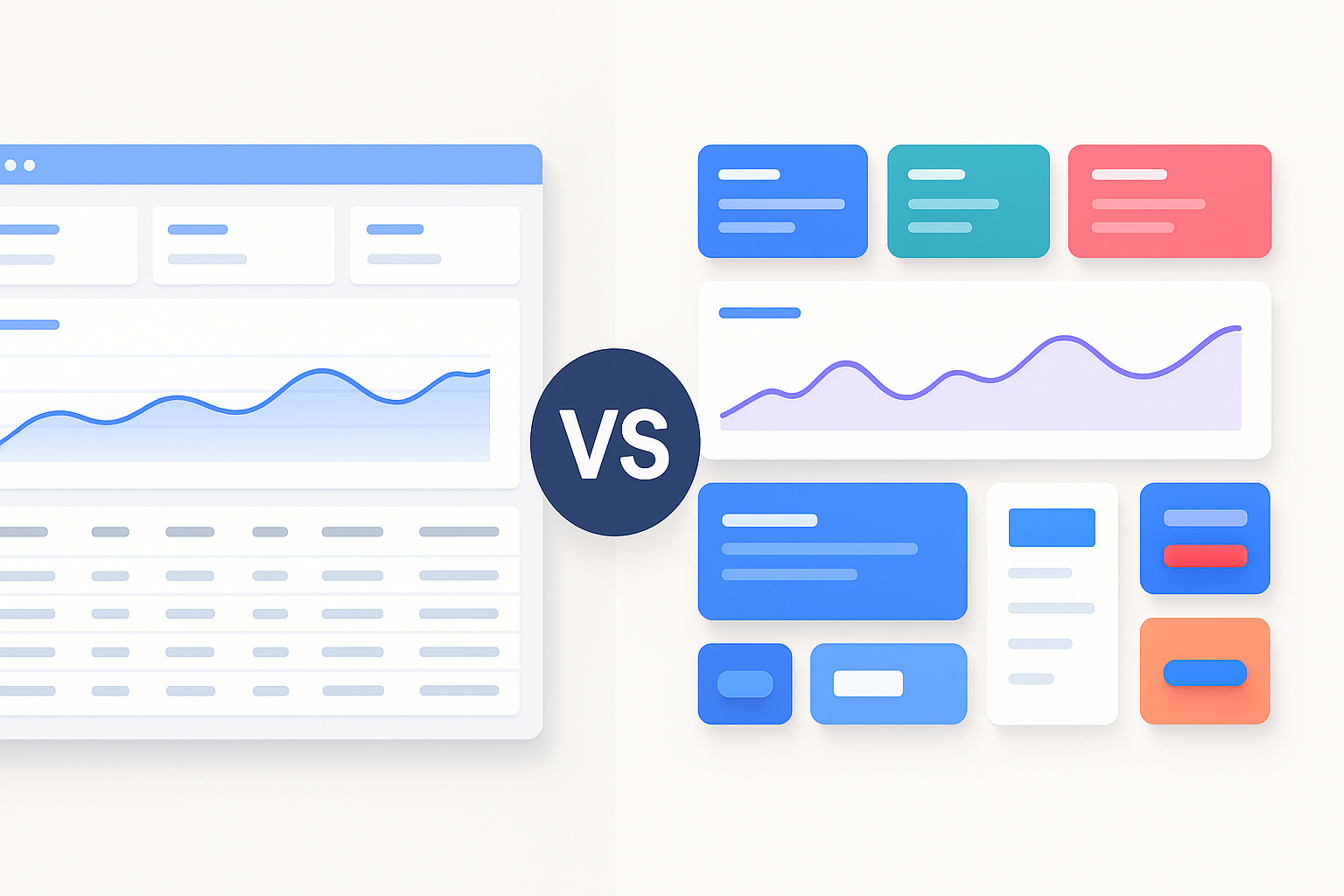
    Material UI (MUI) is generally better for consumer-facing US SaaS apps due to its modern aesthetic and superior accessibility, while Ant Design is the powerhouse choice for data-heavy enterprise dashboards and internal tools.

    1. Design Philosophy: Consumer Polish vs. Enterprise Efficiency

    The biggest difference between these two giants lies in their DNA.

    Material UI: The Google Standard

    MUI is based on Google’s Material Design. In the US market, users are conditioned to this look. It feels familiar because it mimics the physics of the real world—think shadows, ripples, and meaningful transitions. If you are building a B2C SaaS or a mobile-first application, MUI’s “Paper” and “Elevation” concepts make the app feel tactile and premium.

    Ant Design: The Enterprise Engine

    Developed by Alibaba, Ant Design follows a more formal, structured “Eastern” design philosophy. It is built for productivity. While MUI focuses on how a button feels when you click it, Ant Design focuses on how 50 buttons and a complex data table can fit on one screen without looking like a mess. For B2B SaaS founders in San Francisco or New York, Ant Design is often the “secret weapon” for building complex admin panels quickly.

    2. Figma to Code: Which Library Wins the Handoff?

    As a SaaS consultant, I focus on the “friction” between design and development. If your designer builds a beautiful custom UI in Figma that the developer can’t easily implement, you lose money.

    • Ant Design for Figma: The Ant Design ecosystem has some of the most robust third-party Figma kits available. These kits are “pixel-perfect” mirrors of the React components. When we use Ant Design System for Figma, our developers can literally see the exact tokens and variables needed for the Less-based styling.
    • MUI for Figma: MUI offers official Figma sets that are incredibly clean. Since MUI uses Emotion (CSS-in-JS), it is often easier for developers to tweak individual component styles directly in the code without breaking global variables.

    3. Customization: Tailoring Your Brand in the US Market

    In the competitive US SaaS landscape, looking “out of the box” can be a death sentence for your brand.

    Theming in Material UI

    MUI v6 (released in late 2024/early 2025) has doubled down on CSS Variables. You can now customize your theme with a simple JSON object that controls everything from primary colors to border radii. If your SaaS brand needs a unique, “non-Material” look, MUI’s sx prop and styled() API offer the most surgical precision.

    Theming in Ant Design

    Ant Design v5 uses a “Design Token” system. It is incredibly powerful for global changes. If you want to change the “border-radius” of every single input, button, and modal in your app, you change one token. However, Ant Design can be “opinionated.” It fights back if you try to make it look too much like a custom boutique website.

    FeatureMaterial UI (MUI)Ant Design (AntD)
    Best ForB2C, Mobile-first, Brand-heavyB2B, Admin Panels, Dashboards
    Styling EngineEmotion / Styled ComponentsDesign Tokens / Less
    Data TablesGood (MUI X is Excellent but Paid)Exceptional (Built-in & Free)
    AccessibilityNative WCAG 2.1 ComplianceGood, but needs manual checks
    Learning CurveModerateSteep for complex forms

    4. Performance and Bundle Size: Keeping it Fast in California

    US users have zero patience for slow-loading apps.

    Material UI is highly tree-shakeable. If you only use a button, you only pay for the button’s weight.

    Ant Design has improved significantly in v5, but it still tends to bring a bit more “global” weight. However, for a massive enterprise application with 100+ screens, the overhead of Ant Design is negligible compared to the development hours it saves.

    5. The Verdict: Our SaaS Strategy Recommendation

    After years of building Figma-to-code pipelines, here is my “Golden Rule” for choosing:

    1. Choose Material UI if: You are building a SaaS where the user experience needs to feel “light,” your team is based in the US/Europe, and you need to hit 100% ADA compliance for government or education contracts.
    2. Choose Ant Design if: You are building a “Pro” tool. If your users spend 8 hours a day staring at your app to manage logistics, finance, or data, they need the density and “workhorse” nature of Ant Design.

    At our agency, we often see US founders start with MUI for their MVP to look “modern” and then move to Ant Design for their “Admin 2.0” portal where performance in data entry is the only thing that matters.

    People Also Ask

    Is Ant Design better than Material UI for React?

    It depends on your project’s complexity; Ant Design is better for data-dense enterprise tools, while Material UI is superior for consumer apps.

    Which is more popular in the US, MUI or AntD?

    Material UI is more popular in the US market due to its alignment with Google’s design language and its early adoption by US startups.

    Is Ant Design accessible (A11y)?

    Yes, Ant Design supports accessibility, but Material UI generally provides better out-of-the-box keyboard navigation and ARIA support.

    Does Ant Design work with Tailwind CSS?

    Yes, you can use Ant Design with Tailwind CSS, though you may need to manage CSS priority to ensure Tailwind’s utility classes override AntD’s default styles.

    Which library is easier to learn for beginners?

    Material UI is generally easier to learn because its documentation is more extensive and it follows standard CSS-in-JS patterns.

  • Will AI Replace UX Designers

    Will AI Replace UX Designers

    Will AI Replace UX Designers? A Figma-to-Frontend Code Company’s View for U.S. Teams

    No, AI will not replace UX designers, but it will change how they work and push them toward more strategic, human-centered tasks.

    In the U.S., I’ve seen more than 30 enterprise projects where we converted Figma designs into production-ready front-end code. After two decades in product strategy and design tooling, I’ve watched how AI features creep into design workflows. The question front-of-mind for many U.S. product teams now: will AI replace UX designers entirely once tools like ours handle Figma-to-frontend conversion?

    What I cover here: how AI is currently affecting UX design, why human designers remain essential, how Figma-to-code conversion ties in, what U.S. SaaS and digital product teams should prepare for, and a comparison of tool trends.

    How AI is shaping UX design workflows in the U.S.

    Over recent years, AI-powered features have moved from niche prototypes into major UX toolchains.

    • AI now handles tasks like resizing assets, laying out responsive grids or generating variants of a design.
    • For U.S. product teams working in SaaS, this means faster iteration: your designer can try three variants in minutes instead of hours.
    • But, and this is important, the core of UX design remains about empathy, understanding user needs, building flow and interaction patterns that feel human. According to the UX Design Institute, “UX is far too reliant on the ‘human touch’… designing experiences for humans requires a human touch.”

    Figma-to-frontend conversion enters the picture

    Because our company specialises in converting Figma designs into frontend code, I’ve seen firsthand how AI-enabled design and conversion tools affect the roles of both designers and developers:

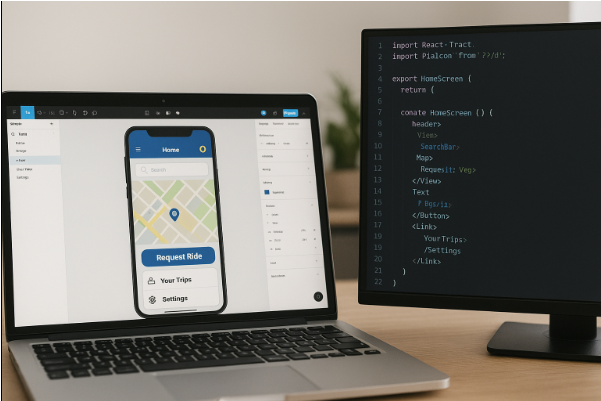
    • When a designer exports a Figma file and an AI conversion engine generates JSX/HTML/CSS, the handoff blurs: fewer manual translation steps, fewer bugs introduced in conversion.
    • Designers now need to think not only about layout but about what code the design will generate—how responsive states behave, how animations translate, how accessibility works.
    • That shift means UX designers in SaaS companies in the U.S. must upskill: understanding component libraries, code constraints, performance considerations.

    What remains uniquely human

    Despite the increased automation, parts of the UX role remain hard to automate.

    • Empathy and interpretation of user behaviour: machines can crunch data but cannot always understand why users hesitate on a screen. E.g., one study noted that “AI algorithms lack the ability to understand human emotions and intent.”
    • Strategic alignment with business goals and stakeholder collaboration: designers often work with product management, marketing, engineering to align UX with business KPIs, AI isn’t yet a substitute for that context.
    • Ethical design, inclusivity, bias checking: as AI enters UX flows, designers must ensure transparent, inclusive, accessible experiences.

    Why UX design roles won’t vanish, but they will evolve

    1. AI replaces tasks, not roles

    A common misconception: that AI will take over entire designer jobs. But as the Path Unbound article puts it: “AI replaces tasks, not whole roles.”

    That means many repetitive or production-oriented tasks (wireframing variants, asset resizing, even some prototyping) may shift. But core design work remains.

    2. The designer’s value moves upward

    From my experience with U.S. SaaS companies: as toolchains automate more, the designer’s value moves toward:

    • Research and discovery: understanding user context, behaviours, needs
    • Strategy: defining flows, metrics, success criteria
    • Craft and iteration: refining micro-interactions, animation, emotional tone
    • Collaboration and leadership: guiding cross-functional teams

    3. Figma-to-code conversion highlights the shift

    In our toolchain, when we feed a Figma file into a conversion engine, the manual coding translation drops—but the designer role becomes more meta:

    • They need to set design system guidelines so the conversion engine works cleanly
    • They need to review the generated code for accessibility, performance, component usage
    • They become partly code-aware: knowing how their design will translate empowers smarter design decisions

    4. Upskilling is essential

    For U.S. SaaS startup teams: designers who survive and thrive will cluster around these capabilities:

    • Familiarity with design-system constraints and front-end frameworks
    • Data-driven design: interpreting analytics, instrumentation, metrics
    • Collaboration with engineering: understanding code implications of UX decisions
    • Ethical and inclusive design: ensuring AI-infused flows remain human-centric

    Real-world example: how a U.S. SaaS startup changed its UX role

    In one U.S.-based SaaS company I worked with, the UX team previously spent 40 % of their time creating design variants, developing handoff specs, and working out responsive breakpoints. After introducing our Figma-to-frontend conversion pipeline plus AI-assisted variant generation:

    • The variant/handoff phase dropped to ~15 %
    • Designers re-deployed to user-research, prototype real-time feature toggles, and collaborate deeper with product analytics
    • The company reported a 22 % speed-up in feature launch time over a year

    This shows clearly: the role didn’t vanish, instead, it shifted in focus.

    Comparison: Traditional UX workflow vs AI-augmented UX workflow

    Traditional vs AI-Augmented UX Workflow in U.S. SaaS Teams

    Aspect Traditional UX Workflow AI-Augmented UX Workflow
    Wireframing & Variants Manual sketch → prototype → variants by designer AI generates variants; designer reviews & selects
    Handoff to Development Designer exports specs, assets; dev builds manually Designer exports Figma; conversion tool outputs code; designer reviews
    Responsive Adjustments Designer manually sets breakpoints and tests AI suggests breakpoints; designer fine-tunes
    User Research & Data Analysis Designer reviews user sessions manually AI analyzes large datasets; designer interprets and applies insights
    Designer Skill-Focus Visual and interaction design skills Strategic, human-centred design + technical awareness

    What this means for a Figma-to-frontend code company and U.S. product teams

    From the perspective of a company converting Figma to front-end code: this shift brings opportunity.

    • When designers design with conversion in mind, the process becomes more efficient, fewer handoff issues, fewer code revisions.
    • UX design becomes less about pixel-perfect static layouts and more about designing systems: how components behave, how states translate, how front-end code can respond.
    • For product teams in the U.S., this means aligning design, engineering and conversion tool workflows early, designer thinking needs to include conversion constraints.
    • Our experience: SaaS teams that adopt this mindset reduce design-to-code time by 30 % and launch faster.

    For UX designers: treat AI tools as assistants. Use them to speed up the boilerplate parts, so you can focus on higher leverage: research, strategy, emotional flow, and user-centric decisions.

    Final takeaways

    • AI will not replace UX designers in the U.S., but it will change how they work, shifting much of the routine work into tool-chains and freeing up human time for high-value tasks.
    • Designers who embrace code-awareness (especially when Figma-to-frontend conversion is in play), data-driven insights and collaborative strategy will thrive.
    • If you lead or manage UX in a U.S. SaaS company: invest in AI-tool fluency, align design/development/conversion workflows, and re-define design roles toward user-centred strategy rather than purely visual craft.
    • For companies like ours (Figma-to-frontend code conversion): this trend is liberating. The tool becomes efficient; the designer becomes strategic; the product delivers faster.
  • Why Use a Dedicated Design to Code Platform Instead of Plugins Within Figma?

    Why Use a Dedicated Design to Code Platform Instead of Plugins Within Figma?

    Figma has become the go-to tool for UI/UX designers, offering real-time collaboration, prototyping, and a rich plugin ecosystem. While Figma plugins for code export offer a quick and easy way to bridge the gap between design and development, they often fall short when it comes to production readiness. For businesses that prioritize speed, scalability, and design fidelity, a dedicated design to code platform is a far more robust solution.

    The Promise and Limitations of Figma Plugins

    Figma plugins for code generation are popular because of their convenience. They can export design layers into basic HTML/CSS or frameworks like React. For simple projects or prototypes, this might be enough. However, as the project complexity grows, these plugins struggle with maintaining structure, semantic code quality, and responsiveness.

    Most plugins operate at a surface level, treating every layer as a static visual block rather than a part of a reusable, scalable component. This often leads to bloated or unmaintainable code that front end engineering teams end up rewriting anyway. Moreover, plugins rarely support advanced use cases such as integrating with design systems, handling interactive states, or supporting backend logic hooks.

    What Makes a Dedicated Platform Different?

    A design to code platform goes beyond exporting assets. It’s engineered to understand layout hierarchy, reusable components, responsive behaviour, and design tokens. It doesn’t just translate design—it interprets it in a way that makes it ready for modern development workflows.

    These platforms are built for production use. They generate semantic, maintainable code that adheres to development best practices. They allow teams to integrate design systems directly, map components to real code libraries, and even preview how components will behave across breakpoints and states.

    Benefits of Choosing a Dedicated Platform

    1. Production-Ready Code: Unlike Figma plugins that generate raw or redundant code, dedicated platforms provide clean, optimized output that’s closer to what developers would write manually.
    1. True Component Reusability: With built-in support for design systems and atomic components, these platforms reduce duplication and foster scalable UI development.
    1. Faster Development Cycles: By automating the translation process accurately, they significantly reduce manual handoff time, speeding up product release cycles.
    1. Better Collaboration: A dedicated platform ensures both designers and developers are aligned around the same source of truth, eliminating guesswork and rework.
    1. Responsiveness & Accessibility: Advanced platforms handle device responsiveness and accessibility standards out-of-the-box—an area where most plugins falter.

    The Strategic Advantage

    As product teams scale and expectations around user experience grow, relying on lightweight plugins won’t be enough. The cost of rework, inconsistent output, and lost time can impact both product quality and delivery timelines.

    A dedicated design to code platform is an investment in process maturity. It ensures your design-to-development pipeline is seamless, reliable, and built for scale. In a digital world where time-to-market and consistency are competitive advantages, that choice makes all the difference.

  • Why Great Platforms Like ServiceNow Often Struggle with User Adoption

    Why Great Platforms Like ServiceNow Often Struggle with User Adoption

    Table of Contents

    1. The Real Issue Behind ServiceNow Adoption
    2. Why ServiceNow Fails to Gain Traction Post-Implementation
    3. Top Challenges in User Adoption
      • Unintuitive Experience for Business Users
      • Dashboards and Workflows Go Unused
      • Delayed Custom Apps and Changing Needs
      • The ROI Timeline Gets Blurred
    4. Why Adoption is the Final (and Most Important) Mile
    5. The Smarter Way to Drive ServiceNow Adoption
    6. How now.niral.ai Helps Enterprises
    7. FAQs

    The Real Issue Behind ServiceNow Adoption

    You’re not alone if you’ve invested in ServiceNow and still feel something’s missing. The platform promises enterprise wide transformation and it delivers on potential. But potential alone doesn’t drive outcomes. The missing piece? Adoption.

    __wf_reserved_inherit
    ServiceNow Adoption

    Why ServiceNow Fails to Gain Traction Post-Implementation

    Too often, enterprise leaders focus all their energy on implementation, the “go live.” But once the switch is flipped, user engagement flatlines. Why?

    • Employees revert to spreadsheets.
    • Workflows go untouched.
    • Business users feel intimidated by the interface.

    In short, ServiceNow isn’t being used as intended and that’s a big problem when ROI depends on daily engagement.

    Top Challenges in User Adoption

    Unintuitive Experience for Business Users

    Most employees aren’t tech experts. They don’t want to “learn a platform”; they just want to do their job efficiently. When ServiceNow’s UI feels complex or clunky, users tune out. They stop logging in. They go back to what’s familiar.

    Dashboards and Workflows Go Unused

    Dashboards, task queues, and automation only help if they’re actually being used. If business users don’t see immediate personal value, they ignore the tools and shadow processes like email threads or spreadsheets quietly resurface.

    Delayed Custom Apps and Changing Needs

    Even when IT builds custom ServiceNow apps, slow delivery cycles can kill momentum. If it takes weeks or months to deliver a requested solution, the problem may have evolved or become irrelevant by the time it launches.

    The ROI Timeline Gets Blurred

    When usage is low, the benefits of ServiceNow from workflow automation to productivity gains become hard to quantify. Leadership questions the value. Teams get skeptical. Budgets tighten.

    Why Adoption is the Final (and Most Important) Mile

    The truth: a successful platform rollout doesn’t equal a successful transformation. Real ROI comes from sustained, enthusiastic usage.

    Adoption isn’t just a “phase.” It’s a continuous journey that requires:

    • Human-centered UX design
    • Fast app delivery cycles
    • Contextual guidance and support

    Because when tools are easy and enjoyable to use, people want to use them.

    The Smarter Way to Drive ServiceNow Adoption

    At now.niral.ai, we specialize in making ServiceNow apps and experiences so intuitive that teams naturally adopt them.

    Our approach focuses on:

    • Rapid application delivery: Build apps in days, not months.
    • Simplified interfaces: Design tools that make sense to business users.
    • Real-time iteration: Collect feedback, optimize on the fly.

    By closing the gap between what users want and what IT delivers, we help enterprises finally unlock ServiceNow’s full potential.

    How now.niral.ai Helps Enterprises

    Our platform accelerates every step of your ServiceNow journey:

    • Launch apps that match user needs and workflows
    • Eliminate complexity from the end-user experience
    • Drive engagement through built-in guidance and smart automation
    • Turn ServiceNow into a tool your employees love not just tolerate

    And when that happens? Adoption soars. ROI becomes visible. And transformation takes root.

    FAQs

    Why do companies struggle with ServiceNow user adoption?

    Most platforms fail because the user experience isn’t intuitive or fast enough. Employees want tools that simplify their work, not complicate it.

    How can I improve user adoption of ServiceNow?

    Focus on UX design, quick app delivery, and building tools that solve specific business problems. Platforms like now.niral.ai specialize in this.

    What are the signs of poor ServiceNow adoption?

    Low login rates, inconsistent workflow usage, and shadow processes (like spreadsheets) are all signs.

    What’s the business cost of poor adoption?

    Without adoption, ROI remains theoretical. Teams revert to inefficient processes, and transformation stalls.

    How does now.niral.ai help ServiceNow adoption?

    We streamline app development, design with business users in mind, and create experiences people love — turning technology into habit.

    Final Thoughts

    You’ve already made the investment in ServiceNow. Now it’s time to realize the return.

    If your dashboards are gathering dust and your teams are quietly ignoring the platform, you don’t have a technology problem — you have an adoption problem.

    Fixing that is what we do best.

    Book a Demo

    See how now.niral.ai can help your teams love and leverage ServiceNow — not just live with it.

  • Why Angular is the Optimal Framework for Responsive Web Design

    Why Angular is the Optimal Framework for Responsive Web Design

    In a world where users access websites from a growing range of devices – smartphones, tablets, desktops, and even TVs – responsive web design has become more than a best practice; it’s a necessity. For developers seeking a reliable, scalable, and efficient framework to meet these demands, Angular consistently emerges as a top choice. But what makes Angular optimal for responsive web design?

    Component-Based Architecture

    At the heart of Angular’s strength is its component-based architecture. Each UI element – whether a button, card, or navigation bar – is a self-contained component that can be reused and adapted across different parts of an application. This modularity not only makes it easier to manage complex UIs but also ensures consistent rendering across varied screen sizes and devices.

    By isolating UI elements into individual components, Angular promotes a clean separation of concerns between layout, logic, and styling – an essential characteristic of scalable and responsive web applications.

    Built-in Responsive Tools

    Angular works seamlessly with modern CSS tools and layout strategies like Flexbox, Grid, and media queries. But more importantly, it integrates easily with responsive UI libraries such as Angular Material and Tailwind CSS, enabling developers to build adaptive layouts without starting from scratch.

    Angular’s dependency injection and lifecycle hooks further support responsive behavior by allowing developers to dynamically detect and respond to changes in screen size, orientation, and other environmental variables.

    Two-Way Data Binding for Dynamic UI Updates

    Angular’s two-way data binding allows the UI to update automatically in response to changes in the data model. This is especially useful in responsive web design scenarios, where dynamic resizing or input changes can influence UI behavior. Whether you’re building a collapsible menu, a fluid image gallery, or a responsive dashboard, Angular ensures a smooth, real-time user experience without excessive DOM manipulation.

    Strong Developer Ecosystem and Tooling

    Angular’s ecosystem supports responsive design through powerful CLI tools, extensive documentation, and a large community of developers. Features like lazy loading, server-side rendering (Angular Universal), and progressive web app (PWA) support make Angular well-suited for performance-driven responsive applications.

    Moreover, Angular integrates well with modern development workflows, including design to code systems. With a suitable design to code platform, design assets from tools like Figma can be converted into Angular components—accelerating the handoff between design and development teams.

    Alignment with Front-End Engineering Best Practices

    Angular enforces a high level of structure and consistency, which aligns well with enterprise-level front end engineering standards. TypeScript support, rigorous testing frameworks, and strong architectural patterns make Angular a preferred choice for teams that need both flexibility and reliability in responsive web development.

    Responsive web design requires more than just fluid grids and flexible images – it demands a framework that supports scalability, modularity, and real-time interactivity. Angular delivers all of this and more. Whether you’re building a single-page app or an enterprise dashboard, Angular offers the tools, structure, and performance to create responsive web experiences that meet today’s user expectations and tomorrow’s innovations.

  • Why AI is Revolutionizing the Tech Industry?

    Why AI is Revolutionizing the Tech Industry?

    As of 2024, global spending on AI systems was projected to have exceeded $500 billion, reflecting an unprecedented surge in adoption across industries. This monumental investment underscores a crucial reality: AI is not just reshaping the tech landscape—it’s fundamentally revolutionizing how we operate, innovate, and scale businesses globally.

    Transforming Business Operations

    AI’s impact on operational efficiency is transformative. Through machine learning algorithms and neural networks, companies can process vast datasets at speeds and accuracies previously unimaginable. IDC predicts that by 2025, more than 60% of large enterprises will implement AI across their core business processes, yielding up to 40% operational efficiency gains in sectors like finance, healthcare, and manufacturing.

    Predictive Analytics enables businesses to forecast customer behaviors with astonishing precision, improving inventory management, reducing churn, and identifying emerging market trends. In retail, for example, AI-driven demand forecasting has been shown to reduce inventory costs by as much as 30%, while enhancing service levels. AI-powered analytics in financial services have reduced fraud detection times from hours to mere seconds, unlocking a competitive edge through real-time insights.

    Advancing Automation

    Workplace automation, driven by AI, is at an inflection point. By 2024, Gartner projects that 70% of routine office tasks will be automated through AI and robotic process automation (RPA), streamlining repetitive activities like data entry, compliance checks, and scheduling.

    A powerful use case is Natural Language Processing (NLP), which fuels intelligent chatbots and virtual assistants. These AI systems can handle complex customer service queries, resolve issues, and triage requests—without human intervention. A recent study showed that businesses deploying AI-powered customer service solutions experienced a 20% increase in customer satisfaction and saved up to 25% on operational costs, reinforcing the business case for AI-driven automation.

    AI is also revolutionizing industries like manufacturing, where AI-powered robots and autonomous systems have enhanced precision, optimized assembly lines, and improved maintenance schedules. AI-based predictive maintenance systems are expected to reduce equipment downtime by 50% by 2026, saving billions in unplanned downtime costs across industries.

    Revolutionizing Product Development

    AI has become indispensable in product development cycles. In the tech sector, Automated code generation and AI-driven testing frameworks are accelerating software releases. OpenAI’s Codex, an AI model capable of writing code based on natural language prompts, has decreased development time by an average of 30%, transforming how engineers create and iterate on new features.

    AI is also making waves in hardware design. Through Generative Design, engineers feed AI systems design constraints, and the AI generates optimized designs for products like circuit boards and mechanical parts, reducing development time by up to 50%. In fact, a study by McKinsey found that companies using AI-driven product development saw a 20-30% reduction in development costs and faster time-to-market.

    During testing phases, AI streamlines quality assurance by detecting bugs and errors early in the development lifecycle. This leads to an estimated 30% reduction in post-release defects, which not only saves resources but also enhances user experience.

    Enhancing Customer Experiences

    AI has fundamentally reshaped how businesses interact with customers. From hyper-personalization to advanced recommendation engines, AI tailors every touchpoint to individual preferences. Netflix, for example, reports that its AI-powered recommendation algorithm drives 80% of its streaming choices, illustrating the profound effect of personalized AI systems on user engagement.

    Moreover, computer vision and AI-driven sentiment analysis help businesses enhance customer experiences across sectors. In retail, AI-powered visual search enables customers to find products by uploading images, a feature driving e-commerce sales growth by more than 20% year-over-year. In the financial sector, AI-driven sentiment analysis tools gauge customer emotions during interactions, providing insights that improve customer support and product offerings.

    The AI-Ops Revolution

    AI’s role in IT operations (AI-Ops) is becoming critical as businesses deal with increasing data complexity and operational demands. Gartner predicts that by 2026, 40% of large enterprises will rely on AI-Ops platforms to monitor, manage, and optimize IT infrastructure, up from less than 10% in 2020. AI-Ops can detect anomalies, predict failures, and automate root cause analysis, enabling faster resolution of incidents.

    For instance, AI-Ops-driven event correlation can reduce the time needed to detect and resolve incidents by up to 90%, significantly reducing downtime and improving service reliability. Companies like IBM and Splunk have incorporated AI-Ops into their cloud and data management solutions, leading to enhanced system performance and reduced costs for IT operations.

    Ethical Considerations and Future Directions

    While AI’s potential seems limitless, ethical considerations around data privacy, algorithmic bias, and job displacement cannot be overlooked. According to PwC, 85% of executives believe AI can lead to a competitive advantage, but 68% are also concerned about the ethical implications of AI deployment. The future of AI in the tech industry depends on transparent frameworks, robust governance, and ensuring that AI systems are developed and deployed responsibly.

    Moving forward, explainable AI (XAI) will play a vital role in ensuring that AI systems are transparent, and their decisions are understandable by humans, fostering trust in AI across industries like healthcare, finance, and law enforcement.

    AI is not merely a tool; it is the driving force behind a technological revolution that is reshaping every facet of the tech industry. From optimizing business operations to advancing automation, revolutionizing product development, and elevating customer interactions, AI is at the core of innovation. The numbers speak for themselves: over 90% of leading businesses have invested in AI, and industries are witnessing productivity gains that were once thought unattainable.

    As we continue to navigate the AI-driven future, it is essential that we do so responsibly, balancing the incredible potential of AI with the ethical challenges it presents. With AI at the helm, the future holds unparalleled opportunities for growth, innovation, and societal advancement.

  • Why AI Code Generators are Prone to Produce Legacy Code and How to Address It?

    Why AI Code Generators are Prone to Produce Legacy Code and How to Address It?

    According to GitHub’s State of the Octoverse 2024, over 40% of code commits across major repositories are powered by AI code generation tools like GitHub Copilot, ChatGPT, and others.

    While these tools significantly accelerate development, a rising concern among developers is the unintended introduction of legacy code—outdated patterns and practices that become a burden for future maintenance and scalability.

    Let’s explore why this happens and how tools like Niral can help developers avoid this trap.

    What Leads to Legacy Code in AI-Generated Outputs?

    1. Outdated Training Data

    AI models are trained on massive datasets, including older repositories. While these datasets offer diversity, they also incorporate outdated practices such as obsolete APIs, deprecated libraries, or legacy architecture patterns. Without filtering, these become part of the AI’s output.

    2. Focus on Syntax Over Semantics

    AI generators prioritize syntactical correctness over architectural best practices. For example, an AI might generate code that compiles and runs but doesn’t follow the latest design principles, such as modular architecture, dependency injection, or state management conventions.

    3. Rapid Evolution in Development Ecosystems

    Frameworks like React, Angular, and Vue.js release updates frequently, introducing newer paradigms and removing older features. AI models lag in keeping up, especially if not retrained frequently. For instance, they may still suggest outdated class-based components for React instead of modern functional components with hooks.

    4. Generic Code Generation

    General-purpose AI models aim to support a wide range of use cases. This often results in boilerplate or “safe” code that may work across many projects but lacks optimization or alignment with project-specific requirements.

    How Developers Can Prevent Legacy Code Issues

    1. Regularly Update AI Models

    AI code generators must undergo frequent retraining with recent datasets that reflect the latest coding standards, practices, and framework updates. Ensuring that obsolete patterns are excluded can help minimize legacy outputs.

    2. Use Domain-Specific Tools

    Specialized tools like Design to code platformNiral.ai focus on generating code tailored to specific frameworks, such as Angular, Vue.js, React, and React Native. These tools are optimized for the latest versions, minimizing the risk of producing outdated or legacy code.

    3. Post-Generation Audits

    Developers should treat AI-generated code as a starting point rather than the final solution. Incorporate code reviews, linting, and refactoring to align the output with modern best practices. Tools like ESLint or Prettier can enforce updated standards.

    4. Integrate Custom Standards

    Platforms like Niral.ai allow developers to configure output based on their organization’s coding standards. By embedding modern architecture patterns and frameworks, businesses can ensure consistency and quality.

    Niral: A Smarter Way to Avoid Legacy Code

    Niral.ai stands out as a next-generation tool that seamlessly converts Figma designs into clean, modern, and production-ready code. Unlike generic AI generators, Niral specializes in Angular, Vue.js, React, and React Native, ensuring framework-specific optimizations.

    • Built for Modern Frameworks: Niral keeps up to date with the latest releases of supported technologies, generating code that adheres to modern best practices.
    • Customizable Templates: Developers can define templates and patterns to ensure the output aligns with their coding standards.
    • Scalable and Maintainable Code: By focusing on modular and clean architecture, Niral eliminates the common pitfalls of legacy code.

    Whether you’re building a responsive web app or a React Native mobile application, Niral empowers developers to create codebases that are future-proof, maintainable, and aligned with the latest trends.

    AI code generators are undeniably powerful, but their potential to introduce legacy code is a critical challenge. By leveraging specialized tools like Niral, along with adopting a proactive approach to retraining, reviewing, and refining code, developers can harness the best of AI while safeguarding their projects against outdated practices.

    As the software development ecosystem continues to evolve, staying ahead of the curve will require not just speed, but also precision—and that’s where the right tools can make all the difference.

  • What’s New in Niral.ai: Revolutionizing Design-to-Code with Advanced Features

    What’s New in Niral.ai: Revolutionizing Design-to-Code with Advanced Features

    Efficiency is everything. Developers and designers are constantly seeking ways to streamline workflows without compromising quality. Niral.ai, already a leading tool in design-to-code automation, is raising the bar with new features to make design-to-development transitions more modular, reusable, and dynamic.

    Let’s dive into the latest additions that make Niral.ai an even more indispensable part of your development toolkit.

    App Component: Modular and Reusable UI at Scale

    Reusability is at the heart of efficient development. The new App Component feature in Niral.ai enables users to create modular, maintainable pieces of UI that can be reused across projects. This reduces redundancy and ensures consistency, saving developers significant time and effort.

    Examples of App Components

    • Product Card Component: Displays product details such as an image, price, and description, making it easy to standardize how products are shown across a website or application.
    • Cart Component: Summarizes items added to the shopping cart, ensuring consistency across checkout flows.

    With App Components, teams can focus on creating cohesive, reusable interfaces while maintaining flexibility for project-specific customizations.

    Templating: Unlocking Efficiency with Duplication and Modifications

    Niral.ai’s new Templating features are designed to enhance reusability and accelerate the design-to-code process.

    Element-Level Templating

    This allows users to copy specific sections of a design, modify them directly within Niral.ai, and adapt them for different use cases—all without relying on the original design tool. It’s an ideal way to make quick adjustments while preserving the structure of the original layout.

    Page-Level Templating

    With the Page Duplicate feature, users can clone an entire page and make necessary modifications to its sections. This functionality ensures consistency across screens while reducing repetitive tasks, enabling faster development cycles and improved collaboration.

    Action Flow: Define Program Behavior with Precision

    For applications that require dynamic interactivity, the new Action Flow feature is a game-changer. It allows users to define how the program behaves under different conditions, outlining clear connections between:

    • Inputs: Such as user actions, events, or system triggers.
    • Outputs: Including results, responses, or effects based on these inputs.

    By bridging user interactions with system responses, Action Flow empowers developers to create intuitive, responsive applications while maintaining clarity in their workflows.

    Why These Features Matter

    These updates aren’t just about adding functionality—they reflect Niral.ai’s commitment to improving the design-to-code experience for modern development teams. Whether you’re creating reusable components, duplicating pages for streamlined workflows, or defining complex action flows, these features ensure faster delivery, reduced errors, and higher-quality outcomes.

    The new features in Niral.ai—App Components, Templating, and Action Flow—are tailored to meet the evolving needs of development teams. By prioritizing modularity, reusability, and interactivity, Niral.ai continues to push the boundaries of what’s possible in design-to-code automation.

  • What Does a UX Designer Do

    What Does a UX Designer Do

    What does a UX Designer do?

    A UX designer researches user needs, defines flows and wireframes, builds prototypes, tests with real users, and shapes the design logic that then front-end converts into code.

    When I joined a U.S.-based SaaS startup five years ago, we had exactly one designer who was supposed to “just do UI”. Within six weeks I realised her role was far more crucial: mapping user journeys so we could convert designs from Figma into production-ready front-end code with fewer iterations. Today, as a founder of a design-to-code tool, I’ve overseen dozens of design-engineering hand-offs across U.S. product teams. In the United States, the role of the UX designer bridges product strategy, design craft and engineering translation.

    In this post I’ll unpack what a UX designer truly does, from research through to code hand-off, why it matters for U.S. companies, and how design-to-code workflows change the game.

    What is UX design in the U.S. market

    In the U.S., UX design is more than making screens look pretty. According to Mailchimp:

    “The role of a UX designer is to make the experience of using a website, program, app, or other software accessible and enjoyable.”

    The Figma resource library puts it this way:

    “UX design is both an art and a science, focused on creating digital products that are visually appealing, intuitive, and easy to use.”

    In plain terms: a UX designer in the U.S. context acts as the user’s advocate, the product team’s strategist and the design-engineer translator.

    What a UX Designer Does (Day-to-Day)

    Research & discovery

    • Conducts user interviews, surveys, context-observations.
    • Builds personas and customer journey maps to represent U.S.-based user segments.
    • Reviews competitive products to benchmark flows and pain-points.

    Definition & planning

    • Defines user flows and information architecture: how one screen leads to another, what tasks users need to complete.
    • Creates wireframes and low-fidelity prototypes early in tools like Figma.
    • Aligns design tasks with business metrics (e.g., conversion rate, user retention).

    Design & prototyping

    • Designs interactive prototypes to test usability before development.
    • Uses Figma (or similar) to build UI components that map to real front-end code.
    • Works closely with UI designers (or may perform UI design themselves) to ensure visual and interaction consistency.

    Testing & iteration

    • Moderates usability sessions with real users (often U.S. users if product is U.S-focused).
    • Collects qualitative feedback + quantitative metrics (e.g., completion rates, error rates).
    • Iterates design based on findings. Often this is an ongoing process even after launch.

    Handoff & developer collaboration

    • Prepares design documentation, specs, component libraries, links to code assets.
    • Works with front-end engineers (often React, Angular, or Vue in U.S. SaaS) to ensure designs translate into working code, component naming, spacing, behavior, state, accessibility.
    • In companies using design-to-code conversion tools, the UX designer ensures Figma specs are fully annotated for automatic or semi-automatic front-end code generation.

    Why This Role Matters (especially in the U.S.)

    • A poor UX leads to user churn: as Mailchimp points out, “88 % of online users are less likely to visit a site again after a bad experience.”
    • In U.S. SaaS markets, time-to-market and developer efficiency are critical. A well-defined UX speeds up front-end build significantly.
    • As I’ve seen across dozens of U.S.-based clients, when the UX designer bridges design and development with clarity, we reduce iteration loops by 30-40 %.
    • With design-to-code tools emerging, UX design is no longer a “make it pretty” step, it directly influences how quickly Figma artboards become production-ready front-end components.

    How Design-to-Code Changes the UX Designer’s Workflow

    From my vantage point running a design-to-code tool (for teams in the U.S.), here’s how workflows shift:

    Earlier engineering alignment

    • UX designers now define component libraries with code-friendly naming and structure upfront.
    • They collaborate even earlier with engineers to agree on code-auto-conversion constraints (grid, spacing, responsive breakpoints).

    Fewer guess-work hand-off moments

    • Elements in Figma must include proper states, variants, constraints so that the tool can generate correct front-end output.
    • UX designers need basic understanding of front-end tech (CSS classes, states, responsive behaviour) rather than leaving this entirely to developers.

    Continuous iteration post-launch

    • Since design changes can propagate rapidly into code, UX designers monitor real-world analytics faster.
    • They may directly update the Figma system and trigger code output, reducing developer idle time.

    Higher skill demand

    • Beyond research and wire-frames, UX designers in U.S. SaaS now benefit from basic HTML/CSS/JS literacy.
    • Understanding component-driven development (React, Vue) gives them credibility and speed.

    Key Responsibilities Broken Out by Phase

    UX Designer Workflow in U.S. SaaS Product Development

    Phase Activities UX Designer Role (U.S. SaaS)
    Research & Discovery Interviews, analytics review, persona creation Identify U.S. user pain-points, motivations
    Definition & Planning User flows, IA, wireframes Define task paths; map to business KPIs
    Design & Prototyping UI design, interactive prototypes Ensure hand-off readiness, component thinking
    Testing & Iteration Usability tests, A/B testing, feedback loops Drive improvements post-launch
    Handoff & Collaboration Specs, documentation, developer hand-off Align Figma → front-end code conversion

    What Skills Does a UX Designer Need (U.S. Market)

    • Strong user research ability and empathy for diverse U.S. user groups.
    • Wire-framing and prototyping skills (in Figma, Sketch, XD).
    • Understanding of front-end constraints (responsive design, accessibility, component libraries).
    • Communication and collaboration across product, design, engineering.
    • Analytical mindset: able to interpret usability data and iterate designs with evidence.
    • Bonus: knowledge of code or design-to-code workflows to reduce friction.

    Real Example: U.S. SaaS Product, Figma → Code Workflow

    When our design-to-code company worked with a fintech firm in San Francisco:

    1. UX designer created user flows for onboarding, KYC verification, dashboard tasks.
    2. In Figma, they built a component library with name convention “Card_Variant/Success” etc.
    3. Front-end engineers used the auto-converted code (React + Styled-Components) from Figma assets.
    4. Usability tests revealed users in the U.S. often abandoned at verification step, so the UX designer adjusted flow and the component library, releasing the update in two weeks instead of traditional six.
    5. Result: 18 % reduction in drop-off rate.
      This shows how the UX designer was central to both design and code conversion flow.

    When to Involve a UX Designer (for U.S. product teams)

    • At product conception: before any UI visuals are created.
    • At the moment you define user journeys, flows, onboarding steps.
    • Before major design system updates or shifting to component-driven front-end.
    • Before the hand-off to engineering to ensure Figma assets align with code.
    • Throughout product evolution: monitoring user behaviour and iterating.

    Common Pitfalls UX Designers Should Avoid

    • Designing without research: jumping to visuals without user insight.
    • Ignoring front-end constraints: producing artboards that cannot map easily into code.
    • Neglecting continuous testing: assuming the design is done at launch.
    • Lack of documentation for developer hand-off: resulting in repeated rework.
    • Treating UX as only aesthetic: missing the deeper structure of flows, logic, usability.

    How a UX Designer Supports the Design-to-Code Journey

    Since our company builds a Figma → frontend conversion tool, I’ve noticed UX designers become even more pivotal:

    • They define Figma variants and components that match code structure (e.g., states, breakpoints).
    • They ensure accessible and responsive design, which means fewer bugs after auto-conversion.
    • They coordinate with engineering to set up a components/ folder naming logic inside Figma, aligning with code.
    • They monitor analytics post-launch and adjust design system in Figma, triggering updated code exports.
      In short, the UX designer becomes not just a “designer of experience” but a “designer of experience + code-readiness”.

    Conclusion

    At its heart, a UX designer in the U.S. is the link between user needs, design thinking and front-end execution. From research to wire-frames to prototypes to code hand-off, they drive product experience. And when design-to-code workflows come into play, their role expands to ensure Figma designs translate cleanly into production components. My recommendation: if you work in a U.S. SaaS environment (especially using Figma and design-to-code tools), embed UX design early, align your component names with your front-end structure, and constantly measure user behaviour to iterate. If you’d like a deeper dive into how to set up your Figma-to-code hand-off or a checklist for UX designers in this workflow, just let me know.

  • What Do UX Designers Do?

    What Do UX Designers Do?

    It’s easy to say “UX designers make digital products easier to use,” but the reality is far more nuanced.
    In most U.S. product teams, the UX designer sits at the intersection of human behavior, business goals, and engineering logic.

    If you’ve ever scrolled through a product that just feels right, from how the button responds to your touch to how clearly the next step is presented—you’ve felt the work of a UX designer.

    At our company, we see this every day while turning Figma designs into production-ready code. UX designers are the ones shaping those wireframes, flows, and user journeys before a single line of code exists. They bridge the gap between what users want and what development teams build.

    UX designers translate human behavior into digital design decisions that make products intuitive, efficient, and meaningful.

    Why UX Design Matters So Much in the U.S. SaaS Ecosystem

    The American SaaS market is a design battleground. Products compete not just on features but on experience quality, how easily users can onboard, finish tasks, and enjoy doing so.
    A single confusing flow can mean churn. A small usability fix can mean a higher retention curve.

    In our experience helping design teams automate code generation from Figma, the most successful U.S. SaaS companies share one common trait: they invest early in UX design.

    • Dropbox simplified file collaboration through relentless UX iteration.
    • Slack built its dominance by obsessing over message flow and onboarding.
    • Airbnb used UX research to define trust mechanisms before scaling globally.

    UX is not a step in the design cycle; it’s the lens through which a product grows.

    Understanding the Core Responsibilities of a UX Designer

    To outsiders, UX design may look like wireframes and flowcharts. But inside the process, it’s a strategic discipline.
    Here’s what UX designers actually do day-to-day.

    1. Research: Understanding Real Human Behavior

    Before a pixel is drawn, UX designers spend time learning about users, who they are, how they think, and what problems they face.

    They conduct:

    • User interviews to capture first-hand frustrations or needs
    • Usability testing on prototypes to observe behavior in context
    • Surveys and data analysis to quantify patterns
    • Competitor audits to understand design norms in their space

    In U.S. SaaS companies, this phase often defines the product direction. For example, a UX researcher at a fintech startup might discover that users hesitate during identity verification, leading to new microcopy and flow redesigns that improve conversion rates.

    2. Information Architecture and Wireframing

    Once research defines what users need, UX designers plan how users will find it.

    They create information architecture (IA), a structural map showing how screens, menus, and interactions connect.
    Then come wireframes, the blueprint stage where designers visualize layouts without visual polish.

    At this point, tools like Figma, Balsamiq, or Miro are staples. In our workflow, we often integrate directly with Figma to help teams turn wireframes into early front-end prototypes using design-to-code automation.

    3. Prototyping and Interaction Design

    This is where the design starts to “feel real.”

    UX designers build interactive prototypes that simulate how the final product will behave, how buttons respond, how forms validate input, how transitions guide attention.

    The goal is to test interaction logic before development, saving time and rework later.

    At this stage, designers collaborate heavily with UI designers and developers, ensuring that transitions and component behaviors are consistent across devices and platforms.

    Common tools used:

    • Figma for collaborative prototyping
    • InVision or Framer for advanced motion studies
    • Adobe XD for quick click-through demos

    4. Usability Testing and Iteration

    Even the most polished prototype needs validation.

    UX designers conduct usability tests to see how real people use the product. These tests uncover hidden friction—buttons people miss, steps that confuse them, or labels that fail to communicate.

    Based on insights, designers iterate, refining designs until they align with user expectations and business goals.

    This iterative loop defines UX maturity: test, learn, improve. In companies like Google or Atlassian, usability testing happens continuously, not just before launch.

    5. Design Handoff and Collaboration with Developers

    Once a design is finalized, it moves into handoff, the stage where developers implement it in code.

    Here’s where most product teams feel friction. Developers need clean, clear design assets and component logic. Designers need confidence that the build will match their intent.

    Our company was built to reduce this friction. By converting Figma designs directly into structured front-end code, we eliminate the manual translation that often causes delays or mismatched visuals.

    This new workflow empowers UX designers to focus on improving user experience rather than policing pixel alignment.

    How UX Designers Fit into a Product Team

    A UX designer doesn’t work in isolation. In most SaaS organizations, they are part of a cross-functional trio:

    Key Roles in U.S. SaaS Product Development & UX Collaboration

    Role Primary Focus Collaboration with UX
    Product Manager Defines what to build Aligns UX flows with business goals
    UI Designer Crafts the visual style Builds on UX wireframes and prototypes
    Developer Builds the product Implements design logic and behavior

    Together, they form a feedback cycle, PM identifies user needs, UX defines the experience, UI polishes the interface, and development brings it to life.

    In well-structured teams, UX designers also collaborate with marketing for onboarding flows, sales for demo experiences, and support for issue discovery.

    UX Design Tools Commonly Used in the U.S.

    Every UX designer relies on a stack of digital tools to research, design, test, and collaborate.

    Here’s a summary of the most widely used platforms across U.S. design teams:

    Function Tool Examples Typical Use Case
    Design & Prototyping Figma, Sketch, Adobe XD Building interactive wireframes and prototypes
    Research & Testing Maze, UserTesting, Optimal Workshop Running usability studies and collecting user feedback
    Collaboration Miro, Notion, Jira Mapping user journeys, managing sprints, sharing feedback
    Design-to-Code Automation Niral AI, Zeplin, Anima Generating front-end code from design files for faster delivery

    The emergence of Figma-to-code SaaS tools has reshaped collaboration. Designers can now visualize how their designs translate into production, improving developer communication and reducing friction in agile cycles.

    The UX Design Process in SaaS Companies

    While every company adapts its workflow, most U.S. SaaS design teams follow a variation of this six-step UX process:

    1. Discovery – Understand users, context, and pain points
    2. Definition – Translate insights into user personas and problem statements
    3. Ideation – Brainstorm solutions, sketch, and prototype concepts
    4. Design – Build wireframes and high-fidelity mockups
    5. Testing – Validate assumptions through usability and A/B tests
    6. Implementation – Handoff to developers and monitor performance

    What’s changing in 2025 is the integration of automation at steps 4–6. Instead of waiting weeks for code handoff, design-to-code systems now let UX designers preview real interface behavior instantly accelerating iteration and shortening product release cycles.

    UX vs UI Design: What’s the Difference?

    This is a question product leaders often ask, especially when hiring or defining team roles.

    UX design focuses on the journey, how a user moves through a product.

    UI design focuses on the surface, how that journey looks visually.

    Aspect UX Design UI Design
    Goal Make experience intuitive Make interface visually appealing
    Focus User flow, structure, usability Layout, typography, color, aesthetics
    Deliverables Wireframes, prototypes, flow maps Style guides, final screens, design systems
    Tools Figma (wireframes), Miro, Maze Figma (UI kits), Sketch, Adobe XD

    Both roles overlap, and in small teams, one person often does both. But as products scale, separating UX and UI helps deepen expertise and speed up iteration.

    Common Misconceptions About UX Designers

    Even experienced founders sometimes misunderstand what UX designers do.
    Here are a few misconceptions we often encounter when working with product teams:

    1. “UX is just about visuals.”
      No, it’s about how users interact with visuals, not just what they see.
    2. “UX only matters after launch.”
      Early UX research can save months of wrong development.
    3. “Developers can figure out UX.”
      Developers can implement logic, but UX defines which logic aligns with human behavior.
    4. “Good UX is subjective.”
      UX success can be measured, through conversion rates, time on task, completion rates, and satisfaction surveys.

    The Shift: From Design-to-Development Alignment

    Over the past decade, UX design has matured from an art to a measurable science.
    But even now, handoff remains one of the most time-consuming parts of the process.

    Our team built a Figma-to-code platform precisely to solve this. When UX designers can export their validated designs as usable front-end code, they:

    • Reduce communication loops
    • Accelerate product sprints
    • Maintain design consistency
    • Increase confidence in release quality

    This shift doesn’t replace designers, it empowers them to spend more time refining user journeys instead of policing developer output.

    Key Takeaways

    • UX designers create the experience logic behind every successful digital product.
    • Their process blends research, structure, testing, and collaboration.
    • In U.S. SaaS companies, UX maturity correlates directly with product retention and customer satisfaction.
    • The future of UX design is integrated automation, designers working alongside AI-driven Figma-to-code systems that reduce manual friction.
    • UX is not a single role; it’s a shared mindset across product, design, and engineering.

    Final Thoughts

    Good UX design is invisible. You only notice it when it’s missing.

    As product builders, we’ve seen how a thoughtful UX designer can reshape an entire roadmap by focusing on why users behave the way they do.
    The best teams empower these designers with modern tools, Figma for collaboration, AI for automation, and design-to-code systems for seamless delivery.

    If you’re building a digital product in the U.S. and want to close the gap between design and development, explore how a Figma-to-code SaaS workflow can streamline your UX process.