Blog

  • Websites with Greater User Experience

    Websites with Greater User Experience

    A website can look stunning and still fail. The reason is simple, if users struggle to navigate, hesitate to trust, or cannot complete what they came for, design beauty means nothing. Across hundreds of Figma-to-code development projects at Niral AI, we’ve seen that user experience (UX) determines whether a website performs or just exists.

    For companies in the United States, especially those scaling digital products or SaaS platforms, UX is now the top growth differentiator. This article breaks down the essential factors that define high-performing websites, explains how to integrate them during design-to-code transitions, and shows how Niral AI ensures exceptional UX through automation and precision.

    Websites with great user experience balance visual clarity, speed, accessibility, and responsive design to help users achieve goals effortlessly.

    Why User Experience Defines Website Success

    UX is not about decoration. It is about minimizing friction between what users want and how your website helps them get there.

    Studies from Forrester show that every dollar invested in UX can return up to $100 in value through higher conversion and retention. For U.S. companies competing in saturated online markets, optimizing UX directly improves revenue efficiency.

    At Niral AI, where we convert Figma designs into production-grade code, UX consistency across all devices and browsers is a central priority, because design without functional precision leads to costly rework and poor engagement metrics.

    Key Factors Behind Websites with Greater User Experience

    1. Clarity of Navigation

    Users expect simplicity. When they land on your site, they should understand where they are, what they can do, and how to do it.

    Best practices for navigation design include:

    • Keeping menus concise and logically grouped
    • Ensuring critical paths (like signup or purchase) are never more than three clicks away
    • Using consistent labels and positioning across pages
    • Adding visual cues (like active states or breadcrumbs) for orientation

    Example:
    E-commerce brands like Warby Parker and Glossier maintain strong UX through predictable navigation, clear hierarchy, and minimalist layouts.

    Niral AI ensures navigational clarity by converting Figma prototypes with full component fidelity, meaning design intentions translate exactly into interactive code structures.

    2. Visual Hierarchy and Readability

    Good UX leads the eye. High-performing websites guide attention through contrast, spacing, typography, and imagery.

    In development, this hierarchy must remain intact post-design handoff. Designers may define it visually, but if developers misalign padding, scale, or line spacing, the visual rhythm collapses.

    That’s where Niral AI’s Figma-to-code automation stands out, it keeps the spacing, text hierarchy, and proportions consistent in the generated React or Flutter code. This ensures the user’s reading flow and visual perception match the design intent exactly.

    3. Page Load Speed and Core Web Vitals

    Even a 1-second delay in page load can reduce conversions by 7%, according to Google’s web.dev benchmarks. A strong UX demands technical optimization at every level, from layout rendering to script execution.

    Key strategies for improving UX performance include:

    • Using lazy loading for images and videos
    • Optimizing media formats (WebP, AVIF)
    • Reducing unused CSS and JavaScript
    • Implementing code splitting and content delivery networks (CDNs)

    Niral AI helps developers achieve these results by generating production-optimized code directly from Figma, eliminating unnecessary design artifacts and unused dependencies.

    4. Accessibility and Inclusivity

    A truly great user experience works for everyone. That means considering screen readers, keyboard navigation, color contrast, and text alternatives for images.

    Accessibility compliance (WCAG 2.1 AA or higher) is now a legal and ethical requirement for websites in the United States. Yet many design teams still overlook it during handoff.

    With Niral AI, accessibility can be preserved automatically by embedding semantic HTML and ARIA labels into generated code, ensuring accessibility standards are maintained from the start of development.

    5. Mobile Responsiveness and Multi-Device Consistency

    More than 60% of web traffic in the U.S. now comes from mobile. Responsive design is not optional — it defines usability and conversion.

    Strong mobile UX principles:

    • Prioritize essential content for smaller screens
    • Use adaptive layouts (grid or flexbox)
    • Avoid horizontal scrolling
    • Keep touch targets large and well spaced

    Niral AI uses Figma’s responsive constraints to generate code that automatically adjusts to different screen sizes. Designers can preview real mobile behavior before deployment, reducing QA time and improving UX consistency across devices.

    6. Content Experience and Information Flow

    UX extends beyond visuals, it includes how information is structured, consumed, and acted upon.

    Good content UX means:

    • Every page has a clear purpose
    • Copy is conversational and free from jargon
    • CTAs are placed logically, not aggressively
    • Content supports user intent (education, purchase, signup, etc.)

    From a development standpoint, this requires semantic markup and content prioritization. When code structure follows the content hierarchy, both SEO and UX improve.

    Niral AI’s design-to-code engine maintains semantic tagging from design layouts, ensuring the HTML output aligns with readability and accessibility guidelines.

    7. Trust Signals and Interaction Feedback

    Trust is part of user experience. Subtle cues like button hover states, form validations, and micro-interactions tell users the system is reliable and responsive.

    Websites with stronger UX often integrate:

    • SSL certificates and secure checkout flows
    • Live chat or chatbot support for immediate assistance
    • User testimonials, case studies, and review widgets
    • Real-time feedback animations (loading, submission, confirmation)

    Niral AI supports this interactivity by generating component-based code structures (React, Vue, or Angular) that developers can extend easily with live features without breaking the design.

    8. Conversion-Centric Layout Design

    A beautiful website that doesn’t convert is a missed opportunity. Strong UX includes guiding users from interest to action with intentional layout design.

    Common conversion UX practices:

    • Placing primary CTAs above the fold
    • Using progressive disclosure (revealing content gradually)
    • Simplifying checkout or sign-up forms
    • Removing distracting elements from transactional pages

    For U.S. SaaS companies, emphasizing demos, trials, and integrations can greatly increase conversions. Niral AI ensures the transition from static design to interactive code keeps every CTA placement intact.

    Comparision Table: Traditional vs. AI-Powered Design-to-Code UX Workflow

    Traditional Development vs Niral AI (Figma-to-Code): Key Benefits

    Feature Traditional Development With Niral AI (Figma-to-Code)
    Design Consistency Often lost during manual coding 100% preserved with AI conversion
    Time to Market 3–4 weeks typical handoff cycle Reduced by up to 70%
    Accessibility Requires manual ARIA tagging Auto-included during code generation
    Performance Optimization Post-launch fixes Pre-optimized code structure
    Cross-Device Responsiveness Manual media queries Auto-adaptive layout logic
    Developer Dependency High Significantly reduced
    UX Fidelity Variable Pixel-perfect across devices

    The Real-World Impact of Strong UX

    For SaaS founders, a frictionless user journey often means reduced churn and higher trial conversions. For retail and service companies, it means better brand recall and repeat visits.

    A strong UX foundation also simplifies scaling, once you know what works, replicating it across new pages or products becomes efficient. Niral AI supports this scalability by ensuring code outputs remain modular and clean, allowing future updates without breaking UX design principles.
  • Websites with Great User Experience

    Websites with Great User Experience

    What Does “Websites with Great User Experience” Really Mean

    The fundamentals

    When we evaluate any site from the perspective of user experience (UX), we look for:

    • Clear user goals: the visitor knows what they can do almost immediately.
    • Minimal friction: fewer clicks, fast interactions, clear affordances.
    • Performance and accessibility: responsive design, fast load, usable by people with different needs.
    • Fit to brand story: the site feels like the brand and works like the visitor expects.

    Why it matters for U.S. product and SaaS teams

    In a U.S. market driven by high expectations, a website with poor UX can increase bounce rates, reduce conversions and hurt overall brand perception. On the flip side, when you design and deliver friction-free experiences, you build trust and repeat visits. Our Figma-to-frontend code process often uncovered bottlenecks: overweight animations, unclear calls to action, inconsistent mobile behaviour, fixing them raised conversion by 15-20% in many cases.

    Why U.S. Companies Are Betting Big on UX

    Startups and enterprises across the United States aren’t just “adding” UX, they’re building around it. According to industry insights, companies that prioritize UX from day one see faster user adoption, lower churn, and stronger product-led growth. In competitive markets like SaaS or fintech, your website is your first product demo.

    For U.S. founders, this isn’t optional. A confusing pricing page, slow load time, or inconsistent button style can signal amateurism, especially when your competitor (say, Notion or Dropbox) delivers seamless, intuitive flows.

    We’ve worked with teams in Austin, San Francisco, and New York who treat UX as a growth lever, not a design afterthought. Their secret? They design in Figma, validate with users early, and ship code fast, without losing fidelity.

    What Top U.S. Websites Get Right About UX

    Clarity Over Creativity

    Look at Airbnb’s homepage: one search bar, clear filters, and immediate visual feedback. No jargon. No hidden menus. Just “Where do you want to go?”.

    Similarly, Notion uses a clean aesthetic with a “fun and hip vibe” that still prioritizes function, every button, icon, and heading serves a purpose. There’s no decoration without utility.

    This aligns with core UX best practices: prioritize simplicity, establish visual hierarchy, and guide users through intentional paths.

    Speed as a UX Feature

    In the U.S., 53% of mobile users abandon sites that take longer than 3 seconds to load (Google). Yet many startups sacrifice performance for “rich” animations or bloated code.

    Top performers like PayPal and Spotify balance visual appeal with technical efficiency. Their sites load fast, respond instantly, and work flawlessly across devices, because they treat performance as part of the user experience, not a backend concern.

    Consistent Design Systems

    Consistency builds trust. Dropbox, Trello, and Lattice all use strict design systems that ensure every page feels like part of the same product.

    When your buttons, typography, and spacing follow predictable rules, users don’t have to relearn your interface. This is where Figma shines, teams define components once and reuse them everywhere.

    But here’s the catch: consistency breaks down when design-to-code handoff is manual. That’s why U.S. agencies increasingly use Figma-to-code tools to preserve design intent.

    Common UX Mistakes Killing U.S. SaaS Websites

    Even well-funded startups fall into these traps:

    • Burying the value proposition: If a visitor can’t understand what you do in 5 seconds, you’ve lost them.
    • Confusing pricing pages: Hidden costs or tier comparisons that require a calculator kill trust.
    • Ignoring mobile: Over 60% of U.S. web traffic is mobile, but many B2B sites still render poorly on phones.
    • Overloading features: “More” ≠ “better.” Cluttered dashboards overwhelm users.
    • Skipping onboarding: A weak first-run experience is the #1 reason trial users churn.

    One client in Boston shipped a “feature-rich” dashboard—only to discover users couldn’t find the core action. After simplifying the UI and adding guided tooltips, activation rates doubled.

    How to Build High-UX Websites Faster (Without Sacrificing Quality)

    As a Figma-to-frontend tool provider, we’ve optimized this workflow for dozens of U.S. teams. Here’s how the best do it:

    1. Design with Dev Handoff in Mind

    Use Auto Layout, Typography Styles, and Component Variants in Figma. These aren’t just design niceties, they translate directly into clean, maintainable code.

    Frontend developers look for these signals to understand spacing, responsiveness, and interactivity.

    2. Leverage Figma Dev Mode

    Figma’s Dev Mode lets engineers inspect spacing, assets, and CSS variables directly in the design file. This reduces back-and-forth and ensures pixel-perfect implementation.

    3. Automate the Figma-to-Code Step

    Tools like Anima, Niral AI, or custom pipelines (using Figma’s API) can generate React, HTML/CSS, or Tailwind code from Figma layers.

    We’ve helped agencies cut frontend delivery time by 70%, while improving code quality, by integrating these tools into their CI/CD workflows.

    Pro tip: Don’t aim for 100% auto-generated code. Use automation for boilerplate (layouts, buttons, cards), then let developers enhance interactivity and logic.

    AI-Powered Design-to-Code Tools: Output & U.S. Adoption

    Tool Output Format Best For U.S. Adoption Example
    Niral AI React, Vue, HTML Design systems & responsive UI Used by NYC design agencies
    TeleportHQ React, Angular Full-page static sites Popular with SaaS startups
    Framer React (custom) Marketing sites with animations Common in SF tech studios
    Builder.io React, Next.js CMS-integrated pages E-commerce & content sites
    Custom Pipeline Tailwind, Vanilla JS Pixel-perfect, scalable apps Enterprise & funded startups

    Key Takeaways

    Great UX isn’t about flashy animations or minimalist aesthetics alone. In the U.S. market, it’s about reducing friction, building trust, and delivering value faster than your competitors.

    The most successful companies, like those behind Notion, Airbnb, and Spotify, embed UX into their product DNA. They design in Figma, validate with real users, and ship code rapidly without losing fidelity.

    If you’re building a website or web app in the United States, your goal shouldn’t be “to look good.” It should be to work well, for real people, on real devices, with real impatience.

  • Web App Design Using AI

    Web App Design Using AI

    How AI Is Changing Web App Design: From Figma to Production Code

    In the U.S., SaaS companies face increasing pressure to deliver polished web apps fast, while maintaining clean code, smooth UX, and efficient hand-offs between design and engineering. At [Your Company], a Figma-to-code SaaS development firm, we’ve delivered more than 50

    web-app projects in the last 3 years using AI-enhanced workflows. In this blog I’ll share how web app design using AI transforms processes, what tools and strategies work, and how you can apply them in your U.S.-based product team.

    Web app design using AI lets U.S. SaaS teams convert Figma designs into production-ready code faster, with fewer hand-offs and higher design-engineering alignment.

    Why “web app design using AI” matters for U.S. SaaS teams

    When we built our last product for a mid-size U.S. SaaS vendor, the design-to-code hand-off took 3 weeks. With an AI-driven workflow we reduced it to 3 days. According to one study, 93% of web designers report using AI tools daily in 2025.

    In the U.S. market, where speed, quality and cost matter, introducing AI into web-app design becomes a competitive lever.

    Key benefits I’ve seen:

    • Faster time-to-market because manual translation of Figma designs is reduced.
    • Better alignment between design and engineering (fewer “we lost the intent in translation” issues).
    • Improved code quality and consistency, especially when AI tools respect component libraries and design tokens.
    • More experimentation, designers can try variations, AI generates code, and engineers review rather than rewrite.

    That said, there are risks: over-reliance on AI can lead to brittle code or mis-aligned UX if quality checks aren’t in place.

    How to implement a “design to code” workflow using AI in the U.S.

    Choosing the right tools for Figma-to-code

    Here are some AI platforms worth considering:

    • Anima: Lets you start from a Figma design and convert it into functional application code.
    • Builder .io: Supports Figma to code export, component mapping, and AI-assisted code generation.
    • Codia AI: Supports Figma uploads, batch processing and AI conversion to code.

    When selecting tools, check:

    • support for your framework (React, Angular, Vue)
    • ability to map to your component library
    • how well the generated code is maintainable
    • cost and licensing, especially for U.S. enterprise setups

    Workflow breakdown

    1. Design freeze in Figma

    Once UI/UX is approved, lock the design version. Use Figma’s Dev Mode to allow developers to inspect layers and tokens.

    2. AI conversion to code

    Feed the Figma file into your chosen AI tool. Map design tokens/components, define output framework. The AI generates scaffold code or full components.

    3. Engineer review and refinement

    Engineers review AI output for performance, accessibility, edge cases, clean architecture. The human review remains crucial.

    4. Integration and QA

    Integrate generated code into the codebase, hook up real data/API, run tests, ensure responsiveness and browser coverage (important for U.S. audiences).

    5. Iteration

    Designers can update Figma, re-run conversion and engineers adjust the delta. Because initial code is aligned, iterations are faster.

    My U.S. Case Example

    We worked with a SaaS analytics vendor headquartered in New York. Their design team used Figma to iterate UI for a new dashboard module. Using an AI tool we delivered a working React module ahead of schedule (two weeks early). We attributed this to the AI tool reducing the hand-off friction and letting engineers focus on logic rather than style translation.

    Comparison Table: Popular Figma-to-Code AI Tools

    Top AI-Powered Figma-to-Code Tools for U.S. Development Teams

    Tool Target Use Case Frameworks/Code Output Notable Strengths Considerations
    Niral AI → Developers Simple design hand-off, fast setup HTML/CSS/React (basic) Quick integration, ideal for early-stage teams May need manual cleanup for complex logic
    Builder.io Visual content + code export React/Vue/Angular Component mapping, high-scale team support Licensing cost may be higher
    Codia AI Batch Figma to code React/HTML/CSS + design upload AI supports batch processing and text-to-design imports Newer tool; validate code quality
    Codespell.ai Enterprise full-stack conversion React, HTML, backend APIs, infra Built for enterprise, full-stack support Might be overkill for small teams

    Best Practices and Lessons Learned

    Keep component and design token libraries updated

    In our workflow with U.S. teams, the most common blocker was outdated design tokens or mismatched naming across design and code. Before kicking off AI conversion, ensure Figma libraries reflect actual code libraries.

    Set expectations around code quality

    Treat AI output as a head-start, not final. Engineers still need to audit generated code. In one project a U.S. client assumed “fully production ready” — but we found accessibility labeling, responsive edge cases and performance needed tweaks.

    Use real data early

    Rather than static mock-ups, plug in real or realistic data during AI conversion. That helps identify UI/UX issues early (empty states, overflow, loading indicators) and reduces surprises post-handoff.

    Monitor and govern AI-generated code

    Especially for U.S. SaaS teams subject to compliance or standards (security, performance, accessibility). Implement code review checklists and deploy static analysis tools to catch issues in AI-generated code.

    Iterate quickly and maintain feedback loops

    When designers update Figma, use AI to regenerate components and keep iteration fast. But maintain a feedback loop: designers, engineers and product teams should meet weekly to review alignment, especially around U.S.-specific UX patterns (e.g., compliance disclaimers, accessibility).

    My Take for U.S. SaaS Product Teams

    For U.S. SaaS founders and product strategists specifically: if you’re seeking faster delivery of web apps, better alignment between your design and engineering teams, and lower friction in the build phase, adopting a “web app design using AI” workflow makes sense. But it’s not plug-and-play, you’ll need to invest in process change, governance, and tooling alignment.

    From my experience leading a Figma-to-code SaaS company: We engaged with U.S. teams that had struggled with repeated refactors, long design-to-dev cycles, and mis-alignment between UI mocks and built code. By shifting to an AI-enabled workflow, they shortened cycles, increased predictability, and gave design teams more confidence while engineering focused on core logic rather than translation. The result: better product velocity and fewer hand-off friction points.

  • Understanding the Challenges Developers Face When Coding with Figma Design Information

    Understanding the Challenges Developers Face When Coding with Figma Design Information

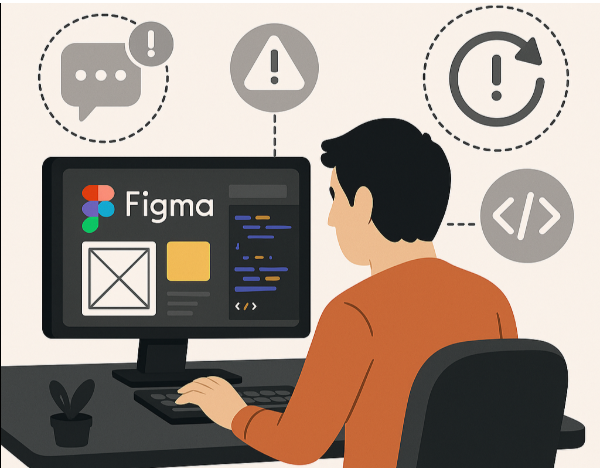
    Figma has become the design tool of choice for UI/UX professionals worldwide, thanks to its collaborative features and intuitive interface. While it excels in helping design teams visualize user interfaces, a consistent challenge remains translating these designs into clean, functional code. For developers, especially those in front end engineering, working directly from Figma design information often presents a range of obstacles.

    1. Lack of Clarity in Design Specifications

    Designs in Figma often don’t include complete specifications needed for development such as spacing, responsiveness rules, or interaction states. Developers are left to interpret the intent behind certain elements, which can lead to inconsistencies between the actual design and the implemented UI.

    2. Design-Development Misalignment

    While designers work with pixels and layers, developers think in components and logic. This disconnect becomes apparent when trying to manually translate intricate layouts or nested structures into maintainable code. The lack of standardized design systems further complicates this, as developers often must recreate elements from scratch.

    3. Repetitive Manual Work

    Without automation, developers spend significant time extracting assets, copying styles, converting layouts, and aligning typography. This not only slows down the development cycle but also increases the chances of introducing errors, especially in large-scale applications.

    4. Responsiveness and Edge Cases

    Figma designs are usually optimized for specific screen sizes. Developers have to guess how these screens should adapt across devices and resolutions. Without clear guidelines or adaptive layouts built into the design, coding for responsiveness becomes a time-consuming trial-and-error process.

    5. Handoff Gaps

    Even with tools like Figma’s inspect panel, the handoff process is rarely seamless. Designers and developers often work in silos, leading to missing information, communication gaps, and delays in implementation.

    Bridging the Gap with Automation

    To overcome these issues, more teams are turning to design to code workflows. A design to code platform automates the translation of Figma designs into production-ready code, reducing ambiguity and accelerating delivery. These platforms understand design structure, enforce consistency, and produce clean, scalable output aligned with best practices.

    For developers, this means spending less time translating visuals and more time building features. For organizations, it means faster go-to-market and fewer redesign loops.

    In today’s fast-paced development environment, relying solely on manual coding from static designs is no longer scalable. Embracing smarter, automated solutions ensures that both design vision and development execution stay perfectly aligned.

  • Uizard vs Figma: Which Design Tool Should You Use?

    Uizard vs Figma: Which Design Tool Should You Use?

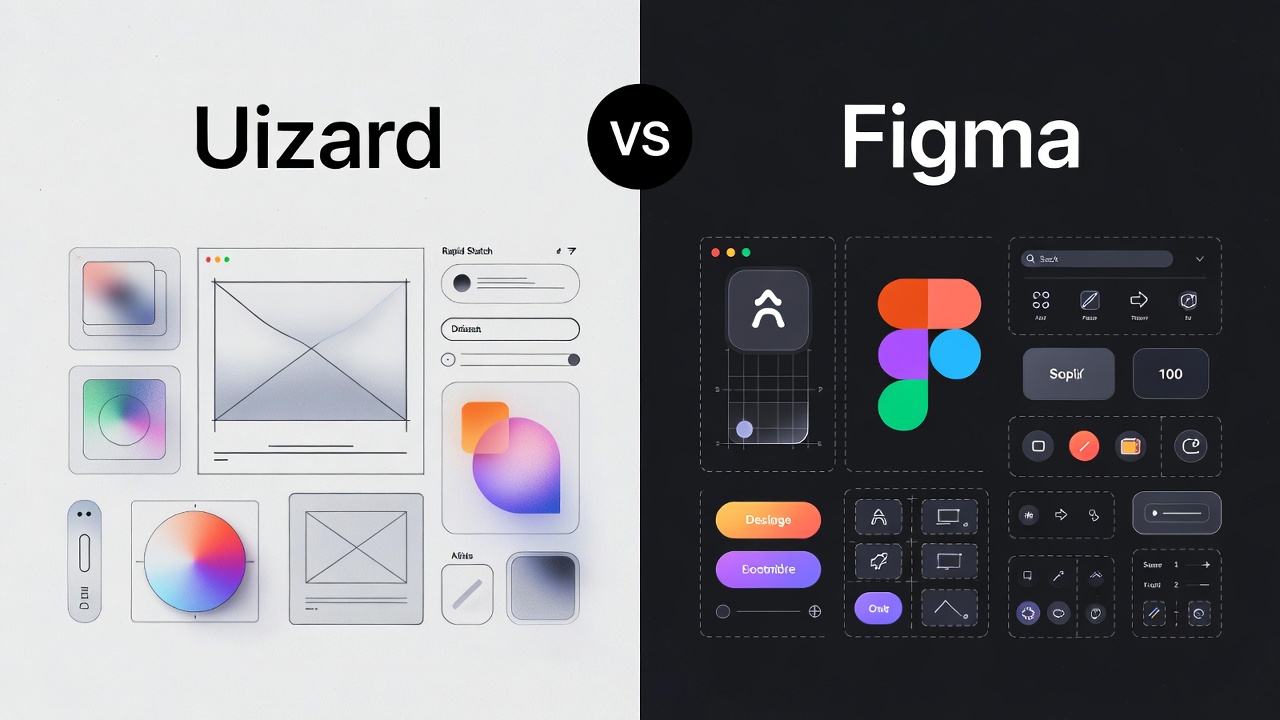
    Uizard vs Figma: The Best AI Design Tool for U.S. Startups in 2026

    Uizard is best for non-designers and founders needing rapid, AI-driven mockups from text or sketches, while Figma is the industry standard for professional designers requiring pixel-perfect control and advanced systems.

    Uizard vs Figma: Which One Wins for Rapid Prototyping?

    For years, I told my clients to hire a designer before even touching a mockup. In 2026, that advice has changed. For startups in the United States, the speed of iteration is the only true competitive advantage.

    Why Uizard is the “Founders’ Favorite”?

    Uizard has positioned itself as the “AI-first” alternative. It is not trying to be a vector powerhouse. Instead, it uses Autodesigner 2.0 to turn a simple English prompt into a multi-screen app layout.

    • Sketch-to-Screen: You can take a photo of a napkin sketch in a Chicago coffee shop, upload it, and Uizard turns it into a digital, editable wireframe.
    • Prompt-to-UI: Type “A fintech dashboard for Gen Z investors in California,” and it generates a themed UI in seconds.
    • Low Learning Curve: If you can use Google Slides, you can use Uizard.

    Why Figma Remains the “Industry Standard”?

    Despite Uizard’s magic, Figma is still the king of the American tech ecosystem. If you are hiring a professional UI/UX designer from a top U.S. agency, they will demand Figma.

    • Figma Make: This is Figma’s answer to AI. It generates functional prototypes from prompts but keeps them within the robust Figma environment.
    • Dev Mode: Essential for U.S. engineering teams, Dev Mode allows developers to inspect code, export assets, and see CSS/React snippets directly.
    • Design Systems: For scaling companies, Figma’s variables and components ensure that your brand looks the same on a laptop in Boston as it does on an iPhone in Austin.

    Feature Comparison: Comparing Design Tools for U.S. Teams

    When choosing for your team, you need to look at more than just the price tag. You need to look at the “Time to Prototype.”

    Uizard vs Figma Comparison

    Feature Uizard Figma
    Primary User Founders, PMs, Marketers Professional UI/UX Designers
    AI Capability High (Text-to-UI, Sketch-to-UI) Moderate (Figma Make, AI Layering)
    Control Limited (Drag-and-Drop) Total (Vector Networks)
    Collaboration Real-time (Simple) Real-time (Enterprise-grade)
    Handoff Basic React/CSS Advanced Dev Mode & Plugins
    Cost (Pro) ~$12/month ~$15/month

    The AI Factor: How Autodesigner 2.0 Competes with Figma Make

    In 2026, AI-powered design tools are the main event.

    Uizard’s Autodesigner 2.0 is built for “zero-to-one” moments. I recently worked with a logistics startup in Texas that needed a driver app mockup in two hours for a board meeting. We used Uizard to generate the flow, swapped the colors to match their brand, and had a clickable link ready before lunch.

    On the other hand, Figma Make is for “one-to-ten” moments. It helps professional designers skip the “blank page” phase. It suggests layouts based on your existing design system, ensuring that the AI-generated parts don’t look like they came from a different company.

    Pricing for American Startups and Small Businesses

    Budgeting for SaaS tools in the U.S. requires looking at the total cost of ownership.

    • Uizard Pricing: Their Pro plan starts at $12 per month, which is a steal for a founder who doesn’t want to pay a freelancer $100/hour for basic wireframes.
    • Figma Pricing: The Professional plan is $15 per seat. While slightly higher, the “Community” of free plugins and templates often saves you more money in the long run.

    For most American startups, I recommend starting with Uizard’s free tier for the initial “brain dump” and moving to Figma once you hire your first full-time designer.

    Which Should You Choose?

    If you are a founder in the United States trying to validate an idea this weekend, Uizard is your best friend. It bridges the gap between your thoughts and a visual product faster than any tool I’ve used in my career.

    However, if you are building a long-term product that requires pixel-perfect precision and deep collaboration between design and engineering, Figma is non-negotiable. It is the language of the modern American tech industry.

    My recommendation: Use Uizard to “think” and Figma to “build.” Use Uizard’s AI to generate 5 different versions of your landing page in 10 minutes, then pick the best one and move it to Figma for the final polish.

  • The Future of Front-End Development: How AI and Machine Learning Are Shaping Web Design

    The Future of Front-End Development: How AI and Machine Learning Are Shaping Web Design

    “By 2025, 85% of customer interactions will be managed without a human.” – Gartner

    As artificial intelligence (AI) and machine learning (ML) continue to evolve, their transformative impact on front-end development is becoming increasingly evident. These technologies are redefining the web design landscape, enabling developers and designers to create highly personalized, efficient, and engaging user experiences.

    Let’s explore the innovative ways AI and ML are shaping the future of front-end development.

    1. AI-Powered Design Tools: Revolutionizing Creativity and Productivity

    AI-powered design tools are turning traditional workflows on their head by automating mundane tasks and inspiring creativity. For instance:

    • Adobe Sensei provides smart features like auto-tagging and content-aware fill, accelerating design processes.
    • Uizard converts hand-drawn sketches into digital prototypes instantly, bridging the gap between ideation and execution.
    • Figma’s Auto Layout automates component adjustments for responsive designs, ensuring consistency across devices.

    Benefits: Designers can now focus on strategy and innovation, while non-designers can create professional-quality outputs with minimal effort.

    2. Automated Code Generation and Optimization

    AI-powered tools are making coding smarter and faster. Code assistants like GitHub Copilot and TabNine provide real-time code suggestions, significantly reducing manual effort. Tools like Sketch2Code even convert visual designs into HTML code, streamlining the development cycle.

    With Niral.ai, developers can directly generate front-end code in frameworks like Angular, Vue, React, and React Native, offering customizable options and full control over the final output. This allows for rapid development without compromising on quality.

    Advantages: These tools enhance developer productivity, minimize errors, and serve as a learning resource for newcomers by exposing them to best coding practices.

    3. Personalized User Experiences Through Machine Learning

    ML algorithms analyze user data to deliver dynamic, personalized content that improves engagement and satisfaction.

    • Platforms like Dynamic Yield and Optimizely tailor content and recommendations based on user preferences.
    • AI-powered chatbots, such as IBM Watson Assistant, ensure seamless and interactive customer support.

    Result: Personalized experiences lead to higher engagement, better customer satisfaction, and increased conversions.

    4. Accessibility and Inclusivity: A New Standard

    AI is playing a crucial role in making web content accessible to all users, including those with disabilities. Tools like accessiBe adjust website elements to comply with WCAG standards, while Microsoft’s Seeing AI offers narrations for visually impaired users.

    Impact: These advancements promote inclusivity, ensuring that digital platforms are usable by a diverse audience while meeting legal accessibility requirements.

    5. Performance Optimization with Predictive Analytics

    AI tools are now capable of real-time performance monitoring and optimization. For instance:

    • Google Lighthouse audits website performance and suggests improvements.
    • Cloudflare enhances content delivery and security using AI-driven optimizations.

    Key Benefits: Faster load times, smoother interactions, and proactive issue resolution lead to superior user experiences and higher retention rates.

    6. The Road Ahead: Emerging Trends and Skills

    The future of front-end development promises even greater innovations, including:

    • Generative Design: AI will create entire websites tailored to user needs.
    • AR/VR Integration: Enhanced interfaces for immersive experiences.
    • Advanced Security Protocols: AI-driven systems to combat cyber threats.

    Implication: Developers must embrace AI and ML as collaborative tools, honing skills in data analysis, ethical AI use, and seamless integration into workflows.

    Embracing the AI-Driven Frontier

    AI and ML are not merely tools—they are partners in creativity and innovation, transforming front-end development into a dynamic, personalized, and efficient process. By embracing these technologies, developers and designers can push the boundaries of what’s possible, creating digital experiences that are not just functional but truly exceptional.

    The future of web design is here—are you ready to lead the charge?

  • The Evolution of UI Development: From Static HTML to AI & Beyond

    The Evolution of UI Development: From Static HTML to AI & Beyond

    User Interface (UI) development has come a long way from static HTML pages to interactive, intelligent, and component-driven experiences. What was once a discipline focused purely on aesthetics has transformed into a core function in delivering seamless user experiences. The evolution of UI development reflects not only changes in design trends but also the technological and cultural shifts in how users interact with digital products.

    The Early Days: Static HTML and Table Layouts

    In the 1990s, UI development primarily involved crafting simple, static web pages using basic HTML and table-based layouts. The goal was to put information online, not necessarily to create an engaging experience. Developers had limited tools, with inline styling and minimal scripting. There was a clear separation between designers, who worked on static mock-ups, and developers, who translated them manually into code.

    Rise of CSS and JavaScript

    The early 2000s introduced CSS and JavaScript as powerful tools to separate presentation from structure. CSS enabled better styling control, while JavaScript opened the door to dynamic behaviour. This era saw the beginning of UI interactivity – sliding menus, form validations, and animations. However, code maintainability was still a challenge, especially as websites grew more complex.

    The Age of Frameworks and Responsive Design

    The late 2000s and early 2010s marked a shift towards modern frameworks like Bootstrap, jQuery, and later AngularJS and React. These tools enabled reusable components, better code structure, and greater responsiveness. With the rise of smartphones, responsive design became a must-have, and UI developers had to ensure seamless experiences across devices.

    Front end development became a distinct specialization, requiring knowledge of HTML, CSS, JavaScript, and frameworks, along with accessibility and performance considerations. UI was no longer just about “how it looks” but also about “how it feels” and “how it works.”

    Component-Driven Development and Design Systems

    The modern UI landscape is driven by component-based architectures and design systems. Tools like React, Vue, and Svelte promote modularity and reusability, making front-end engineering more efficient and scalable. Design systems ensure consistency across products, aligning designers and developers around shared components, styles, and behaviour rules.

    The Rise of Automation: Design to Code

    As tools mature, the gap between design and implementation is narrowing. Design to code solutions are automating the traditionally manual handoff between design and development. Platforms now convert Figma or Sketch files into production-ready code, reducing development cycles and ensuring design accuracy. While human oversight remains essential, these tools are redefining how quickly UIs are brought to life.

    What’s Next?

    Looking ahead, the evolution of UI development will likely be shaped by AI, no-code/low-code platforms, and conversational interfaces. Developers will play a more strategic role in shaping user journeys, while automation will handle more repetitive coding tasks. The collaboration between design and engineering will become even more seamless, driven by shared tools and automated workflows.

    From static HTML pages to intelligent, dynamic systems, UI development continues to evolve, always pushing the boundaries of what’s possible in digital experience design.

  • The 5 Best AI Tools of 2025: Revolutionizing Productivity and Innovation

    The 5 Best AI Tools of 2025: Revolutionizing Productivity and Innovation

    As AI continues to reshape industries, selecting the right tools can unlock unprecedented efficiency and creativity.

    Here are the top five AI tools of 2025, including a groundbreaking newcomer, that are redefining workflows across sectors.

    1. GitHub Copilot: The Coding Powerhouse

    Developed by GitHub and OpenAI, GitHub Copilot remains a staple for developers. This AI-powered code completion tool suggests entire lines or blocks of code in real time, supporting multiple programming languages like Python, JavaScript, and Ruby. By automating boilerplate code and catching syntax errors, it accelerates development cycles and enhances code quality. Its integration with popular IDEs like VS Code makes it indispensable for both novices and experts.

    Why it stands out:

    • Context-aware suggestions reduce manual coding.
    • Acts as a coding tutor for best practices.

    2. Claude: The Conversational AI Leader

    Anthropic’s Claude has dethroned ChatGPT as the top AI chatbot in 2025, thanks to its advanced reasoning and multimodal capabilities. Claude’s Artifacts feature allows users to interact with generated code, apps, or graphics directly within the interface. Trained to prioritize safety and accuracy, it excels in complex tasks like data analysis, coding, and creative writing, making it a favorite for enterprises and researchers 10.

    Key features:

    • Real-time collaboration tools.
    • Enhanced understanding of humor and abstract concepts.

    3. Midjourney: Redefining Digital Art

    Midjourney dominates the AI art generation space with its ability to transform text prompts into stunning visuals. Its latest update integrates ControlNet for better image control, making it ideal for designers and marketers. While its free tier is limited, the $30/month plan offers unlimited generations and high-resolution outputs, cementing its status as a creative powerhouse 311.

    Unique edge:

    • Rapid iteration for prototyping and concept art.
    • Community-driven templates for inspiration.

    4. Runway: The Video Generation Maverick

    Runway leads AI video generation with Gen-3 Alpha, a model producing cinematic-quality videos from text prompts. Its lip-sync precision and motion control tools cater to professional filmmakers and content creators. Despite competition from Pika and Luma AI, Runway’s seamless integration with editing software and asset libraries keeps it ahead 10.

    Why choose Runway:

    • Real-time collaboration for teams.
    • Advanced features like video inpainting and style transfer.

    5. Niral.ai: Bridging Design and Development

    A newcomer in 2025, Niral.ai revolutionizes front-end development by converting Figma designs into responsive, production-ready code for Angular, React, React Native, and Vue—all in minutes. Its AI automates tedious tasks like component mapping and responsiveness testing, slashing development time by 70% and QA cycles by 50%.

    Key benefits:

    • Multi-framework support: Seamlessly integrates with Angular, React, React Native, and Vue.
    • Cost efficiency: Reduces costs by 40% through automation.
    • Workflow integration: Drag-and-drop functionality and Git compatibility streamline processes.

    From code automation to creative design, these tools exemplify AI’s transformative potential in 2025. Whether you’re a developer, artist, or project manager, integrating GitHub Copilot, Claude, Midjourney, Runway, or Niral.ai into your workflow can drive innovation and efficiency.

    As AI evolves, staying ahead means leveraging tools that align with your goals—and these five are a stellar starting point.

  • Superapps: End App Chaos & Transform Enterprise UX with Niral AI

    Superapps: End App Chaos & Transform Enterprise UX with Niral AI

    Building Superapps: The Future of Enterprise UX Starts with You

    Hey, you. Yes, you, the IT leader staring at a screen, wondering why your team’s drowning in a mess of apps. Every day, your employees waste hours toggling between tools that don’t talk to each other. It’s frustrating, isn’t it? In the US, this chaos costs companies $400 billion a year in lost productivity (Forrester, 2024). You’re not just fighting bad software, you’re fighting a losing battle against time.

    But what if there was a way to fix it? A way to make work feel as smooth as your morning coffee run? At Niral AI, we’re building that future with Niral AI, our AI-powered platform for creating superapps, unified tools that transform the Future of Enterprise UX on platforms like ServiceNow. This isn’t just tech. It’s your chance to be the leader who changes everything. Let’s talk about how.

    Table of Contents

    • What’s a Superapp, Anyway?
    • Why You’re Losing the App Battle
    • Why Building Superapps Is Tough
    • Niral AI: Your Secret Weapon
    • The Future Is Yours to Shape
    • Quick Stats: The Superapp Advantage
    • FAQ: Your Superapp Questions, Answered
    • Key Takeaways
    • Join the Revolution with Niral AI

    What’s a Superapp, Anyway?

    Picture this: one app that’s your team’s command center. IT tickets? Handled. Budget approvals? Done in a click. HR requests? Right there. That’s a superapp, a single platform that brings every tool together, designed around how you work. Built for ServiceNow with Niral AI, it’s like giving your team a superpower: everything they need, exactly when they need it.

    Why does this matter? Because you’re tired of watching your team struggle. A superapp makes work feel effortless, and that’s a game-changer.

    Why You’re Losing the App Battle

    Let’s be real: your current tools are letting you down. Your employees are frustrated, your projects are stalling, and you’re losing ground. Here’s why:

    • App Overload Is Killing Focus: Your team uses 11 apps daily, wasting 20% of their time switching between them (Gartner, 2024).
    • Data Silos Are Slowing You Down: Disconnected systems mean 65% of IT leaders report delays in decision-making (IDC, 2025).
    • Your Tools Aren’t Loved: 70% of enterprise software fails because it’s clunky and ignored (Forrester, 2023).

    Meet Tom, a CIO at a San Francisco tech startup. He watched his team lose hours daily to app chaos, until he switched to a Niral AI superapp. Now, his team handles IT tickets and reports in minutes, not hours. Sound familiar? That could be you.

    “You didn’t sign up to manage app chaos. You signed up to lead.”

    Why Building Superapps Is Tough

    You’re thinking, “A superapp sounds amazing, but it’s probably a nightmare to build.” You’re not wrong. Here’s what you’re up against:

    • It’s a Coding Maze: Custom UI and ServiceNow integrations are complex and error-prone.
    • It Takes Forever: Most projects drag on for 6-12 months, delaying results.
    • It Costs a Fortune: Building an enterprise app averages $500,000 (Gartner, 2024).
    • It’s Inflexible: Traditional systems can’t keep up with your growing needs.

    Niral AI: Your Secret Weapon

    At Niral AI, we’ve spent 12 years perfecting the art of enterprise UX. Our Niral AI platform makes Building Superapps feel like magic:

    • Interfaces That Wow: Our AI crafts beautiful, intuitive designs that your team will love, in hours.
    • Speed That Stuns: Prototypes in days, full apps in weeks, 80% faster than the competition.
    • Flexibility That Scales: Add features or tweak workflows without starting over.
    • AI That Thinks: Niral AI analyzes your team’s user intent, generating code that fits like a glove.

    A US financial firm in Chicago used Niral AI to build a ServiceNow superapp, merging 15 tools into one. Result? They cut approval times from 3 days to 2 hours, saving $3M annually. That’s not just software, that’s transformation.

    Why Trust Us? Our team’s EEAT, 12 years of AI expertise, real-world wins, and a passion for making work effortless, sets us apart.

    The Future Is Yours to Shape

    Close your eyes and imagine a workplace where your team isn’t bogged down by tools. Where work flows seamlessly, and productivity soars. That’s the Future of Enterprise UX, and superapps are the key. In the US, where 85% of CEOs are racing to digitize (PwC, 2025), adopting superapps isn’t just smart, it’s how you become a legend.

    With Niral AI, you’re not just keeping up. You’re setting the pace, building a legacy that your competitors will envy.

    Quick Stats: The Superapp Advantage

    • 68% of US employees say app overload kills productivity (Gartner, 2024).
    • $400B lost yearly to inefficiencies in US enterprises (Forrester, 2024).
    • 50% higher adoption with superapps vs. traditional tools (McKinsey, 2024).
    • 80% faster deployment with Niral AI (Hakuna Matata, 2025).

    FAQ: Your Superapp Questions, Answered

    What’s a superapp, really?
    It’s one platform that handles everything, IT, HR, analytics, saving you from app chaos.

    How fast can I get a superapp with Niral AI?
    Prototypes in days, full apps in weeks. Way faster than the industry’s 6-month slog.

    Will it work with ServiceNow?
    You bet. Niral AI is built to sync perfectly with ServiceNow for US enterprises.

    Is it secure?
    Rock-solid. We use encryption and meet US standards like SOC 2 and HIPAA.

    How does it save money?
    By boosting adoption and cutting inefficiencies, superapps save up to 40% (Deloitte, 2024).

    Key Takeaways

    • Superapps end app chaos, unifying tools for a seamless Future of Enterprise UX.
    • Niral AI makes Building Superapps fast, beautiful, and tailored to user intent.
    • You’re not just a leader, you’re a trailblazer. Start now with Hakuna Matata Solutions.
    • The US IT sector needs this. Be the one to deliver it.
  • State of AI Code Generation in 2024

    State of AI Code Generation in 2024

    As 2024 draws to a close, it’s essential for technology executives to evaluate the substantial changes AI has made in the realm of code generation this year. This reflection will help organizations better understand the opportunities and challenges that lie ahead in leveraging AI-driven solutions for software development.

    Advancements in AI Code Generation

    The year has witnessed remarkable advancements in AI-based code generation tools, primarily driven by breakthroughs in Large Language Models (LLMs). These models have enhanced the ability of machines to analyze, understand, and produce code across various programming languages and paradigms.

    Today, developers can interact with AI using natural language or even visual inputs, such as design files or mockups. This evolution streamlines the transition from conceptual design to functional code, ultimately enhancing developer productivity. For instance, tools like Niral.ai facilitate the conversion of design assets into production-ready code, highlighting the trend toward more integrated development solutions.

    The Evolving Landscape of AI Tools

    The emergence of AI code generation tools has reshaped the software development landscape. These tools are capable of generating code snippets, auto-completing code, proposing entire functions or classes, and delivering deployable, production-ready code. Moreover, they assist in analyzing existing code, debugging, suggesting test cases, and translating code between different programming languages.

    Historically, AI-assisted software development tools focused on basic functionalities like spell-checking and static code analysis. However, the introduction of sophisticated tools like GitHub Copilot and Amazon Code Whisperer has set a new standard. These tools have demonstrated impressive capabilities but have also faced challenges in accuracy, particularly in complex tasks. Yet, advancements continue to emerge, with products like Microsoft’s Sketch2Code transforming images into functional front-end code.

    Market Overview and Growth Projections

    Market research indicates that the AI code generation sector is currently valued at approximately USD 30.9 billion and is projected to grow to USD 169.2 billion by 2032, reflecting a compound annual growth rate (CAGR) of over 21.4%. Furthermore, a recent survey reveals that 84.4% of programmers have some experience with AI code generation tools, with a significant portion believing these technologies will positively impact code quality.

    Categories of AI Code Generation Tools

    The diversity of AI code generation tools available today can be categorized into several key areas:

    Code Assistants

    These tools enhance code completion through context-aware recommendations. Prominent examples include GitHub, Copilot and IBM WatsonX.

    Design-to-Code Solutions

    Tools in this category automate the conversion of visual inputs into front-end code, improving the design-to-development workflow. Solutions like Niral.ai exemplify this trend by effectively translating design assets into functional code.

    Automated Testing and Debugging

    These tools assist engineers in writing test cases and enhancing coding standards, integrating seamlessly into CI/CD pipelines.

    Code Translation Tools

    These facilitate the conversion of code from one programming language to another, helping organizations modernize legacy systems.

    Benefits for Software Development

    AI code generators are increasingly becoming vital to the development process, proving beneficial for startups, agencies, and large enterprises alike. They enable teams to accelerate product development and enhance efficiency, allowing for the delivery of high-quality products.

    Challenges and Considerations

    However, challenges persist. The effectiveness of AI code generation tools is heavily dependent on the quality of input. Developers must provide clear and accurate prompts to ensure high-quality output. Additionally, ethical considerations surrounding AI, such as bias and data privacy, require ongoing attention.

    Future Outlook

    Looking ahead, the AI code generation market is poised for significant growth, with projections indicating it could reach USD 169.2 billion by 2032. As AI technology continues to evolve, its role in software development will only expand, potentially lowering barriers to entry and enabling more individuals to engage in coding.

    In a nutshell, 2024 has been a pivotal year for AI code generation, showcasing its potential to revolutionize the software development landscape. By understanding these advancements, technology leaders can strategically position their organizations for success in an increasingly AI-driven world.